Plug in PHP 100 POWER SOLUTIONS- P27 doc
Bạn đang xem bản rút gọn của tài liệu. Xem và tải ngay bản đầy đủ của tài liệu tại đây (279.49 KB, 5 trang )
96
P l u g - i n P H P : 1 0 0 P o w e r S o l u t i o n s
96
P l u g - i n P H P : 1 0 0 P o w e r S o l u t i o n s
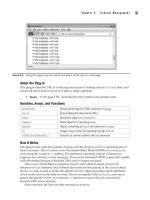
About the Plug-in
This plug-in takes the location of a directory on your server and returns all the files within it
in an array. Upon success, it returns a four-element array, the first of which is the number of
directories found. The second is the number of files found, the third is an array of directory
names, and the fourth is an array of file names. On failure, it returns a single-element array
with the value FALSE. It requires this argument:
• $path The path of a directory on the server
Variables, Arrays, and Functions
$files
Array containing the files encountered
$dirs
Array containing the directories encountered
$fnum
Integer containing the number of files
$dnum
Integer containing the number of directories
$dh
Handle to identify the directory
$item
String containing each encountered item in turn
How It Works
This program initializes the two arrays, $files and $dirs, which will contain the files and
directories encountered in $path, and sets the two counters for the numbers of files and
directories, $fnum and $dnum, to 0.
Then, $path is checked to ensure it’s a valid directory. If it is, the directory is opened
using opendir() and a handle to it is placed in $dh. Then, a do loop is entered in which
each item in the directory is read in turn into the string $item. If the value of $item is
FALSE at any time, the end of the directory listing has been encountered. However, there’s a
slight problem because a file or subdirectory could have the name “0”, which would be
interpreted as having the value FALSE by PHP. To avoid this, instead of comparing using the
!= operator, !== is used instead. This tells PHP not to try to evaluate anything before
making the comparison, and only to compare exact values. The file names . and are also
ignored.
Next the current item is tested to see whether it’s a file or a directory. If it’s a directory, it
is placed in the $dirs array and $dnum is incremented. If it’s a file, it is placed in the $files
array and $fnum is incremented. The do loop then continues until $item has a value of
FALSE, at which point the $dh handle is closed.
At the end of the code the results are returned in an array of four elements as follows:
• Element 0: The number of directories found
• Element 1: The number of files found
• Element 2: Array containing the directory names
• Element 3: Array containing the file names
If $path was not a valid directory, the return statement will simply return zeros and
empty array values.
C h a p t e r 5 : C o n t e n t M a n a g e m e n t
97
C h a p t e r 5 : C o n t e n t M a n a g e m e n t
97
How to Use It
You call up the plug-in using code such as this, setting $directory to the folder whose
contents you are interested in:
$directory = "c:\windows";
$result = PIPHP_DirectoryList($directory);
You can then use the returned values like this to display the directories found:
if ($result[0] == 0) echo "No Directories found";
else for ($j=0 ; $j < $result[0] ; ++$j)
echo $result[2][$j] . "<br />";
Or like this to list the files:
if ($result[1] == 0) echo "No files found";
else for ($j=0 ; $j < $result[1] ; ++$j)
echo $result[3][$j] . "<br />";
Or you might prefer to use foreach instead of for loops, like this:
if ($result[0] == 0) echo "No Directories found";
else foreach($result[2] as $directory)
echo "$directory<br />";
if ($result[1] == 0) echo "No files found";
else foreach($result[3] as $file)
echo "$file<br />";
The Plug-in
function PIPHP_DirectoryList($path)
{
$files = array();
$dirs = array();
$fnum = $dnum = 0;
if (is_dir($path))
{
$dh = opendir($path);
do
{
$item = readdir($dh);
if ($item !== FALSE && $item != "." && $item != " ")
{
if (is_dir("$path/$item")) $dirs[$dnum++] = $item;
else $files[$fnum++] = $item;
}
} while($item !== FALSE);
closedir($dh);
}
return array($dnum, $fnum, $dirs, $files);
}
98
P l u g - i n P H P : 1 0 0 P o w e r S o l u t i o n s
98
P l u g - i n P H P : 1 0 0 P o w e r S o l u t i o n s
Query Highlight
When a visitor comes to your web site from a search engine result, you can use this plug-in
to be helpful and highlight all the items from their search in your text, deciding whether to
highlight these terms with either boldface, italics, or an underline. Figure 5-5 shows some
words from a Shakespeare play being highlighted using this plug-in.
About the Plug-in
This plug-in takes the text to display and the type of highlighting required for any search
terms encountered. It requires these arguments:
• $text The text to highlight
• $highlight The type of highlight to use, either b, i, or u for bold, italic, or underline
Variables, Arrays, and Functions
$refer
The referring web page, if any
$parse Array containing the parts of $refer
$queries String containing queries extracted from $refer
$key
String containing first half of a key/value pair
$value
String containing second half of a key/value pair
$matches
Array containing search words
PIPHP_WordSelector()
Function used to highlight selected words in text
How It Works
The URL of the referring page is placed in $refer, and the array $parse is set to the
component parts of $refer. If there was no referring page, the text supplied in $text is
returned unmodified. This is also the case if there was a referring page but no search string
query. Otherwise, the array $queries is filled with the various queries that can follow a
URL, and which are separated by & characters.
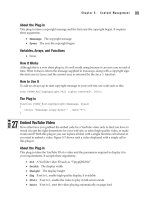
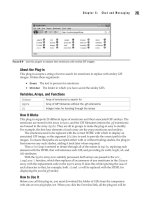
FIGURE 5-5 If a page has been arrived at from a search engine, you can highlight all the words matching the
query with this plug-in.
25
C h a p t e r 5 : C o n t e n t M a n a g e m e n t
99
C h a p t e r 5 : C o n t e n t M a n a g e m e n t
99
A foreach loop is then entered, which iterates through each of the strings in the
$queries array, setting $key and $value to the left and right halves of each. If any of the
$key values is either q or p, chances are the code is looking at the result of a search query
made with one of the major search engines (Yahoo!, Bing, Google, or Ask Jeeves), and so the
contents of $value will be passed to urldecode() to turn any unusual characters into
regular ones, and then all words found in this string will be split out into the array
$matches.
Provided with this array of search words, PIPHP_WordSelector() is then called to
highlight any of these words that appear within the string $text. The result of this is then
returned.
How to Use It
To highlight search terms within some text, call the plug-in like this:
$text = "To be or not to be, that is the question; " .
"whether 'tis nobler in the mind to suffer " .
"the slings and arrows of outrageous fortune, " .
"or to take arms against a sea of troubles, " .
"and by opposing, end them. To die - to sleep, " .
"no more; and by a sleep to say we end " .
"the heart-ache and the thousand natural shocks " .
"that flesh is heir to - 'tis a consummation " .
"devoutly to be wish'd.";
echo PIPHP_QueryHighlight($text, "b");
In this example, any words in the string $text, which were used as a search term at a
major search engine to discover the current page, will be highlighted in bold face. So, for
example, if the user searched for “question of sleep” then the previous text would be
highlighted like this:
To be or not to be, that is the question; whether 'tis nobler in the mind to suffer the slings and
arrows of outrageous fortune, or to take arms against a sea of troubles, and by opposing, end
them. To die - to sleep, no more; and by a sleep to say we end the heart-ache and the thousand
natural shocks that flesh is heir to - 'tis a consummation devoutly to be wish'd.
You can include any text or HTML you like and the plug-in will still work correctly.
Punctuation is also fully supported, so you don’t have to ensure spaces exist on either side
of keywords for them to be recognized.
On its own, if you just type in the preceding example and call it up in a browser, you
will not see any highlighting because there is no referring page; you will have entered the
page directly. So to simulate a referred visit from a search engine, you can add the following
code to the preceding two commands:
echo "<br /><a href=\"" . $_SERVER['PHP_SELF'] .
"?q=" . rawurlencode("question of sleep") .
"\">Click twice to test</a><br />";
This displays an HTML link that will cause the PHP program to call itself up when the
link is clicked, acting as its own referring page. You need to do this twice, though, in order
100
P l u g - i n P H P : 1 0 0 P o w e r S o l u t i o n s
100
P l u g - i n P H P : 1 0 0 P o w e r S o l u t i o n s
to properly simulate a visit referred from a search engine. The first click adds the referrer
information to the tail of the URL (as displayed in the browser address field), and the
second passes that tail to the program where it can be processed. After the second click,
you’ll see that the text has been highlighted.
Because this plug-in makes use of plug-in 5, PIPHP_WordSelector(), you need to also
copy it into your program or otherwise include it.
The Plug-in
function PIPHP_QueryHighlight($text, $highlight)
{
$refer = getenv('HTTP_REFERER');
$parse = parse_url($refer);
if ($refer == "") return $text;
elseif (!isset($parse['query'])) return $text;
$queries = explode('&', $parse['query']);
foreach($queries as $query)
{
list($key, $value) = explode('=', $query);
if ($key == "q" || $key == "p")
{
$matches = explode(' ', preg_replace('/[^\w ]/', '',
urldecode($value)));
return PIPHP_WordSelector($text, $matches, $highlight);
}
}
}
Rolling Copyright
If you’ve developed for the Web for more than a couple of years, you’re bound to have
encountered the problem whereby every January you have to wade in and locate all the
copyright statements to bring them up to date with the new year. Well, with this short and
sweet plug-in, that never need be a problem again, since it will ensure your web sites
always show the current year, as shown in Figure 5-6.
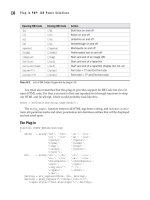
FIGURE 5-6 Ensuring your copyright message is always up-to-date is easy with this plug-in.
26