AutoIT Help part 44 pot
Bạn đang xem bản rút gọn của tài liệu. Xem và tải ngay bản đầy đủ của tài liệu tại đây (71.88 KB, 6 trang )
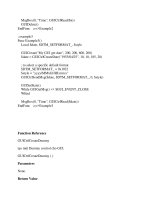
MsgBox(0, "Time", GUICtrlRead($n))
GUIDelete()
EndFunc ;==>Example2
; example3
Func Example3()
Local $date, $DTM_SETFORMAT_, $style
GUICreate("My GUI get date", 200, 200, 800, 200)
$date = GUICtrlCreateDate("1953/04/25", 10, 10, 185, 20)
; to select a specific default format
$DTM_SETFORMAT_ = 0x1032
$style = "yyyy/MM/dd HH:mm:s"
GUICtrlSendMsg($date, $DTM_SETFORMAT_, 0, $style)
GUISetState()
While GUIGetMsg() <> $GUI_EVENT_CLOSE
WEnd
MsgBox(0, "Time", GUICtrlRead($date))
EndFunc ;==>Example3
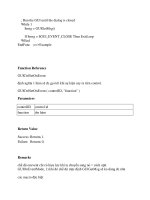
Function Reference
GUICtrlCreateDummy
tạo một Dummy control cho GUI.
GUICtrlCreateDummy ( )
Parameters
None.
Return Value
Success:
trả lại ControlID
Failure:
Returns 0.
Remarks
This control can receive messages through a GUICtrlSendToDummy call. The
control will "notify" as normal and the value sent with GUISendToDummy can be
read with GUICtrlRead.
Related
GUICtrlSendToDummy, GUICtrlSetOnEvent, GUICtrlRead, GUICtrlSetData
Example
#include <GUIConstantsEx.au3>
Opt('MustDeclareVars', 1)
Example()
Func Example()
Local $user, $button, $cancel, $msg
GUICreate("GUICtrlCreateDummy", 250, 200, 100, 200)
GUISetBkColor(0x00E0FFFF) ; will change background color
$user = GUICtrlCreateDummy()
$button = GUICtrlCreateButton("event", 75, 170, 70, 20)
$cancel = GUICtrlCreateButton("Cancel", 150, 170, 70, 20)
GUISetState()
Do
$msg = GUIGetMsg()
Select
Case $msg = $button
GUICtrlSendToDummy($user)
Case $msg = $cancel
GUICtrlSendToDummy($user)
Case $msg = $user
; special action before closing
;
Exit
EndSelect
Until $msg = $GUI_EVENT_CLOSE
EndFunc ;==>Example
Function Reference
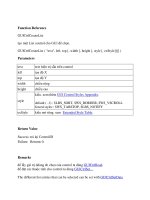
GUICtrlCreateEdit
tạo Edit control cho GUI để nhập xuất văn bản.
GUICtrlCreateEdit ( "text", left, top [, width [, height [, style [, exStyle]]]] )
Parameters
text text hiện trị sẵn trên control
left tọa độ X
top tọa độ Y
width chiều rộng
height chiều cao
style
kiểu. xem thêm GUI Control Styles Appendix.
default ( -1) : $ES_WANTRETURN, $WS_VSCROLL,
$WS_HSCROLL, $ES_AUTOVSCROLL, $ES_AUTOHSCROLL
forced styles : $ES_MULTILINE, $WS_TABSTOP only if not
$ES_READONLY
exStyle kiểu mở rộng. xem Extended Style Table.
Return Value
Success:
trả lại ControlID
Failure:
Returns 0.
Remarks
để lấy giá trị của control ta dùng GUICtrlRead.
để đặt các thuộc tính cho control ta dùng GUICtrlSet
để sử dụng nhiều kiểu trong style ta dùng BitOr($GUI_SS_DEFAULT_EDIT,
newstyle, ).
nếu bạn muốn kéo và thả file trên edit bạn cần phải tạo gui có thuộc
tính WS_EX_ACCEPTFILES extended style ở hàm GUICreate() và set
kiểu $GUI_DROPACCEPTED cho nó bằng guictrlsetstate.
lựa chọn nhiều file sẽ đc phân biệt thành nhiều dòng
để có thể dùng đc các biến trên ta cần phải khai báo thư viện #include
<EditConstants.au3> in your script.
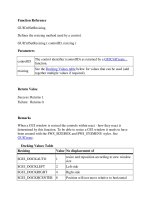
Default resizing is $GUI_DOCKAUTO size and position will occur.
Related
GUICoordMode (Option), GUICtrlSetData, GUICtrlSetState, GUIGetMsg,
GUICtrlRead
Example
#include <GUIConstantsEx.au3>
#include <WindowsConstants.au3>
#include <EditConstants.au3>
#include <StaticConstants.au3>
Opt('MustDeclareVars', 1)
Global $oMyError
Example()
RichEditExample()
Func Example()
Local $myedit, $msg
GUICreate("My GUI edit") ; will create a dialog box that when displayed is
centered
$myedit = GUICtrlCreateEdit("First line" & @CRLF, 176, 32, 121, 97,
$ES_AUTOVSCROLL + $WS_VSCROLL)
GUISetState()
Send("{END}")
; will be append dont' forget 3rd parameter
GUICtrlSetData($myedit, "Second line", 1)
; Run the GUI until the dialog is closed
While 1
$msg = GUIGetMsg()
If $msg = $GUI_EVENT_CLOSE Then ExitLoop
WEnd
GUIDelete()
EndFunc ;==>Example
; Rich edit control EXAMPLE using GUICtrlCreateObj
; Author: Kåre Johansson
; AutoIt Version: 3.1.1.55
; Description: Very Simple example: Embedding RICHTEXT object
; Needs: MSCOMCT2.OCX in system32 but it's probably already there
; Date: 3 jul 2005