Troubleshooting
Bạn đang xem bản rút gọn của tài liệu. Xem và tải ngay bản đầy đủ của tài liệu tại đây (58.13 KB, 14 trang )
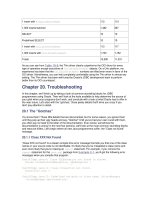
1 insert with PreparedStatement
113 113
1,000 inserts batched 1,482 367
SELECT 10 10
Predefined SELECT 10 10
1 insert with CallableStatement
113 117
1,000 inserts with CallableStatement
1,723 1,752
Totals 12,590 11,231
As you can see from Table 19-9, the Thin driver clearly outperforms the OCI driver for every
type of operation except executions of CallableStatement objects. On a Unix platform, my
experience has been that the CallableStatement numbers are tilted even more in favor of the
OCI driver. Nonetheless, you can feel completely comfortable using the Thin driver in almost any
setting. The Thin driver has been well-tuned by Oracle's JDBC development team to perform
better than its OCI counterpart.
Chapter 20. Troubleshooting
In this chapter, we'll finish up by taking a look at common stumbling blocks for JDBC
programmers using Oracle. Then we'll look at the tools available to help determine the source of
your grief when your programs don't work, and conclude with a look at what Oracle has to offer in
the near future. Let's start with the "gotchas," those pesky details that'll drive you crazy if you
don't pay attention to detail.
20.1 The "Gotchas"
You know them! Those little details that are documented, but for some reason, you ignore them
until they pop up their ugly heads and say, "Gotcha!" Until you've had your own round with them,
you often pay no heed to the letter of the documentation. Even worse, sometimes the
documentation is wrong! In the next few sections, we'll look at the most common stumbling blocks
and resource killers. Let's begin where all new Java programmers suffer, the "Class not found"
message.
20.1.1 Class XXX Not Found
"Class XXX not found" is a classic compile-time error message that tells you that one of the class
names in your source code is not identifiable. It's likely that you've misspelled a class name and
even more likely that you're missing an import statement. For example, if you remove the
import statement for the java.sql package from Example 2-1, you'll get the following error
messages when you compile that program:
TestOCIApp.java:6: Class SQLException not found in throws.
throws ClassNotFoundException, SQLException {
^
TestOCIApp.java:11: Class Connection not found.
Connection conn =
^
TestOCIApp.java:12: Undefined variable or class name: DriverManager
DriverManager.getConnection(
^
TestOCIApp.java:15: Class Statement not found.
Statement stmt = conn.createStatement( );
^
TestOCIApp.java:16: Class ResultSet not found.
ResultSet rset = stmt.executeQuery(
^
TestOCIApp.java:20: Variable rset may not have been initialized.
rset.close( );
^
6 errors
Wow! Six errors simply because you forgot to add import java.sql.*; to your source file. If
you get a "Class not found" message for a class, and you're not sure what your import
statement for that class should be, open up the API documentation and search for the class you
are using. The package name will be documented with the class.
Typically, when you import a package, you can begin with the import keyword, follow it with the
package name, and then append .* to import all classes in the package. Sometimes, however,
that doesn't work as you expect. For example, if you want to use the Date class from the
java.util package and the java.sql package in the same program, you'll probably use an
import statement for the package you use a lot of classes from, i.e., java.sql.*;, and then
fully qualify the class name for the class from the other package in order to resolve ambiguity. For
example, you might import java.sql.*, use Date for the value returned from the database, and
use the fully-qualified java.util.Date to refer to the Date class from the java.util
package.
Next, let's look at what happens when you're missing class files at runtime.
20.1.2 A Missing JDBC Jar File
You may be able to successfully compile your program without a "Class not found" error, but
when you run it you may get a ClassNotFoundException. To understand what's wrong, you
must understand that JDBC is defined as a set of interfaces. These interfaces are resolved at
runtime by DriverManager, which loads the appropriate implementation of the database and
JDBC version you are using. If the necessary class files that implement the JDBC interfaces can't
be loaded at runtime, then the program will generate an exception such as the following:
Exception in thread "main" java.lang.ClassNotFoundException:
oracle.jdbc.driver.
OracleDriver
at java.net.URLClassLoader$1.run(URLClassLoader.java:202)
at java.security.AccessController.doPrivileged(Native Method)
at java.net.URLClassLoader.findClass(URLClassLoader.java:191)
at java.lang.ClassLoader.loadClass(ClassLoader.java:290)
at sun.misc.Launcher$AppClassLoader.loadClass(Launcher.java:286)
at java.lang.ClassLoader.loadClass(ClassLoader.java:247)
at java.lang.Class.forName0(Native Method)
at java.lang.Class.forName(Class.java:124)
at TestOCIApp.main(TestOCIApp.java, Compiled Code)
This type of ClassNotFoundException is typically a problem when you are missing the
appropriate java library jar (or zip) file in your class path. For Oracle 8.1.6, that file is
classes12.zip. In fact, I generated the previous error message by removing classes12.zip from
the class path and executing a JDBC program. Double-check your class path, your package
library structure, and the spelling of any dynamically loaded class any time you get a
ClassNotFoundException.
20.1.3 A Bad Database URL
After you've successfully compiled your program and dynamically loaded the JDBC driver, your
next likely headache is a malformed database URL. The database URL you specify is used by
DriverManager to find and use the appropriate implementation classes. If you make a mistake
when formulating a database URL such that DriverManager cannot find a matching
implementation, you'll get the rather annoying "No suitable driver" message. For example, the
following error is the result of misspelling oracle as xracle in
jdbc:xracle:oci8:@dssnt01:
Exception in thread "main" java.sql.SQLException: No suitable driver
at java.sql.DriverManager.getConnection(DriverManager.java:477)
at java.sql.DriverManager.getConnection(DriverManager.java:137)
at TestOCIApp.main(TestOCIApp.java, Compiled Code)
To generate the next example, I used the URL jdbc:oracle:oci9:@dssnt01, which
misspells the subprotocol name oci8 as oci9. This time, DriverManager can't find the
subprotocol in the loaded driver, oracle.jdbc.driver.OracleDriver, so the driver itself
generates the "Invalid Oracle URL" message to warn you that the subprotocol name is not
supported:
Exception in thread "main" java.sql.SQLException: Invalid Oracle URL
specified:
OracleDriver.connect
at
oracle.jdbc.dbaccess.DBError.throwSqlException(DBError.java:114)
at
oracle.jdbc.dbaccess.DBError.throwSqlException(DBError.java:156)
at oracle.jdbc.dbaccess.DBError.check_error(DBError.java:775)
at
oracle.jdbc.driver.OracleDriver.connect(OracleDriver.java:143)
at java.sql.DriverManager.getConnection(DriverManager.java:457)
at java.sql.DriverManager.getConnection(DriverManager.java:137)
at TestOCIApp.main(TestOCIApp.java, Compiled Code)
As you can see from these last two examples, you must be exact when specifying database
URLs. There's no margin for error, only anguish as you stare blankly at your code and wonder
what in the heck is wrong with Oracle's JDBC driver when it doesn't work. Then, minutes later,
you come to the painful conclusion that, like most programmers, you can't type or spell worth a
damn. I myself have at least three favorite spellings for the word oracle, but DriverManager
recognizes only one. Be careful and double-check your database URLs.
20.1.4 Explicitly Closing JDBC Objects
If you don't like memory leaks, running out of cursors, or running out of connections, then you'd
better call the close( ) method on any Oracle JDBC resource you open. Contrary to to
standard JDBC documentation, Oracle JDBC objects -- such as Connection, Statement,
ResultSet, PreparedStatement, and CallableStatement -- do not have finalizer
methods. If you don't explicitly call the close( ) method for each of these objects as soon as
you are done with them, your programs are likely to run out of resources, and you're likely to go
mad wondering why.
Go one step further and be certain that the close( ) method gets called; always code a
finally clause for any try-catch block making JDBC calls. In that finally clause, close
any JDBC resources that will no longer be needed should an error occur. In addition to invoking
the close( ) method on a resource, assign it a null afterwards, so that it will immediately
become eligible for garbage collection. Doing these things will keep your programs nice and tidy,
and keep you from wanting to pull your hair out.
20.1.5 Running Out of Connections
Even if you're a good programmer and close all your resources after you're finished using them,
there's still a chance that you can run out of connections. Platform limitations may prevent you
from opening more than 16 OCI connections per process. There are several things you can check
if you find you can't open a connection. First, see if you've exceeded the maximum number of
processes specified in the server initialization file. If so, that means you have to dig out the DBA
manual. Second, verify that your operating system's per-process file descriptor limit has not been
exceeded by examining your operating system's settings. If it has, then once again, you have to
dig out the manual.
20.1.6 Boolean Parameters in PL/SQL
If you write stored procedures using PL/SQL and make use of boolean parameters, you won't be
able to call these stored procedures using JDBC. That's because Oracle does not support a SQL
BOOLEAN data type. The workaround is to create wrapper functions or procedures that return
another data type instead of BOOLEAN. For example, instead of returning a BOOLEAN true or
false, you might return integers 1 and 0. Yes, it's an ugly solution, but it works. When you write
your wrapper function or procedure, you can take advantage of PL/SQL's ability to do method
overloading, and therefore, use the same function or procedure name but replace your
BOOLEAN parameters with NUMBERs.
20.1.7 The Evil CHAR Data Type
Don't use the CHAR data type. Use the VARCHAR2 data type instead. Why? Because using
CHAR, which is fixed-length and right-padded with spaces, leads to all kinds of grief. Let's take a
look at two specific problems you will encounter if you use CHAR.
The first problem involves comparing a CHAR column with a VARCHAR2 column in a SQL
statement's WHERE clause. The comparison semantics used when a CHAR value is involved
may surprise you and may lead to unexpected, and undesired, results. Consider, for example, a
CHAR(13) column in which you store the value "O'Reilly". Because the column is a CHAR
column, it is right-padded with spaces, and the actual value is "O'Reilly ". A VARCHAR2(13)
column, on the other hand, has the value "O'Reilly" (no padding). When you compare the
CHAR(13) "O'Reilly " with the VARCHAR2(13) "O'Reilly", such as you might do when
joining two tables, you'll find that Oracle doesn't consider the two values to be equal, and your
join fails. Even though you initially stored the same value ("O'Reilly") into both columns, they
aren't seen as equal because of the difference in data types. To work around this problem, you
have to use a function on one of the two columns. You can use rtrim( ) on the CHAR(13)
column or rpad( ) on the VARCHAR(13) column. You also need to use the setFixedCHAR(
) method instead of setString( ) when setting values for a CHAR column in a WHERE
clause. Either way, you negate the possibility of using an index for your join, and your
performance goes out the window. If that doesn't turn your stomach, then maybe the next
problem will.
The second problem with the CHAR data type is if it is used as an IN OUT or OUT variable in a
stored procedure. By default, Oracle's JDBC drivers will right-pad any CHAR value with enough
spaces to make the value 32,767 bytes in length. Ugh! You can work around this problem by
using the Statement object's setMaxFieldSize( ) method. But this sets the maximum field
size for all character data types, which can lead to other problems. So the real solution is to
simply avoid using CHAR data types.
20.2 Unsupported Features
Oracle's JDBC implementation is quite complete except for a handful of fairly insignificant
features. These features are part of the JDBC specification but are not implemented by Oracle.
Even though they are not significant, it's important for you to know what these features are, so
you don't think that you have a bug in a program when what you are really encountering is a
problem from an attempt to use an unimplemented feature.
20.2.1 Named Cursors
A named cursor allows you to use a SQL-positioned UPDATE or DELETE using the cursor's
name. However, with Oracle, the ResultSet object's getCursorName( ) method and the
Statement object's setCursorName( ) method are not supported. If you call this method,
you'll get a SQLException.
20.2.2 SQL92 Join Syntax
SQL92 join syntax is not supported. You need to use Oracle's join syntax. For outer joins you
need to use Oracle's syntax involving the (+) character sequence. To left outer join you need to
append (+) to the column on the lefthand side of the equal sign (=) for the columns specified in a
WHERE clause. For a right outer join you need to append (+) to the righthand columns in a
WHERE clause. The (+) character sequence denotes the optional table.
For example, to right outer join table A to table B on column code, your SQL statement will look
something like this:
select a.name,
b.descr
from A,
B
where a.code = b.code(+);
This SELECT statement will return all names from table A with all available descr values from
table B.
20.2.3 PL/SQL Boolean, Table, and Record Types
The PL/SQL data types, BOOLEAN, RECORD, and TABLE, are not supported by JDBC. To use
BOOLEAN types, you'll need to create a wrapper stored procedure that passes integer values
instead of BOOLEAN values. As for RECORD and TABLE data types, it is best to store such
values in a temporary table from the stored procedure in which you desire to pass these values
and then retrieve them using a SELECT statement in the calling program.
20.2.4 IEEE 754 Floating-Point Compliance
Oracle's NUMBER data type does not comply with the IEEE 754 standard that Java follows.
Instead of complying with the standard, NUMBER guarantees 38 digits of precision, and 0,
negative infinity, and positive infinity have an exact representation. This variation from the
standard can cause minor differences in computations between Oracle and Java.
Oracle's JDBC does not consistently represent the Java NaN (Not a Number) constant for a float
or double and does not throw a SQLException if you try to store a float or double with the NaN
value, so don't store this value from your Java programs.
20.2.5 Catalog Arguments to DatabaseMetadata