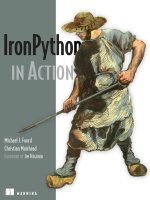
Manning ironpython in action mar 2009 ISBN 1933988339 pdf
Bạn đang xem bản rút gọn của tài liệu. Xem và tải ngay bản đầy đủ của tài liệu tại đây (14.19 MB, 494 trang )
IronPytho
IN ACTION
Michael J. Foord
Christian Muirhead
FOREWORD BY JIM HUGUNIN
MANNING
IronPython in Action
Download at Boykma.Com
Licensed to Deborah Christiansen <>
Download at Boykma.Com
Licensed to Deborah Christiansen <>
IronPython
in Action
MICHAEL J. FOORD
CHRISTIAN MUIRHEAD
MANNING
Greenwich
(74° w. long.)
Download at Boykma.Com
Licensed to Deborah Christiansen <>
For online information and ordering of this and other Manning books, please visit
www.manning.com. The publisher offers discounts on this book when ordered in quantity.
For more information, please contact
Special Sales Department
Manning Publications Co.
Sound View Court 3B fax: (609) 877-8256
Greenwich, CT 06830 email:
©2009 by Manning Publications Co. All rights reserved.
No part of this publication may be reproduced, stored in a retrieval system, or transmitted, in
any form or by means electronic, mechanical, photocopying, or otherwise, without prior written
permission of the publisher.
Many of the designations used by manufacturers and sellers to distinguish their products are
claimed as trademarks. Where those designations appear in the book, and Manning
Publications was aware of a trademark claim, the designations have been printed in initial caps
or all caps.
Recognizing the importance of preserving what has been written, it is Manning’s policy to have
the books we publish printed on acid-free paper, and we exert our best efforts to that end.
Recognizing also our responsibility to conserve the resources of our planet, Manning books are
printed on paper that is at least 15% recycled and processed without the use of elemental chlorine.
Manning Publications Co.
Sound View Court 3B
Greenwich, CT 06830
Development Editor:
Copyeditors:
Typesetter:
Cover designer:
Jeff Bleil
Andrea Kaucher, Linda Recktenwald
Gordan Salinovic
Leslie Haimes
ISBN 978-1-933988-33-7
Printed in the United States of America
1 2 3 4 5 6 7 8 9 10 – MAL – 14 13 12 11 10 09
Download at Boykma.Com
Licensed to Deborah Christiansen <>
This book is dedicated to the littlest gangster and the mushroom,
who endured much throughout its creation.
Download at Boykma.Com
Licensed to Deborah Christiansen <>
Download at Boykma.Com
Licensed to Deborah Christiansen <>
brief contents
PART 1
PART 2
PART 3
GETTING STARTED WITH IRONPYTHON................................... 1
1
■
A new language for .NET
3
2
■
Introduction to Python
3
■
.NET objects and IronPython 62
29
CORE DEVELOPMENT TECHNIQUES ....................................... 79
4
■
Writing an application and design patterns with
IronPython 81
5
■
First-class functions in action with XML 110
6
■
Properties, dialogs, and Visual Studio 133
7
■
Agile testing: where dynamic typing shines
8
■
157
Metaprogramming, protocols, and more 183
IRONPYTHON AND ADVANCED .NET .................................. 215
9
■
WPF and IronPython 217
10
■
Windows system administration with IronPython 244
11
■
IronPython and ASP.NET
273
vii
Download at Boykma.Com
Licensed to Deborah Christiansen <>
viii
PART 4
BRIEF CONTENTS
12
■
Databases and web services
299
13
■
Silverlight: IronPython in the browser
329
REACHING OUT WITH IRONPYTHON ................................... 357
14
■
Extending IronPython with C#/VB.NET 359
15
■
Embedding the IronPython engine 386
Download at Boykma.Com
Licensed to Deborah Christiansen <>
contents
foreword xvii
preface xx
acknowledgments xxii
about this book xxiii
PART 1 GETTING STARTED WITH IRONPYTHON ................... 1
1
A new language for .NET
1.1
3
An introduction to IronPython
5
What is IronPython? 6 A brief history of IronPython 9
IronPython for Python programmers 11 IronPython for .NET
programmers 13
■
■
1.2
Python on the CLR
15
Dynamic languages on .NET and the DLR 15 Silverlight: a new
CLR 18 The Python programming language 20 Multiple
programming paradigms 22
■
■
1.3
■
Live objects on the console: the interactive interpreter
23
Using the interactive interpreter 23 The .NET framework:
assemblies, namespaces, and references 25 Live objects and the
interactive interpreter 25 Object introspection with dir and help 27
■
■
■
1.4
Summary
28
ix
Download at Boykma.Com
Licensed to Deborah Christiansen <>
x
CONTENTS
2
Introduction to Python 29
2.1
An overview of Python
31
Python datatypes 32 Names, objects, and references 40
and immutable objects 41
■
2.2
Python: basic constructs
■
Mutable
41
Statements and expressions 42 Conditionals and loops 43
Functions 44 Built-in functions 45 Classes 47
■
■
2.3
■
Additional Python features
50
Exception handling 50 Closures and scoping rules 52 List
comprehensions 54 Modules, packages, and importing 55
Docstrings 58 The Python standard library 58
■
■
■
■
2.4
3
Summary
61
.NET objects and IronPython 62
3.1
Introducing .NET
63
Translating MSDN documentation into IronPython 63
class 65
3.2
■
The Form
Structures, enumerations, and collections: .NET types
67
Methods and properties inherited from Control 67 Adding a Label
to the Form: ControlCollection 68 Configuring the Label: the Color
structure 70 The FormBorderStyle enumeration 71 Hello World
with Form and Label 72
■
■
■
3.3
■
Handling events
73
Delegates and the MouseMove event 74
IronPython 75
3.4
3.5
Subclassing .NET types
Summary 78
■
Event handlers in
77
PART 2 CORE DEVELOPMENT TECHNIQUES ........................ 79
4
Writing an application and design patterns with IronPython 81
4.1
Data modeling and duck typing
Python and protocols 82
4.2
■
82
Duck typing in action 83
Model-View-Controller in IronPython
Introducing the running example 85
user interface 86 A data model 88
■
■
■
84
The view layer: creating a
A controller class 89
Download at Boykma.Com
Licensed to Deborah Christiansen <>
xi
CONTENTS
4.3
The command pattern
91
The SaveFileDialog 92 Writing files: the .NET and Python ways 93
Handling exceptions and the system message box 95 The
SaveCommand 98 The SaveAsCommand 100
■
■
■
4.4
Integrating commands with our running example
Menu classes and lambda 101
Bringing the GUI to life 105
4.5
5
Summary
■
.NET classes: ToolBar and images 103
108
First-class functions in action with XML 110
5.1
First-class functions
111
Higher order functions 111 Python decorators 113
argument-checking decorator 113
■
5.2
Representing documents with XML
■
A null-
114
The .NET XmlWriter 116 A DocumentWriter Class 118
alternative with an inner function 120
■
5.3
Reading XML
XMLReader 121
5.4
5.5
5.6
6
100
■
An
121
An IronPython XmlDocumentReader 123
■
Handler functions for MultiDoc XML
The Open command 129
Summary 132
126
Properties, dialogs, and Visual Studio 133
6.1
Document observers
Python properties 134
6.2
134
■
Adding the OpenCommand 138
More with TabPages: dialogs and Visual Studio
139
Remove pages: OK and Cancel dialog box 139 Rename pages: a
modal dialog 143 Visual Studio Express and IronPython 148
Adding pages: code reuse in action 151 Wiring the commands to
the view 152
■
■
■
6.3
6.4
7
Object serializing with BinaryFormatter
Summary 156
154
Agile testing: where dynamic typing shines 157
7.1
The unittest module
158
Creating a TestCase 159 setUp and tearDown 162
with multiple modules 163
■
Download at Boykma.Com
Licensed to Deborah Christiansen <>
■
Test suites
xii
CONTENTS
7.2
Testing with mocks
166
Mock objects 166 Modifying live objects: the art of the monkey patch 169
Mocks and dependency injection 173
■
7.3
Functional testing
175
Interacting with the GUI thread 176 An AsyncExecutor for
asynchronous interactions 178 The functional test: making
MultiDoc dance 179
■
■
7.4
8
Summary
182
Metaprogramming, protocols, and more
8.1
Protocols instead of interfaces
A myriad of magic methods 184
Iteration 191 Generators 192
■
8.2
Dynamic attribute access
■
■
183
184
Operator overloading 187
Equality and inequality 193
195
Attribute access with built-in functions 196 Attribute access
through magic methods 197 Proxying attribute access 198
■
■
8.3
Metaprogramming
199
Introduction to metaclasses 200
profiling metaclass 202
8.4
IronPython and the CLR
■
Uses of metaclasses 201
■
A
205
.NET arrays 205 Overloaded methods 208 out, ref, params,
and pointer parameters 208 Value types 210 Interfaces 211
Attributes 212 Static compilation of IronPython code 213
■
■
■
■
■
8.5
Summary
214
PART 3 IRONPYTHON AND ADVANCED .NET................... 215
9
WPF and IronPython 217
9.1
Hello World with WPF and IronPython
WPF from code 221
9.2
WPF in action
■
220
Hello World from XAML 223
226
Layout with the Grid 227 The WPF ComboBox and CheckBox 229
The Image control 231 The Expander 232 The ScrollViewer 233
The TextBlock: a lightweight document control 234 The XamlWriter 236
■
■
■
■
9.3
XPS documents and flow content
236
FlowDocument viewer classes 238 Flow document markup 239
Document XAML and object tree processing 240
■
9.4
Summary
243
Download at Boykma.Com
Licensed to Deborah Christiansen <>
xiii
CONTENTS
10
Windows system administration with IronPython 244
10.1
System administration with Python
Simple scripts 245
10.2
Shell scripting with IronPython 246
■
WMI and the System.Management assembly
System.Management 251
10.3
PowerShell and IronPython
11
Summary
260
■
Using IronPython from
271
IronPython and ASP.NET
11.1
273
Introducing ASP.NET
274
Web controls 274 Pages and user controls 275
code, and the page lifecycle 275
■
11.2
Adding IronPython to ASP.NET
Writing a first application 277
11.3
ASP.NET infrastructure
The App_Script folder 280
Web.config file 282
11.4
■
Editing MultiDocs
12
Summary
Rendering, server
276
Handling an event 279
280
■
The Global.py file 281
■
The
282
287
■
Handling view state 289
Converting the Editor into a user control
View state again 295
11.7
■
Code-behind 285
Swapping controls 288
11.6
■
A web-based MultiDoc Viewer
Page structure 283
11.5
251
Connecting to remote computers 255
■
Using PowerShell from IronPython 260
PowerShell 264
10.4
245
■
■
Additional events 292
294
Adding parameters 296
298
Databases and web services 299
12.1
Relational databases and ADO.NET
300
Trying it out using PostgreSQL 301 Connecting to the database 303
Executing commands 304 Setting parameters 305 Querying the
database 306 Reading multirow results 307 Using transactions 309
DataAdapters and DataSets 311
■
■
■
■
12.2
Web services
■
313
Using a simple web service 314 Using SOAP services from
IronPython 317 REST services in IronPython 319
■
■
12.3
Summary
328
Download at Boykma.Com
Licensed to Deborah Christiansen <>
xiv
CONTENTS
13
Silverlight: IronPython in the browser 329
13.1
Introduction to Silverlight
330
Dynamic Silverlight 332 Your Python application 334
Silverlight controls 335 Packaging a Silverlight application 339
■
■
13.2
A Silverlight Twitter client
341
Cross-domain policies 341 Debugging Silverlight applications 343
The user interface 344 Accessing network resources 346 Threads
and dispatching onto the UI thread 349 IsolatedStorage in the
browser 351
■
■
■
■
13.3
Videos and the browser DOM
353
The MediaElement video player 353
13.4
Summary
■
Accessing the browser DOM 354
356
PART 4 REACHING OUT WITH IRONPYTHON ................... 357
14
Extending IronPython with C#/VB.NET 359
14.1
Writing a class library for IronPython
360
Working with Visual Studio or MonoDevelop 361 Python objects from
class libraries 362 Calling unmanaged code with the P/Invoke
attribute 366 Methods with attributes through subclassing 370
■
■
■
14.2
Creating dynamic (and Pythonic) objects from
C#/VB.NET 374
Providing dynamic attribute access 374 Python magic methods 378
APIs with keyword and multiple arguments 378
■
14.3
14.4
15
Compiling and using assemblies at runtime
Summary 385
382
Embedding the IronPython engine 386
15.1
Creating a custom executable
The IronPython engine 387
15.2
■
387
Executing a Python file 389
IronPython as a scripting engine
393
Setting and fetching variables from a scope 394 Providing modules
and assemblies for the engine 398 Python code as an embedded
resource 400
■
■
15.3
Python plugins for .NET applications
A plugin class and registry 403
Diverting standard output 406
■
■
402
Autodiscovery of user plugins 404
Calling the user plugins 407
Download at Boykma.Com
Licensed to Deborah Christiansen <>
xv
CONTENTS
15.4
Using DLR objects from other .NET languages
409
Expressions, functions, and Python types 409 Dynamic operations
with ObjectOperations 412 The built-in Python functions and
modules 414 The future of interacting with dynamic objects 417
■
■
■
15.5
appendix A
appendix B
appendix C
Summary
418
A whirlwind tour of C# 419
Python magic methods 433
For more information 445
index 449
Download at Boykma.Com
Licensed to Deborah Christiansen <>
Download at Boykma.Com
Licensed to Deborah Christiansen <>
foreword
IronPython brings together two of my favorite things: the elegant Python programming language and the powerful .NET platform.
I’ve been a fan of the Python language for almost 15 years, ever since it was recommended to me by a fellow juggler while we passed clubs in a park. From the start I
found Python to be a simple and elegant language that made it easy to express my
ideas in code. I’m amazed by Python’s ability to appeal to a broad range of developers,
from hard-core hackers to amateur programmers, including scientists, doctors, and
animators. I’ve been teaching my ten-year-old son to program, and even he tells me
that “Python is a great language to learn with.” Beyond teaching my son, I’ve tried to
contribute to the Python community that gave me this great language and continues
to drive it forward. Prior to IronPython, I started the Numeric Python and Jython
open source projects.
It took a bit longer for me to become a fan of Microsoft’s .NET platform and the
Common Language Runtime (CLR) that forms its core execution engine. I first
learned about the CLR by reading countless reports on the web that said it was a terrible platform for dynamic languages in general and for Python in particular. IronPython started life as a series of quick prototypes to help me understand how this
platform could be so bad. My plan was to prototype for a couple of weeks and then
write a pithy paper titled, “Why the CLR is a terrible platform for dynamic languages.”
This plan was turned upside down when the prototypes turned out to run very
well—generally quite a bit faster than the standard C-based Python implementation.
xvii
Download at Boykma.Com
Licensed to Deborah Christiansen <>
xviii
FOREW ORD
After getting over my initial skepticism, I’ve grown to love the CLR and .NET as
much as Python. While no platform is perfect, this is the closest we’ve ever come to a
universal runtime that can cleanly support a variety of different programming languages. Even more exciting to me is that the team is committed to the multi-language
story and we’ve got great projects like the DLR, IronRuby, and F# to keep extending
the range of languages that can coexist on this platform. I’ve even grown to like C# as
the most enjoyable and versatile statically typed programming language I’ve used.
As the architect for IronPython, I like to believe that it’s such a simple and elegant
combination of the Python language and the .NET platform that it needs no documentation. After all, who could possibly not know that they should use clr.Reference
to pass an out parameter to a .NET method? I guess that it’s assumptions like that one
that would make me a poor choice for writing a book teaching people about IronPython. The best choice for writing a book like this would be a long-term user who’s
deeply engaged with the community and who has been trying to understand and
explain the system to others for years. Now, if only we could find such a person…
I first met Michael Foord in July of 2006. I was preparing an IronPython talk for
the OSCON conference in Portland, Oregon. This was going to be an exciting talk
where I’d announce that the final release of IronPython 1.0 was weeks away. This was a
terrible time to be preparing a talk since my mind and time were occupied with all the
details of the actual release. To further complicate things, this was the Open Source
Convention, and I knew that I needed to show IronPython running on Linux in order
to have credibility with this audience. Unfortunately, I didn’t have the time to set up a
Linux box and get some useful demos running. Oddly enough, my coworkers (at
Microsoft) didn’t have any spare Linux boxes running in their offices that I could borrow for a few screen shots.
I did a desperate internet search for “IronPython Linux” and one of the places that
led me to was a blog called voidspace. There I found a tutorial on how to use Windows
Forms with IronPython. The reason this tutorial showed up was that it included screen
caps of the samples running under both Windows and Linux. This was just what I was
looking for! By stealing these pictures for my talk I could show people IronPython
running on Linux and also point them to an excellent online tutorial to help them
learn more about using IronPython than I could cover in a 45-minute talk.
I had a few hesitations about including this reference in my talk. I didn’t know anything about the author except that his screen name was Fuzzyman and that he had a
personal blog that was subtitled, “the strange and deluded ramblings of a rather odd
person.” However, I really liked the simple tutorial and I was incredibly happy to have
some nice Linux samples to show the OSCON crowd. I was most grateful at the time to
this person that I’d never met for helping me out of this jam.
Fuzzyman turned out to be Michael Foord and one of the authors of the book you
have in your hands now. Since that first online tutorial, Michael has been helping people to use IronPython through more online samples, presentations at conferences,
and through active contributions to the IronPython users mailing list. I couldn’t think
Download at Boykma.Com
Licensed to Deborah Christiansen <>
xix
FOREW ORD
of a better way for you to learn how to get started and how to get the most out of IronPython than by following along with Michael and Christian in IronPython in Action.
I’ve spent my career building programming languages and libraries targeted at
other developers. This means that the software I write is used directly by a small number of people and it’s hard for me to explain to non-developers what I do. The only
reason this kind of stuff has value is because of the useful or fun programs that other
developers build using it. This book should give you everything you need to get
started with IronPython. It will make your development more fun—and more productive. Now go out and build something cool!
JIM HUGUNIN
SOFTWARE ARCHITECT
FOR THE .NET FRAMEWORK TEAM
AND CREATOR OF IRONPYTHON
Download at Boykma.Com
Licensed to Deborah Christiansen <>
preface
A programming language is a medium of expression.
—Paul Graham
Neither of us intended to develop with IronPython, least of all write a book on it. It
sort of happened by accident. In 2005 a startup called Resolver Systems1 set up shop in
London. They were creating a spreadsheet platform to tackle the myriad problems
caused in business by the phenomenal success of spreadsheets. The goal was to bring
the proven programming principles of modularity, testability, and maintainability to
the spreadsheet world—and having an interpreted language embedded in Resolver
One was a core part of this. As Resolver One was to be a desktop application used by
financial organizations, it needed to be built on established and accepted technologies, which for the desktop meant .NET.
At the time the choice of interpreted language engines for .NET was limited; even
IronPython was only at version 0.7. The two developers who comprised Resolver Systems2 evaluated IronPython and discovered three important facts:
■
■
■
1
2
Although neither of them was familiar with Python, it was an elegant and
expressive language that was easy to learn.
The .NET integration of IronPython was superb. In fact it seemed that everything they needed to develop Resolver One was accessible from IronPython.
As a dynamic language, Python was orders of magnitude easier to test than languages they had worked with previously. This particularly suited the test-driven
approach they were using.
See .
Giles Thomas, who is CEO and CTO, and William Reade, a hacker with a great mind for complex systems.
xx
Download at Boykma.Com
Licensed to Deborah Christiansen <>
PREFACE
xxi
They decided to prototype Resolver One with IronPython, expecting to have to
rewrite at least portions of the application in C# at some point in the future. Three
years later, Resolver One is in use in financial institutions in London, New York, and
Paris; and consists of 40,000 lines of IronPython code3 with a further 150,000 in the
test framework. Resolver One has been optimized for performance several times, and
this has always meant fine tuning our algorithms in Python. It hasn’t (yet) required
even parts of Resolver One to be rewritten in C#.
We are experienced Python developers but neither of us had used IronPython
before. We joined Resolver Systems in 2006 and 2007, and were both immediately
impressed by the combination of the elegance of Python with the power and breadth
of the .NET framework.
Programming is a creative art. Above all Python strives to empower the programmer. It emphasizes programmer productivity and readability, instead of optimizing the
language for the compiler. We’re passionate about programming, and about Python.
In 2007 one of us (Michael) set up the IronPython Cookbook4 to provide concrete
examples for the newly converging IronPython community. Shortly afterwards the two
of us decided to write a book that would help both Python and .NET programmers
take advantage of all that IronPython has to offer.
3
4
With perhaps as many as three hundred lines of C# in total.
At o/ and still an excellent resource!
Download at Boykma.Com
Licensed to Deborah Christiansen <>
acknowledgments
Writing this book has been a labor of love for the past two years. One thing that has
astonished us is the sheer number of people who are involved in such an endeavor, and
how many individuals have helped us. Our thanks for support and assistance go out to
our colleagues at Resolver Systems, the team at Manning, our reviewers, virtually the
whole IronPython team who gave their advice and support at various times, and all
those who bought the Early Access edition and gave feedback and pointed out typos.
These reviewers took time out of their busy schedules to read the manuscript at
various times in its development and to send us their input. It is a much better book as
a result. Thanks to Leon Bambrick, Max Bolingbroke, Dave Brueck, Andrew Cohen,
Dr. Tim Couper, Keith Farmer, Noah Gift, Clint Howarth, Denis Kurilenko, Alex Martelli, Massimo Perga, and Robi Sen.
Without the help of these people, and more, this book wouldn’t have been possible. At Manning Publications, Michael Stephens gave us the opportunity, Jeff Bleiel
was our tireless editor, Andrea Kaucher and Linda Recktenwald transformed the book
through their copyediting, and Katie Tennant did the final proofread. Dino Viehland
was our technical editor, and did great work. We also had help from Jimmy Schementi
reviewing the Silverlight chapter and from Srivatsn Narayanan on chapter 14.
Special thanks to Jonathan Hartley, a fellow Resolver One hacker, who did a wonderful job producing the figures for IronPython in Action and to Jim Hugunin, the creator of IronPython, for writing the foreword.
Michael Foord would also like to express his gratitude to Andrew Lantsbery, for his
friendship and technical expertise that proved invaluable.
xxii
Download at Boykma.Com
Licensed to Deborah Christiansen <>
about this book
IronPython is a radical project for Microsoft. It is the first project to be released under
their Ms-PL (Microsoft Public License) open source license. It is also a radically different language from the ones that Microsoft has traditionally promoted for the .NET
framework. IronPython is an implementation of the popular programming language
Python for .NET. Python is an open source, object-oriented, dynamically typed language in use by organizations like Google, NASA and Pixar. Python is a multi-paradigm
language, and brings new possibilities to .NET programmers: not just the added flexibility of dynamic typing, but programming styles such as functional programming and
metaprogramming. For Python programmers the powerful runtime, with its JIT compiler and huge range of .NET libraries, also presents new opportunities.
The goal of IronPython in Action is not just to teach the mechanics of using IronPython, but to demonstrate the power and effectiveness of object-oriented programming
in the Python language. To this end we cover best practices in API design, testing, and
the use of design patterns in structured application development. In part this is to dispel the myth that dynamic languages are merely scripting languages; but mostly it is to
help you make the best of the language and the platform on which it runs.
The addition of Python to the range of languages available as first-class citizens in
.NET reflects the changes happening in the wider world of programming. No one says
it better than Anders Hejlsberg, the architect of C#, when asked by Computer World5
what advice he had for up-and-coming programmers:
5
See />
xxiii
Download at Boykma.Com
Licensed to Deborah Christiansen <>
xxiv
ABOUT THIS BOOK
Go look at dynamic languages and meta-programming: those are really
interesting concepts. Once you get an understanding of these different kinds
of programming and the philosophies that underlie them, you can get a
much more coherent picture of what’s going on and the different styles of
programming that might be more appropriate for you with what you’re
doing right now.
Anyone programming today should check out functional programming and
meta-programming as they are very important trends going forward.
Who should read this book?
IronPython in Action is particularly aimed at two types of programmers: Python programmers looking to take advantage of the power of the .NET framework or Mono for
their applications, and .NET programmers interested in the flexibility of dynamic languages. It assumes no experience of either Python or .NET, but does assume some previous programming experience. If you have some programming experience, but have
never used either of these systems, you should find IronPython in Action an accessible
introduction to both Python and .NET.
Just as Python is suited to an enormous range of problem domains, so is IronPython.
The book covers a range of different uses of IronPython: from web development to
application development, one-off scripting to system administration, and embedding
into .NET applications for extensible architectures or providing user scripting.
Roadmap
This book contains 15 chapters organized into four parts.
Part 1 Getting started with IronPython —The first part of the book introduces the fundamental concepts behind developing with IronPython and the .NET framework. Chapter 1 introduces IronPython along with key points of interest for both Python and .NET
programmers. It finishes by diving into IronPython through the interactive interpreter;
a powerful tool for both Python and IronPython. Chapter 2 is a Python tutorial, including areas where IronPython is different from the standard distribution of Python known
as CPython. Where chapter 2 is particularly valuable to programmers who haven’t used
Python before, chapter 3 is an introduction to the .NET framework. As well as covering
the basic .NET types (classes, enumerations, delegates, and the like), this chapter shows
how to use them from IronPython, ending with a more fully featured “Hello World” program than created in chapter 1.
Part 2 Core development techniques —The next part extends your knowledge of the
Python language and the classes available in the .NET framework. It does this by demonstrating a structured approach to Python programming by developing the MultiDoc application using several common design patterns. Figure 1 shows MultiDoc as it
looks by the end of chapter 6. Along the way we’ll work with Windows Forms, lambdas, properties, decorators, XML, first-class functions, and using C# class libraries created in Visual Studio.
Download at Boykma.Com
Licensed to Deborah Christiansen <>