Computer Programming for Teens phần 4 doc
Bạn đang xem bản rút gọn của tài liệu. Xem và tải ngay bản đầy đủ của tài liệu tại đây (548.58 KB, 35 trang )
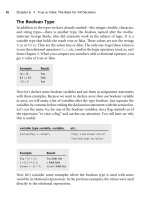
The Boolean Type
In addition to the types we have already studied—the integer, double, character,
and string types—there is another type, the boolean, named after the mathe-
matician George Boole, who did extensive work in the subject of logic. It is a
variable type that holds the result true or false. These values are not the strings
true or false. They are the values true or false. The only way to get these values is
to use the relational operators (<, >, etc.) and/or the logic operators (and, or, not)
from Chapter 3. When you compare two numbers with a relational operator, you
get a value of true or false.
Example Result
16 > 15 True
8.5 <= 8.2 False
12 < 4 True
Now let’s declare some boolean variables and use them in assignment statements
with these examples. Because we want to declare more than one boolean variable
at once, we will make a list of variables after the type boolean. Just separate the
variables by commas before ending the declaration statement with the semicolon.
Let’s use the name
flag for one of the boolean variables, since flag reminds us of
the expression ‘‘to raise a flag’’ and catches our attention. You will later see why
this is useful.
variable type variable, variable, etc.;
boolean flag, x, answer; //flag, x and answer are all
//boolean type variables
Example Result
flag = 16 > 15; flag holds true
x = 8.5 <= 8.2; x holds false
answer =
12 < 4; answer holds true
Now let’s consider some examples where the boolean type is used with some
variables in relational expressions. In the previous examples, the values were used
directly in the relational expressions.
86 Chapter 6
n
True or False: The Basis for All Decisions
int a, b, c ; //declaring three integers in a list
boolean answer, flag, result; //declaring three booleans
a = 14;
b=0;
c=7;
Example Result
answer = a < c ; answer holds false because 14 is
not
less than 7
14 < 7
flag = b > c; flag
holds false because 0 is
not
greater than 7
0>7
result = a > b; result
holds true because 14
is
greater than 0
14 > 0
Tip
When you want to declare more than one variable of the same type, declare the type and then
follow with the list of variable names separated by commas.
What Does a Decision Involve?
It is important that we clarify what happens when we make a decision in ordinary
life as we broach the subject of decision making for a computer. We need to
develop a model of decision-making that is consi stent with the way a computer
‘‘makes’’ a decision. If we practice developing and applying this model in
everyday decisions, then we will be better able to adapt our thinking to write the
code that allows the computer to ‘‘make’’ a decision.
Developing a Model for Making a Decision
There are many situations in ordinary life where we make a decision, which is a
choice from two or more options. Once the decision is made—an option is
chosen—then we may have a resulting course of action associated with that
choice. Let’s review the structure of a decision in everyday life, and later we will
apply this structure to programmed decisions.
When you make a decision you must choose one of at least two things. Once the
choice has been made, you may be required to follow a specific course of action
for that choice. We will call each resulting course of action an outcome.
Consider the decision of whether to buy tickets to a concert. The decision is a
choice between two options: buying the tickets or not buying the tickets.
What Does a Decision Involve? 87
Decision Option 1 Option 2
Buying tickets Not buying tickets
Now what do we mean by an outcome? An outcome is a resulting course of
action associated with each option. What is the resulting course of action of
choosing option 1?
The resulting action could be that you work overtime to make extra money, you
get an evening off from work for the night of the concert, you then go to the ticket
agency, and you spend the money on the tickets. The resulting action of choosing
option 2 could be nothing. You don’t have to do anything if you decide not to
buy tickets to the concert.
Outcome 1 Outcome 2
Work overtime Nothing
Get a night off
Go to ticket agency
Buy the tickets
Consider another decision from everyday life that involves two options and two
outcomes. Your parents are going away for the weekend. They ask you whether
you would like to go away with them to the mountains. If you go to the
mountains, you can go hiking or sailing on a nearby lake. If you stay home, you’ll
be all alone, but your mother wants you to paint the porch while they are away.
So your decision is whether to hang with your parents for the weekend or work
like a slave while they are away. Let’s consider the decision, the options, and the
outcomes associated with this situation.
Decision Option 1 Option 2
Go away with parents Stay home alone
Outcome 1 Outcome 2
Ride in the car with parents Wash porch
Eat dinner with parents Sand porch
Go hiking Paint porch
Go sailing Have friends over if you can stay awake
88 Chapter 6
n
True or False: The Basis for All Decisions
Depending on which option you choose, an outcome will follow, if it exists for
that option. The important thing to notice about decisions is what your options
are as well as the outcomes for each option. Decisions always involve a choice
between at least two options. Once you decide, you then branch off to follow the
outcome associated with that decision. See Figures 6.1 and 6.2.
Let’s look at some other examples from everyday life. Put each decision in the
context of our model using outcomes. Consider what the decision is in each
situation—what your options are—and whether each option has an outcome.
Example 1
If you go to the early showing of a movie, you will be home in time to watch a
program you like on TV. If you choose the later show, then you should set your
TiVo to record the program. See Figure 6.3.
Example 2
Another decision is how you wish to spend your allowance. If you spend it on a
shirt you like, you will not have money for a CD. So you must make a decision.
See Figure 6.4.
What Does a Decision Involve? 89
Figure 6.1
A decision invo lves a choice leading to two outcomes: outcome 1 and outcome 2. Outcome 1 leads to
the left branch, and outcome 2 leads to the right branch.
Figure 6.2
A decision involves a choice leading to only one outcome. The other choice has no resulting action.
A decision, by its nature, always has a choice between at least two things—this or
that, yes or no, true or false. A decision must involve at least two options;
otherwise, it’s not a decision. This is true in our ordinary experience, and
computer programs simulate that process.
Remember, this is a machine—not a thinking being. It has a limited ability to
decide. This is a machine that only understands two things—current ‘‘on’’ or
‘‘off,’’ which can be associated with integer 1 or integer 0. And now we take this to
a higher abstract level where the integers 1 and 0 are used to represent the
boolean values true and false, respectively. Don’t worry about how this is done—
that’s done by low-level programmers. The computer will make a decision based
on whether it gets a boolean value of true or false. For us, as programmers, we
need to develop boolean expressions that model our decisions. So we have to
make certain adjustments in our intuitive processes to fit this model of a decision
with its options and outcomes clearly stated.
As you might imagine, the computer has a limited capacity in how it makes
decisions. When a computer makes a decision, it evaluates a boolean expression.
90 Chapter 6
n
True or False: The Basis for All Decisions
TiVo
Figure 6.3
The choice of the earlier or later show involves two outcomes: watching the program when you return
or programming your TiVo now.
Figure 6.4
The decision about how to spend your allowance shows two options (choosing the shirt or the CD) and
two outcomes (purchasing the shirt or purchasing the CD).
We use the boolean type because of its values: true or false. The computer will
choose between true and false—and that’s it! The computer always chooses true.
Through the use of a special programming statement, the computer can be
manipulated to execute an outcome.
Applying the Decision Model
Let’s examine situations where decisions are made by a computer. In each
example, we will look at the decision, the options, and the outcomes. As you read
each situation, try to identify the decision and the outcomes. The decision will be
framed so that a boolean expression can be used.
Entering a Password at an ATM
Initially, this may not seem to involve a decision, but for the computer, it
involves a lot of decisions. When you enter a password at an ATM, the computer
must match your entered password with the information obtained from the
magnetic strip on your bank card. The password you type after inserting your
card should match the password obtained from the strip. If there is no match,
then a message will be printed to the effect of ‘‘Your password is incorrect: please
enter it again.’’ See Figure 6.5.
Decision: Does the password entered equal (
==) the actual password?
Outcome 1: Grant access.
Outcome 2: Print message saying try again.
Counting the Number of People with Last Names Beginning with L
If we want to keep a tally or count of people whose last names begin with the
letter L, we need to program the computer to look at the first letter of a name to
What Does a Decision Involve? 91
Print Message
to Try Again
Figure 6.5
A password is evaluated for accuracy. If the password is correct, access is given. Otherwise a message is
given to try again.
see if it is the letter L. Every time a name is entered at the computer, we either
increase the count of the names or ignore the name because it does not satisfy our
condition. So a decision has been made, and two outcomes are possible: to count
or to ignore. See Figure 6.6.
Decision: Does the first letter of the name equal (
==) the letter L?
Outcome 1: Increase the number that keeps track of the count of last names
beginning with L.
Outcome 2: Nothing.
Heads or Tails
Another example of a decision is the one involved in ‘‘heads you win, tails you
lose.’’ If you flip a coin and the head appears, then you have won. The other
option is that the tail appears and you have lost. See Figure 6.7.
92 Chapter 6
n
True or False: The Basis for All Decisions
Figure 6.6
The name is entered, after which a decision is made by the computer to see whether the name begins
with an L. If it does, the count of names beginning with the letter L is increased. If not, no action is
taken.
Figure 6.7
The outcomes after flipping a coin are shown: winning or losing.
Decision: Does the coin face equal (==) a head?
Outcome 1: You win.
Outcome 2: You lose.
Tip
Decisions always involve a choice between two or more options. Each choice may have an
outcome associated with it.
Controlling Where the Compiler Goes
It is important to remember that the compiler moves through a program and
executes statements in the order in which they are written. If you want to alter
that order—and this is important for decision-making—you need to understand
how to control the compiler.
Program Flow
Program flow is an important concept. It is based on the idea that the translator of
any program we write in a high-level language will sequentially carry out the
instructions we write unless programmed otherwise. What does this mean? This
means your programming statements are executed in order—one after the other.
Look at this example from the programming language BASIC. Notice how the
program has line numbers to the left of each statement. This numbering of lines
emphasizes the order of translation of each statement. It helps the programmer to
remember that what is on line 10 is executed before what is on line 40.
10 LET x = 7
20 LETm=2*x
30 PRINT "The answer is "; m
40 END
Everything is done sequentially unless we direct it otherwise. (The translator here
is actually an interpreter, translating one line at a time.) So in the BASIC pro-
gram, the interpreter goes from line 10 to line 20, and from line 20 it goes to line
30, and finally to line 40.
The compiler, another type of translator, is really similar to a large ball at the top of
a hill. Once you give the ball a little push (or start to run aprogram),itwillcome
Controlling Where the Compiler Goes 93
down the hill and just roll over everything in its way. The compiler is similar in that
it won’t stop for anything unless it is programmed to do so because at a lower level
it is programmed to go to the next statement. It automatically goes there unless the
programmer controls the compiler through a control statement.
Control Statements
A control statement in a programming language is a statement that allows the
compiler to alter its normal execution of line-by-line execution of code. Certain
control statements allow the compiler to skip over one or more lines of code to
get to another line or lines of code. Some control statements allow the compiler
to repeat certain lines of code. The ability to skip a line or block of code is very
important when you write a decision because you want to be able to execute one
outcome from all the outcomes that follow the decision. You don’t want to
execute all the outcomes, but rather you would like the compiler to go to the
outcome that it should execute and skip all the others.
Our first control statement will allow the compiler to evaluate a boolean
expression and then either go to the next line or skip that line. In order to
understand how a control statement works, we need to look at a specific control
statement—the
if statement.
The If Statement
The if statement is our first example of a control statement in a programming
language. An
if statement has two parts: a boolean condition followed by a
conclusion.
The Boolean Condition
A conditional statement (you might have seen one in a geometry class) is a
statement that begins with the word ‘‘if.’’ A boolean condition is a conditional
statement containing a boolean expression. Another name for a conditional
statement is a hypothesis. In computer programming languages, a hypothesis is
formed by using the word ‘‘if’’ with a boolean expression. The boolean
expression can be evaluated as true or false. When the boolean expression
within the hypothesis is true, then the conclusion occurs. The conclusion will
nothappenunlessthishypothesisissatisfied (i.e., the boolean expression is
true). So the
if statement uses the boolean expression as a way of deciding
94 Chapter 6
n
True or False: The Basis for All Decisions
whether the conclusion that follows is executed. If the boolean expression is
true, the conclusion is executed.
The Conclusion
The conclusion, another name for the outcome, is a statement that follows the
hypothesis. If the hypothesis is true, then the computer executes the conclusion.
The conclusion represents one outcome you would like to have happen when
the hypothesis is true. In the examples that follow, each bolded statement is a
conclusion.
If it rains today, we won’t go outside.
If I have enough money, I will order tickets.
If the password is correct, I will get access to my account and withdraw money.
Examples of If Statements in Everyday Circumstances
Hypothesis/Boolean Condition Conclusion
If it rains tomorrow, we won’t go.
If you win the game, you advance to the next round.
If they get home by 9, we can leave by 10.
Let’s rephrase each hypothesis with its boolean expression bolded. In order for
any of these conclusions to occur, you need to ask whether the boolean
expression of the hypothesis is true. In a sense, each statement can be rephrased
like the following:
Boolean Condition Conclusion
If it’s true that it will rain tomorrow, we won’t go.
If it’s true that you won the game, you advance to the next round.
If it’s true that they’ll get home by 9, we can leave by 10.
Examples of If Statements for a Computer
Here are some examples of if statements. Remember the boolean expression is
contained within the part that begins with ‘‘if.’’ The boldface part is the conclusion.
The If Statement 95
Examples
If amount of the check is less than the balance,
boolean expression
subtract the amount of the check from the balance.
conclusion
If password entered at the keyboard is the same as the true password,
boolean expression
provide access to the account.
conclusion
If your age is greater than 16,
boolean expression
apply for your driver’s license.
conclusion
In each example, the hypothesis can be rewritten using a boolean expression.
Boolean expressions, if you recall, come from using the relational operators:
< (less
than),
> (greater than), <= (less than or equal to), >= (greater than or equal to), ==
(equal to), and != (not equal to). So let’s take each of these conditions and rewrite
them using relational operators to create a boolean expression. In each example,
we will declare any variables we need so that we can write a boolean expression.
Examples Using the Relational Operators
I.
double check_amount, balance;
If amount of the check is less than the balance
boolean expression
subtract the amount from the balance.
if (check_amount < balance)
boolean expression
subtract the amount from the balance.
II.
string entered_password, real_password;
If data entered at the keyboard is the same as the actual password
96 Chapter 6
n
True or False: The Basis for All Decisions
boolean expression
provide access to the account.
if (entered_password == real_password)
boolean expression
provide access to the account.
III.
char my_char;
If the first letter of the nam e is an L
boolean expression
increase the number of these names.
if (my_char == L)
boolean expression
increase the number of these names.
IV.
int age;
If your age is greater than 16
boolean expression
apply for your driver’s license.
if (age > 16)
boolean expression
apply for your driver’s license.
The compiler through the
if statement makes a decision based on the value
obtained from the boolean expression. A value of true allows the compiler to
execute the conclusion of the
if statement. A value of false allows the compiler to
skip the conclusion to go directly to the next statement. The important fact to
remember is that the line immediately following the
if statement will be executed
no matter what. The only alteration for the compiler is whether it skips over the
conclusion after the hypothesis.
What the
if statement allows you to do in terms of the decision model we
discussed earlier is to put one outcome as the conclusion of the
if statement. See
Figure 6.8.
The If Statement 97
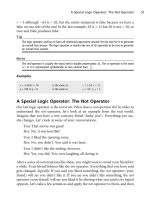
Note
The
if statement needs a boolean expression to work properly.
If there is more than one outcome from a decision, you need to use another
control statement. There is no place for a second outcome to be executed when
using the
if statement. The only second outcome that works in the if statement
is to do nothing.
A Block of Code
At this point, we need to introduce how to create a block of code—a group of
programming statements that should be executed as a group. We use braces to
block off a group of programming statements:
{}. The first time we saw these
braces was when we introduced the
main section of a program in Chapter 4. Braces
are a way of instructing the computer that we are sectioning off some lines of code.
With the control statement we just studied—the
if statement—we needed to be
able to write code for an outcome that has more than one instruction. Let’s say
you wanted to ask a person playing a video game whether she wishes to continue
playing the game. If she says yes, you need to start the game again and reset the
score.
If answer == yes
Outcome: {start game again and set score to zero}
In another example, you will access your bank account only if your password is
correct. If it is correct, you’ll be granted access and asked what you would like to
do next— make a deposit, get cash, and so on.
98 Chapter 6
n
True or False: The Basis for All Decisions
Figure 6.8
A model of the
if statement with one outcome.
If password entered at keyboard == password obtained from magnetic strip
Outcome: {provide access, ask what user wishes to do, and get input from her}
Note
Whenever more than one statement is used in the context of a control statement, use the braces
to make a block of code.
The If Else Statement: The Two-Outcome Decision
The if else statement is another example of a control statement.Liketheif
statement, it uses a boolean expression followed by two conclusions (two outcomes).
These two conclusions are executed according to the value of the boolean expression.
Let’sfirstlookatsomeexamplesofthe
if el se statement in everyday life.
Examples
If Tom has to work tomorrow, I’ll see him tonight; otherwise, I’ll see him
tomorrow.
If the repairs cost more than $2000, I’ll buy a new car; otherwise, I’ll get it repaired.
Each example, upon analysis, has a boolean condition and two outcomes. Let’s
identify the decision and outcomes for each example.
I.
Decision Option 1 Option 2
Tom works tomorrow Tom doesn’t work tomorrow
++
Outcome 1 Outcome 2
see him tonight see him tomorrow
II.
Decision Option 1 Option 2
repairs cost > $2000 repairs cost < = $2000
++
Outcome 1 Outcome 2
buy a new car repair the car
The If Else Statement: The Two-Outcome Decision 99
Now let’s take each example and fit it into the if else statement structure.
Depending on the value of the boolean condition, one of the two outcomes will
be executed.
If Tom has to work tomorrow, I’ll see him tonight else I’ll see him tomorrow.
boolean expression outcome 1 outcome 2
If the repairs cost more than $2000, I’ll buy a new car else I’ll get it repaired.
boolean expression outcome 1 outcome 2
Boolean Expression Value Which outcome is executed?
Tom works tomorrow True Outcome 1: I’ll see him tonight.
Tom works tomorrow False Outcome 2: I’ll see him tomorrow.
The repairs cost more than $2000 True Outcome 1: I’ll buy a new car.
The repairs cost more than $2000 False Outcome 2: I’ll get it repaired.
The value of the boolean expression determines whether outcome 1 or outcome 2
is executed. Whenever the boolean expression is true, outcome 1 (always placed
first) is executed. When the expression is false, outcome 2, placed after the word
else, is executed.
If the hypothesis/boolean expression is true
execute
Outcome 1
else
execute
Outcome 2
If the outcomes have multiple programming statements, then you need to use the
braces around each block of instructions.
If ( expression )
boolean expression is true
execute
Outcome 1’s {first statement,
second statement,
third statement, etc.}
100 Chapter 6
n
True or False: The Basis for All Decisions
else
execute
Outcome 2’s {first statement,
second statement,
third statement, etc.}
Some Examples in Code
To save time, often we will examine only portions of a program—these are called
program fragments. Rather than show the compiler directives and the
main section
for every example, we will just show a portion of the program that we need to study.
Here is a fragment from the programming language Cþþ; an example of the
if
statement is written this way:
if (x > 12)
cout << "The variable is greater than 12." << endl;
Note that parentheses are used to surround the boolean expression in this lan-
guage. Consider the following examples.
Examples
I.
If a number > 0 then inform the user the number is positive
else
inform the user that the number is not positive.
if (number > 0)
cout << "The number is positive." << endl;
else
cout << "The number is not positive." << endl;
II.
The If Else Statement: The Two-Outcome Decision 101
If your age > = 16 then inform the user she is old enough to drive
else
inform the user that she is not.
if (age >= 16)
cout << "You are old enough to drive." << endl;
else
cout << "You are not old enough to drive." << endl;
Using a Boolean Condition to Determine Whether
a Number Is Even or Odd
In Examples 1 and 2 that follow, we will let the computer evaluate whether a
number is even or odd. In order to do this, we need to use the mod operator
(gives a remainder in division) from Chapter 3. Let’s first review a few examples
with the mod operator (%).
18 % 2 produces 0 since 18 divided by 2 is 9 with no (0) remainder.
15 % 2 produces 1 since 15 divided by 2 is 7 with a remainder of 1.
As you recall, the mod operator allows you to look at only the remainder from a
division problem.18 is an even number. All even numbers will have no remainder
when they are divided by 2. So we write a boolean expression using the equality
relational operator,
==. If a number is even, dividing the number by 2 gives us 0. If
a number is odd, dividing the number by 2 gives us 1. Consider these examples
using the variable x that has been assigned a value.
int x;
x = 24;
x%2==0//is24%2==0?
+
24 % 2
+
0==0
+
true
(Therefore, x is an even number.)
int x;
x = 17;
x%2==0//is17%2==0?
+
17 % 2
+
1==0
+
false
(Therefore, x is not even and so must be odd.)
102 Chapter 6
n
True or False: The Basis for All Decisions
Note
If number % 2 == 0 then the number is even.
If number % 2 == 1 then the number is odd.
So now we are ready to use the mod operator (%) in the context of an if
statement. Both fragments accomplish the same thing—one uses a boolean
variable (a holder for the boolean value) and the other does not.
Example 1
If a number is even, print a message saying it is even.
Program fragment with a boolean value:
int number;
cin >> number; // let the user give us the number
if ( number % 2 == 0)
cout << "The number is even."<< endl;
Program fragment using a boolean type variable:
int number; boolean answer; //both variables are declared
cin >> number; // let the user give us the number
answer = number % 2== 0;// answer holds true or false
if ( answer)
cout << "The number is even."<< endl;
Notice that the last statement uses a boolean variable in place of a boolean
expression. This is possible because the value inside the variable,
answer, will
determine whether the conclusion is executed.
Example 2
If a number is even, print a message saying it is even; otherwise, print a message
saying it is odd.
Program fragment with a boolean value:
int number;
cin >> number; // let the user give us the number.
if(x%2==0)
cout << "The number is even."<< endl;
The If Else Statement: The Two-Outcome Decision 103
else
cout << "The number is odd."<< endl;
Program fragment using a boolean type variable:
int number; boolean answer; //both variables are declared
cin >> number; // let the user give us the number
answer = number % 2 == 0;//answer holds true or false
if ( answer)
cout << "The number is even."<< endl;
else
cout << "The number is odd."<< endl;
The Switch/Case Statement
Decisions are generally made between two options. If you want to decide among
more than two options, you can use a
switch statement, as it is called in Cþþ.
Other languages use a different name. Once you understand what this statement
does, you will be able to recognize it no matter what it is called in any pro-
gramming language.
A
switch statement works in this way. Think of this analogy. You are standing in
a huge room that has three doors in it. Each door has a number on it. If you open
door #1, outcome 1 is behind the door. If you open door #2, outcome 2 is behind
the door. The same thing is true for door #3. Behind each door is a different set of
instructions that makes up the outcome.
The
switch statement evaluates an integer variable—that is, it looks at its value.
Then it examines a list, looking for that value. When it finds the value in the list, it
executes all the instructions that are associated with that value. This type of
control statement always has two elements. One element is where an integer
variable is examined to see what value is inside it. Then the value is found among
a list of integer values, and the statements (the outcome) next to that value are
executed. Here is a diagram using our door analogy:
switch Door_Number
Door #1: statement 1; statement 2; statement 3;
Door #2: statement 1;
Door #3: statement 1; statement 2;
104 Chapter 6
n
True or False: The Basis for All Decisions
The actual switch statement would need to ‘‘know’’ that the variable used to
control it is an integer, so we first declare an integer. Also, it uses the word
case of
instead of Door # to list the integers. Let’s do an example from a program that
could be used at an ATM machine. The user will be asked whether she wishes to
make a deposit, get cash, or check the balance of an account. If she inputs a 1,
then she will expect to make a deposit. If she inputs a 2, she will be able to get
cash, and if she inputs a 3, she will be able to examine the balance of one of her
accounts. In the program fragment that follows, the numbered statements
represent undisclosed programming statements.
int your_choice;
cout << "Please choose your option by typing the number 1, 2, or 3." << endl;
cin >> your_choice;
switch (your_choice)
{
case 1: statement 1; statement 2; statement 3;
case 2: statement 1;
case 3: statement 1; statement 2;
}
Not all outcomes for an integer have the same number of statements. One outcome
might be just one statement. Another outcome might have three statements. The
switch statement is a clean way of choosing among more than two things.
As you learn more about decisions, you will see that they can be more involved
than the models we examined here. There are interesting ways to handle more
complicated decisions. It just takes some practice to use the statements we have
already mentioned in the correct way. The
if statement with the if else
statement and some variations on those two statements—including using them
together or one or both of them repeatedly—will allow any programmer to
handle very complicated decisions of more than two choices and two outcomes.
Summary
The boolean type is another type of variable in addition to those we have already
studied—the integer, character, string, and real. It is used to store the result of
evaluating a boolean expression. It always holds the value true or the value false.
Summary 105
We examined how a decision can be modeled on options and outcomes. If you
choose one option, it leads to one outcome. If you choose another option, it leads
to another outcome.
Control statements are programming statements that allow the compiler to alter
the usual order of execution of statements. In our case, we want to skip over one
line of code to get to another. One example of a control statement, the
if
statement, has two parts—a hypothesis or boolean condition followed by a
conclusion. It is used, ideally, for a decision that has only one outcome.
The
if else statement has three parts—a hypothesis containing a boolean
expression followed by two outcomes—only one of which will be executed,
depending on the value of the boolean condition. If the boolean expression is
true, the first outcome is executed. If the boolean expression is false, the second
outcome is executed.
The
if statement can be used to determine whether a number is even or odd.
This useful algorithm is done through the mod division operator (%). Finally, a
switch statement is a statement that is best applied to decisions that involve more
than two choices.
106 Chapter 6
n
True or False: The Basis for All Decisions
Loops, or How to
Spin Effectively!
Many times in the course of programming, you will want to use the computer to
do some task over and over again. This involves constructing a loop. In this chapter,
we examine how a loop encloses a group of lines and repeats them a certain
number of times. There are different kinds of loops, and we will explore each type.
In This Chapter
n The loop
n The counter statement
n Fixed iterative vs. conditional loop
n The for loop
n The while loop
n The do while loop
n Examples with loops
What Is a Loop?
Think of a cowboy using a rope to lasso a horse’s neck, visualize a circus ring, or
the balloon that encloses a cartoon character’s thoughts. Each of these is a loop. A
loop always encloses something. When you think of a loop, you might have some
of these images. See Figure 7.1.
107
chapter 7
A loop brings to mind a circular image. What does the term loop have to do with
computer programming? We use the term to describe a part of a program that
you execute over and over again until you are permitted to leave that part to get
to another programming statement. In a sense, you continuously loop back
through statements that you just executed, and you execute them again.
Another image of the loop is one of going back to where you once were. Let’s say
you leave your house and go to your friend’s house, but your friend is on her way
to your house. You’ll loop back to pick up your friend. In this sense, a loop means
to go back to a place where you once were. To loop back to something means to
go back to where you were and start again. See Figure 7.2.
108 Chapter 7
n
Loops, or How to Spin Effectively!
Figure 7.1
A loop around a horse’s neck, a circus ring, and a loop around the thoughts in a cartoon character’s
head are all shown.
Figure 7.2
A person drives a car back home (‘‘loops back’’) to pick up a friend who is standing next to the house.
Loops in Programs
In a program, a loop describes a group of one or more lines of code that must be
repeated some number of times. Consider this example. We are going to write a
program to get 10 numbers from the user and check whether each number is even
or odd. We need to get one number at a time from the user before checking to see
whether it is even or odd. Then we go back to get another number to do the same
thing. As we repeat each step, we go back to where we were in the program to
repeat the same instructions. This is a loop. This loop encompasses two steps:
getting the number followed by the second step—evaluating it as even or odd.
See Figure 7.3.
Another way to envision a loop is to see it as a circle around a few lines of code.
That way we have a clear understanding that everything within the loop (circle)
will repeat as long as it should. I still have not mentioned anything about con-
trolling a loop—for example, when does it end? How long does it last? These are
natural questions that you should have when you first start learning about loops,
and I will answer them shortly.
Another Control Statement
The loop is another example of a control statement. When you stay in one block of
code (a group of programming statements) to do something over and over again,
you are controlling program flow. Just as I mentioned in Chapter 6, normal
program flow is in sequence—executing one line after another. A loop forces
program flow to stay on a certain line or in a block until allowed to exit that place
and proceed in sequence. I will shortly discuss how a loop is entered or exited.
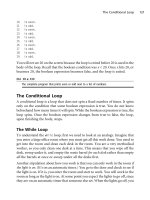
Repeating Steps in a Loop
We make a decision to use a loop when we realize we want to do something over
and over again on the computer. If you want to write the following sentence one
What Is a Loop? 109
Figure 7.3
The first and second steps are shown. After the second step, we will go back to the first step where
we started thus creating a loop.
thousand times—‘‘I am sorry for chewing gum during class.’’—your best
decision would be to write a program that will print that phrase repeatedly. If you
want to add up 20 numbers, then you want to use a loop to get one number at a
time and then add that number to the tally of all the numbers so far. See
Figure 7.4.
There are many examples of situations that use loops. Every time you enter an
incorrect password at an ATM, the machine asks you to enter it again. The
machine is actually executing a loop, which, upon getting incorrect data, prints
the message ‘‘Your password is incorrect. Please type it again.’’ It will repeatedly
print this message until you give it the correct password or it swallows your card.
You can only get out of the loop by typin g the correct data or if the machine puts
a limit on your number of attempts. See Figure 7.5.
110 Chapter 7
n
Loops, or How to Spin Effectively!
Figure 7.4
Each programming statement is shown enclosed by a loop.
Figure 7.5
A loop is shown surrounding the body of instructions in the ATM situation.