Oracle9i Installation Guide phần 1 pps
Bạn đang xem bản rút gọn của tài liệu. Xem và tải ngay bản đầy đủ của tài liệu tại đây (281.63 KB, 27 trang )
Oracle9i
Installation Guide
Release 2 (9.2.0.1.0) for UNIX Systems: AIX-Based Systems, Compaq Tru64 UNIX, HP
9000 Series HP-UX, Linux Intel, and Sun Solaris
May 2002
Part No. A96167-01
Oracle9i Installation Guide, Release 2 (9.2.0.1.0) for UNIX Systems: AIX-Based Systems, Compaq Tru64
UNIX, HP 9000 Series HP-UX, Linux Intel, and Sun Solaris
Part No. A96167-01
Copyright © 1996, 2002 Oracle Corporation. All rights reserved.
Primary Author: Platform Technologies Division Documentation Team
The Programs (which include both the software and documentation) contain proprietary information of
Oracle Corporation; they are provided under a license agreement containing restrictions on use and
disclosure and are also protected by copyright, patent, and other intellectual and industrial property
laws. Reverse engineering, disassembly, or decompilation of the Programs, except to the extent required
to obtain interoperability with other independently created software or as specified by law, is prohibited.
The information contained in this document is subject to change without notice. If you find any problems
in the documentation, please report them to us in writing. Oracle Corporation does not warrant that this
document is error free. Except as may be expressly permitted in your license agreement for these
Programs, no part of these Programs may be reproduced or transmitted in any form or by any means,
electronic or mechanical, for any purpose, without the express written permission of Oracle Corporation.
If the Programs are delivered to the U.S. Government or anyone licensing or using the programs on
behalf of the U.S. Government, the following notice is applicable:
Restricted Rights Notice Programs delivered subject to the DOD FAR Supplement are "commercial
computer software" and use, duplication, and disclosure of the Programs, including documentation,
shall be subject to the licensing restrictions set forth in the applicable Oracle license agreement.
Otherwise, Programs delivered subject to the Federal Acquisition Regulations are "restricted computer
software" and use, duplication, and disclosure of the Programs shall be subject to the restrictions in FAR
52.227-19, Commercial Computer Software - Restricted Rights (June, 1987). Oracle Corporation, 500
Oracle Parkway, Redwood City, CA 94065.
The Programs are not intended for use in any nuclear, aviation, mass transit, medical, or other inherently
dangerous applications. It shall be the licensee's responsibility to take all appropriate fail-safe, backup,
redundancy, and other measures to ensure the safe use of such applications if the Programs are used for
such purposes, and Oracle Corporation disclaims liability for any damages caused by such use of the
Programs.
Oracle is a registered trademark, and ConText, Oracle7, Oracle8, Oracle8i, Oracle9i, OracleMetaLink,
Oracle Names, Oracle Store, Oracle Transparent Gateway, PL/SQL, Pro*C/C++, Pro*COBOL,
Pro*FORTRAN, and SQL*Plus
are trademarks or registered trademarks of Oracle Corporation. Other
names may be trademarks of their respective owners.
iii
Contents
Send Us Your Comments xi
Preface xiii
Audience xiii
Oracle9i Standard Edition and Oracle9i Enterprise Edition xiii
Terminology xiii
Typographic Conventions xiv
Command Syntax xiv
Accessing Installed Documentation xv
Related Documentation xvi
Oracle Services and Support xvi
1 Oracle9i Installation Planning
Oracle9i Installation Overview 1-1
Oracle9i Products for Installation 1-2
Oracle9i Database 1-2
Oracle9i Client 1-3
Oracle9i Management and Integration 1-3
Oracle9i Database Configurations 1-4
Oracle Configuration Assistants 1-5
Oracle HTTP Server Configuration Assistant 1-7
Database Configuration Assistant 1-7
Database Upgrade Assistant 1-8
Oracle Enterprise Manager Configuration Assistant 1-9
iv
Oracle Internet Directory Configuration Assistant 1-9
Oracle Net Configuration Assistant 1-9
Oracle Workflow Configuration Assistant 1-12
Installation With Existing Oracle Databases 1-12
Upgrading Existing Oracle Databases 1-13
Upgrade Issues 1-13
Oracle9i Re-installation 1-13
Oracle9i Installation Restrictions 1-14
Installing in Character Mode 1-14
Writing To File Systems 1-14
Using Hummingbird Exceed X Window Emulator 1-15
2 Pre-Installation Requirements
Installation Requirements 2-2
Hardware Requirements 2-2
Disk Space Requirements 2-3
Operating System Requirements 2-4
Operating System Version 2-4
Operating System Patches 2-4
Operating System Requirements to Support Oracle Real Application Clusters 2-5
JRE Patches 2-6
Product-Specific Requirements 2-10
Oracle9i Options 2-10
Precompilers and Tools 2-11
Network and System Management Products 2-13
Oracle Advanced Security 2-14
Installation Recommendations 2-15
Using Optimal Flexible Architecture 2-15
Setup Tasks to Perform as root User 2-16
Setup Tasks to Perform as the oracle User 2-36
Setup Tasks for Oracle Products 2-40
Oracle9i Components 2-40
Oracle Real Application Clusters 2-41
Precompilers and Tools 2-46
Network and System Management Products 2-49
v
3 Installation
Installation Mount Options 3-1
Installing Oracle9i from the CD-ROMs 3-2
Installing Oracle9i from the Hard Drive 3-10
Oracle Universal Installer 3-10
Installing Oracle9i Database 3-13
Oracle9i Enterprise Edition or Standard Edition Installation 3-13
Oracle9i Database Custom Installation 3-17
Installing Oracle9i Client 3-20
Oracle9i Client Administrator and Runtime Installation 3-20
Oracle9i Client Custom 3-22
Installing Oracle9i Management and Integration 3-23
Oracle Management Server Installation 3-24
Oracle Internet Directory Installation 3-25
Oracle9i Management and Integration Custom Installation 3-34
Reviewing a Log of an Installation Session 3-36
Non-Interactive Installation and Configuration 3-37
Preparing a Response File 3-37
Installing with a Response File 3-38
Configuring With a Response file 3-38
First Time Installation in Non-interactive Mode 3-39
Running EMCA in Non-interactive Mode 3-41
Configuration steps for OID in Non-interactive Mode 3-43
Response File Error Handling 3-44
Oracle Real Application Clusters 3-45
Oracle Real Application Clusters ORACLE_HOME 3-45
Oracle Real Application Clusters Installation on Cluster Filesystem 3-45
Oracle Real Application Clusters Installed Software Location 3-45
Oracle Real Application Clusters Installation on Linux 3-46
4 Post-Installation
Configuration Tasks to Perform as the root User 4-1
Creating Additional UNIX Accounts 4-2
Verifying Database File Security 4-2
Changing Group Membership of the Apache User 4-4
vi
Automating Database Startup and Shutdown for HP, Linux and Solaris (Optional) 4-4
Automating Database Startup and Shutdown for AIX (Optional) 4-6
Automating Database Startup and Shutdown for Tru64 (Optional) 4-8
Configuration Tasks to Perform as the oracle User 4-10
Updating UNIX Account Startup Files 4-10
Setting Environment Variables 4-11
Initializing the oraenv Script 4-14
Single-Instance System 4-14
Multiple-Instance System 4-15
Other Oracle User Startup Files 4-16
Update the oratab File 4-16
Backing Up the root.sh Script 4-16
Setting Initialization Parameters 4-17
Post-Installation for Installed Oracle Products 4-18
Configuring Shared Server Parameters 4-18
Post-Upgrade Tasks for Oracle Internet Directory 4-18
Configuring Oracle Net Services 4-21
Configuring Oracle Messaging Gateway 4-22
Load Database Objects into the Database 4-22
Modify listener.ora file for External Procedure for Linux,
Solaris 32-bit, and Tru64 4-22
Modify listener.ora file for External Procedure for AIX, HP, and Solaris 64-bit 4-23
Modify tnsnames.ora file for External Procedure 4-24
Modify mgw.ora file for External Procedure 4-25
Create Users 4-26
Installation Verification for Oracle Messaging Gateway 4-28
Additional Oracle Product Installation and Configuration 4-28
Running Oracle Configuration Assistants As Standalone Tools 4-28
Using Oracle Net Configuration Assistant 4-29
Using Database Upgrade Assistant 4-30
Using Database Configuration Assistant 4-30
Configuring New or Upgraded Databases 4-31
Using Oracle Enterprise Manager Configuration Assistant 4-31
Configuring the Database for Additional Oracle Products 4-31
Adding Oracle Text to Your Installation 4-32
Configuring Oracle Real Application Clusters 4-32
vii
Managing Oracle Real Application Clusters 4-33
Re-installing Oracle Real Application Clusters 4-33
Inspecting Oracle Real Application Clusters Configuration for Linux 4-33
Configuring Oracle Label Security 4-34
Configuring Oracle Precompilers 4-34
Configuring Oracle Workflow 4-36
Creating a Recovery Catalog for Recovery Manager 4-36
Configuring Secure Sockets Layer 4-37
Starter Database Contents 4-37
Unlocking and Resetting User Passwords 4-37
Unlocking and Resetting Passwords Automatically 4-38
Unlocking and Resetting Passwords Manually 4-38
Reviewing User Names and Passwords 4-38
Identifying Databases 4-42
Tablespaces and Data Files 4-43
Locating the Initialization Parameter File 4-45
Locating Redo Log Files 4-45
Locating Control Files 4-46
Using Rollback Segments 4-47
Using the Data Dictionary 4-47
Oracle Software Removal 4-48
Removing an Oracle Database with Database Configuration Assistant 4-48
Removing Oracle Internet Directory 4-49
Changing the APACHE Account GID for Removal 4-49
Removing Oracle Label Security 4-49
Removing Oracle Messaging Gateway 4-50
Removing Oracle Software with Oracle Universal Installer 4-50
Cleaning Up After a Failed Installation 4-50
AOracle9i Components
Oracle9i Database Components A-1
Enterprise Edition A-1
Standard Edition A-3
Oracle9i Client Components A-6
Runtime Edition A-7
viii
Administrator Edition A-7
Oracle9i Management and Integration Components A-8
Oracle Management Server A-8
Oracle Internet Directory A-10
Oracle Workflow A-12
Product Descriptions A-12
B Oracle Transparent Gateway
System Requirements for Oracle Transparent Gateway B-1
Informix Gateway Requirements B-2
Ingres Gateway Requirements B-4
Sybase Gateway Requirements B-5
Teradata Gateway Requirements B-9
Tested Gateway Configurations B-10
Gateway Installation Worksheets B-12
Informix Worksheet B-12
Ingres Worksheet B-13
Sybase Worksheet B-13
Teradata Worksheet B-14
Installing Oracle Transparent Gateway B-14
Installation Procedure for Transparent Gateway B-14
Installation Prompts for Informix Gateway B-15
Installation Prompts for Ingres Gateway B-15
Installation Prompts for Sybase Gateway B-16
Installation Prompts for Teradata Gateway B-17
Removing Oracle Transparent Gateway B-17
C Installation Checklist
Hardware Requirements C-1
Software Requirements C-2
Administrative Groups C-3
Administrative Accounts C-3
Index
ix
List of Tables
1–1 Oracle9i Database Configurations 1-4
2–1 Additional Restrictions and Requirements for Installing Oracle9i Options 2-11
2–2 Precompilers and Tools Restrictions and Requirements 2-12
2–3 Networking and System Management Restrictions and Requirements 2-13
2–4 Supported Authentication Methods and Requirements 2-14
2–5 Utility to Add a Group 2-29
2–6 oracle Account Properties 2-31
2–7 Utility to Add the oracle Account 2-31
2–8 Command to Verify oracle Account Access to Primary Group 2-32
2–9 Properties of the Apache User for Installation 2-34
2–10 Utility to Add the Apache User 2-34
2–11 Environment Variable Summary 2-37
2–12 Shell Search Paths 2-38
2–13 Command to Verify Cluster Membership Monitor is Running 2-45
2–14 Pro*C/C++ Precompiler Directory 2-46
2–15 Pro*COBOL Precompiler Directory 2-47
2–16 Pro*FORTRAN Precompiler Directory 2-48
2–17 SQL*Module Ada Precompiler Directory 2-48
3–1 Configuration Assistants for Enterprise or Standard Edition Installation 3-16
3–2 Configuration Assistants for Custom Installation 3-18
3–3 Configuration Assistant for Oracle9i Client Installation 3-21
3–4 Oracle Net Configuration Assistants 3-23
3–5 Configuration Assistants 3-28
3–6 Configuration Assistants 3-31
3–7 Configuration Assistants 3-35
3–8 Response Files 3-37
4–1 Access Permissions on Oracle Directories and Files 4-2
4–2 Environment Variable Settings 4-11
4–3 Bourne/Korn Commands to Initialize the oraenv Script
on Multiple-Instance Systems 4-15
4–4 C Shell Commands to Initialize the oraenv Script on Multiple-Instance Systems 4-15
4–5 Attributes in the Root Oracle Context 4-19
4–6 Attributes in the Default Subscriber Oracle Context 4-19
4–7 Oracle Precompilers 4-35
4–8 Default User Names and Passwords 4-39
4–9 Tablespaces and Data Files 4-43
4–10 Redo Log files 4-46
4–11 Database Control Files 4-46
4–12 Rollback Segments 4-47
x
A–1 Product Descriptions A-13
B–1 Informix Gateway Requirements B-2
B–2 Ingres Gateway Requirements B-4
B–3 Sybase Gateway Requirements B-5
B–4 Teradata Gateway Hardware Requirements B-9
B–5 Tested Gateway Configurations B-10
B–6 Informix Installation Worksheet B-12
B–7 Ingres Installation Worksheet B-13
B–8 Sybase Installation Worksheet B-13
B–9 Teradata Installation Worksheet B-14
B–10 Installation Prompts and Responses for Informix B-15
B–11 Installation Prompts and Responses for Ingres B-16
B–12 Installation Prompts and Responses for Sybase B-16
B–13 Installation Prompts and Responses for Teradata B-17
xi
Send Us Your Comments
Oracle9i Installation Guide, Release 2 (9.2.0.1.0) for UNIX Systems: AIX-Based Systems, Com-
paq Tru64 UNIX, HP 9000 Series HP-UX, Linux Intel, and Sun Solaris
Part No. A96167-01
Oracle Corporation welcomes your comments and suggestions on the quality and usefulness of this
publication. Your input is an important part of the information used for revision.
■ Did you find any errors?
■ Is the information clearly presented?
■ Do you need more information? If so, where?
■ Are the examples correct? Do you need more examples?
■ What features did you like most about this manual?
If you find errors or have other suggestions for improvement, you can email them to us at
Please indicate the title and part number of the document and the chapter,
section, and page number if available. Please indicate whether you would like a reply.
If you have problems with the software, please contact your local Oracle Support Services Center.
xii
xiii
Preface
This guide and the Oracle9i Administrator’s Reference Release 2 (9.2.0.1.0) for UNIX
Systems provide instructions for installing and configuring Oracle9i release 2
(9.2.0.1.0) on UNIX systems.
Audience
This document is intended for anyone responsible for installing Oracle9i release 2
(9.2.0.1.0) on UNIX systems.
Oracle9i Standard Edition and Oracle9i Enterprise Edition
Unless noted otherwise, the information in this document is common to both
Oracle9i Standard Edition and Oracle9i Enterprise Edition.
Terminology
The names for the UNIX operating systems have been shortened in this guide and
the Oracle9i Administrator’s Reference Release 2 (9.2.0.1.0) for UNIX Systems. The
names are as follows:
Operating System Abbreviated Name
AIX-Based Systems AIX
Note: Where there is a difference
between AIX 4.3.3 and 5.1, this is
noted in the text.
HP 9000 Series HP-UX HP
xiv
Typographic Conventions
The following typographic conventions are used in this guide:
Command Syntax
UNIX command syntax appears in monospace font and assumes the use of the
Bourne shell. The "$" character at the beginning of UNIX command examples is the
default UNIX command prompt. Do not enter it as part of the command.
Linux Intel (32-bit) Linux
Sun Solaris (32-bit and 64-bit) Solaris
Note: Where there is a difference
between 32-bit and 64-bit
systems, this is noted in the text.
Compaq Tru64 UNIX Tru64
Convention Description
monospace Monospace type indicates UNIX commands, directory names,
usernames, pathnames, and filenames.
italics Italic type indicates a variable, including variable portions of
filenames. It is also used for emphasis and for book titles.
UPPERCASE Uppercase letters indicate Structured Query Language (SQL)
reserved words, initialization parameters, and environment
variables.
<cr> This string indicates a newline character.
Convention Description
backslash \
A backslash indicates a command that is too long to fit on a single line.
Enter the line as displayed (with a backslash) or enter it on a single line
without a backslash:
dd if=/dev/rdsk/c0t1d0s6 of=/dev/rst0 bs=10b \
count=10000
braces { }
Braces indicate required items: .DEFINE {macro1}
Operating System Abbreviated Name
xv
Accessing Installed Documentation
Oracle9i Release 2 (9.2.0.1.0) for UNIX Systems: AIX-Based Systems, Compaq Tru64
UNIX, HP 9000 Series HP-UX, Linux Intel, and Sun Solaris documentation includes
this guide and the Oracle9i Administrator’s Reference Release 2 (9.2.0.1.0) for UNIX
Systems. You can install documentation in HTML and PDF (Adobe Portable
Document Format, which requires Acrobat Reader) formats. UNIX-specific
documentation files are located on the Oracle9i product CD-ROM. Generic
documentation files are located on the Online Generic Documentation CD-ROM.
The exact location of the documentation files is determined according to the
following rules:
■ If the ORACLE_DOC environment variable is defined in the environment, then
the files are installed in the directory defined by the environment variable.
■ If the ORACLE_DOC environment variable is not defined but the
ORACLE_BASE environment variable is defined, then the files are installed in
the $ORACLE_BASE/doc directory.
■ If neither the ORACLE_DOC environment variable nor the ORACLE_BASE
environment variable are defined in the environment, then the files are installed
in the $ORACLE_HOME/doc directory.
To access the documentation, navigate to the documentation directory. If you want
to access the HTML documentation, use a browser to open the index.htm file. If
you prefer paper documentation, open and print the PDF files.
Oracle Product Documentation
Oracle9i product documentation is on the Oracle9i Generic Documentation
CD-ROM. Instructions for accessing and installing the documents on the CD-ROM
are found in the README file in the top-level directory of the CD-ROM.
brackets [ ]
Brackets indicate optional items: cvtcrt termname [outfile]
ellipses
Ellipses indicate an arbitrary number of similar items:
CHKVAL fieldname value1 value2 valueN
italics
Italic type indicates a variable. Substitute a value for the variable:
library_name
vertical line |
A vertical line indicates a choice within braces or brackets:
SIZE filesize [K|M]
Convention Description
xvi
Documentation Library
The documentation library on the Generic Documentation CD-ROM includes a
Web-based search tool that enables you to search through the complete library of
Oracle9i documents. You may search for information on a particular product,
parameter, filename, procedure, error message, or other area of interest. The tool
also makes it possible to construct a "virtual book" that consists of topics and
procedures relevant for your needs drawn from the complete documentation
library. The library also includes a comprehensive Master Index, as well as lists of
SQL and PL/SQL keywords, initialization parameters, catalog views, and data
dictionary views.
Related Documentation
If you are unfamiliar with the concepts or terminology associated with relational
database management systems, then refer to Oracle9i Database Concepts before
beginning your installation. Use the Installation Checklist in Appendix C to ensure
that you have the required information and that you have completed the necessary
pre-installation steps for a successful installation.
Information on system administration and tuning for a production database system
is provided in these documents:
■ Oracle9i Administrator’s Reference Release 2 (9.2.0.1.0) for UNIX Systems
■ Oracle9i Database Administrator’s Guide
■ Oracle9i Net Services Administrator’s Guide
■ Oracle9i Database Performance Guide and Reference
Information on upgrading from a previous version of the Oracle Server is provided
in Oracle9i Database Migration.
Information on installing Oracle Workflow is provided in the Oracle Workflow Server
Installation Notes and Oracle Workflow Client Installation Notes (Release 2.6.2).
Oracle Services and Support
The Oracle corporate Web page is located at:
Oracle Corporation offers a wide range of services from this Web site to help
facilitate corporate system solutions, including Oracle Education courses, Oracle
xvii
Consulting services, and Oracle Support Services. In addition, Oracle Corporation
provides free trial software, updates on Oracle products and services, and technical
brochures and data sheets.
Oracle Support Services
Technical Support registration and worldwide contact information is available at:
/>At the Oracle support site, templates are available to help you prepare information
about your problem before you call so that you may be helped more quickly. You
must also provide your CSI (Customer Support Identifier) or SAC (Support Access
Code) number if applicable or complete contact details, including any special
project information.
OracleMetaLink
OracleMetaLink is an Oracle Corporation Web service that provides technical
information. Members of OracleMetaLink can search for updates, alerts, patches,
and other information about products, releases, and operating systems, or set
preferences to be notified automatically of new information. OracleMetaLink offers a
variety of services to assist in setting up and administrating Oracle products,
including procedures, scripts, commentary, and tuning and configuration
best-practices bulletins. In addition, it offers forums for information sharing among
Oracle customers, and direct communication with Oracle Support Services.
OracleMetaLink is available to Product Support Customers at no extra cost. Sign up
for free membership for this service at:
/>Use your CSI or SAC number to register.
Products and Documentation
For U.S.A. customers, Oracle Store is at:
Links to Stores in other countries are provided at this site.
Product documentation is available at:
xviii
Customer Service
Global Customer Service contacts are listed at:
/>Education and Training
Training information and worldwide schedules are available at:
/>Oracle Technology Network
Register with the Oracle Technology Network (OTN) at:
/>OTN delivers technical papers, code samples, product documentation, an Oracle
on-line community and self-service developer support. It also offers the Oracle key
developer products to enable rapid development and deployment of applications
built on Oracle technology.
Documentation Accessibility
Our goal is to make Oracle products, services, and supporting documentation
accessible, with good usability, to the disabled community. To that end, our
documentation includes features that make information available to users of
assistive technology. This documentation is available in HTML format, and contains
markup to facilitate access by the disabled community. Standards will continue to
evolve over time, and Oracle Corporation is actively engaged with other
market-leading technology vendors to address technical obstacles so that our
documentation can be accessible to all of our customers. For additional information,
visit the Oracle Accessibility Program Web site at
Accessibility of Code Examples in Documentation
JAWS, a Windows screen reader, may not always correctly read the code examples
in this document. The conventions for writing code require that closing braces
should appear on an otherwise empty line; however, JAWS may not always read a
line of text that consists solely of a bracket or brace.
Accessibility of Links to External Web Sites in Documentation
This documentation may contain links to Web sites of other companies or
organizations that Oracle Corporation does not own or control. Oracle Corporation
xix
neither evaluates nor makes any representations regarding the accessibility of these
Web sites.
Support for Hearing and Speech Impaired Customers
Oracle Corporation provides dedicated Text Telephone (TTY) access to Oracle
Support Services within the United States of America 24 hours a day, seven days a
week.
■ For technical questions, call 1.800.446.2398
■ For non-technical questions, call 1.800.464.2330
xx
Oracle9i Installation Planning 1-1
1
Oracle9i Installation Planning
This chapter describes Oracle9i product installations, database configurations,
Oracle Configuration Assistants, and other installation concepts. It contains the
following sections
■ Oracle9i Installation Overview
■ Oracle9i Products for Installation
■ Oracle9i Database Configurations
■ Oracle Configuration Assistants
■ Installation With Existing Oracle Databases
■ Oracle9i Re-installation
■ Oracle9i Installation Restrictions
Oracle9i Installation Overview
Installing Oracle9i products consist of four stages:
1. Planning your installation: This chapter provides information on products,
installation types, database configurations, and concepts you should be aware
of in planning an installation.
2. Completing pre-installation tasks: Refer to Chapter 2, "Pre-Installation" in this
guide and to the release notes for your platform to complete the pre-installation
tasks.
3. Installing software: Refer to Chapter 3, "Installation" in this guide to assist you
in using the Oracle Universal Installer to install Oracle9i software. Use the
Installation Worksheet to organize information you need during installation. If
Oracle9i Products for Installation
1-2 Installation Guide
you plan to install Oracle Transparent Gateway, refer to Appendix B, "Oracle
Transparent Gateway."
4. Completing post-installation tasks: Refer to Chapter 4, "Post-Installation" in
this guide to complete the post-installation tasks and configuration.
Oracle9i Products for Installation
During installation, you are asked to choose one of the three products. These
products are:
■ Oracle9i Database
■ Oracle9i Client
■ Oracle9i Management and Integration
Oracle9i Database
The Oracle9i Database is an object-oriented relational database management
system. It may be installed in one of the three installation types: Enterprise Edition,
Standard Edition or Custom installation.
■ Enterprise Edition: If you select this type, then the Oracle Universal Installer
installs a preconfigured database, networking services, licensable Oracle
Options, database configuration and management tools, the Oracle Enterprise
Manager framework, including the Oracle Management Server, Oracle
Intelligent Agent, Console, and licensable Management Packs, Oracle Utilities
and online documentation. It also contains those products most commonly used
for data warehousing and transaction processing.
■ Standard Edition: If you select this type, then the Oracle Universal Installer
installs a preconfigured database, networking services, the Oracle Enterprise
Manager framework including the Oracle Management Server, Oracle
Intelligent Agent, Console, Standard Management Packs, and Oracle Utilities.
■ Custom: If you select this type, then the Oracle Universal Installer prompts you
to select individual components to be installed from the components available
with Enterprise Edition installation.
Note: AIX, HP, Linux, Solaris, and Tru64 are supported for use
with Standard Edition on applicable platform system types that
have a maximum of four CPU slots in the cabinet closure.
Oracle9i Products for Installation
Oracle9i Installation Planning 1-3
Oracle9i Client
Oracle9i Client is one of the front-end database applications that connects to the
database through one or more application servers. There are three Client installation
types: Administrator, Runtime and Custom.
■ Administrator: If you select this type, then the Oracle Universal Installer
installs the Oracle Enterprise Manager Console and licensable Management
Packs, networking services, utilities, basic client software, the OLAP API, and
online documentation.
■ Runtime: If you select this type, then the Oracle Universal Installer installs
networking services and support files.
■ Custom: If you select this type, then the Oracle Universal Installer prompts you
to select individual components to be installed from the components available
with Administrator and Runtime.
Oracle9i Management and Integration
Oracle Management Server is a central processing and distributed system for
management tasks. It enables distributed control between clients and managed
nodes. Oracle9i Integration Server is a software suite that provides internet and
intranet tools to integrate applications within and across organizations.
There are three Management and Integration installation types: Oracle Management
Server, Oracle Internet Directory, and Custom.
■ Oracle Management Server: If you select this type, then the Oracle Universal
Installer installs the Oracle Management Server, Console and Management
Packs. The Management Server processes all system management tasks and
administers the distribution of these tasks to Intelligent Agents on managed
nodes across the enterprise. In addition, the Installer installs basic client
software and online documentation.
■ Oracle Internet Directory: If you select this type, then the Oracle Universal
Installer installs a Lightweight Directory Access Protocol (LDAP)-enabled
Oracle Internet Directory Server, LDAP-enabled client tools and the Oracle
Internet Directory database schema.
■ Custom: If you select this type, then the Oracle Universal Installer prompts you
to select individual components to be installed from the components available
with Oracle Management Server, Oracle Internet Directory, and Oracle
Integration Server.
Oracle9i Database Configurations
1-4 Installation Guide
Oracle9i Database Configurations
When you install the Oracle9i Database product, you are prompted to select a
database configuration suited to your needs. Select from one of five Oracle9i
database configurations:
1. General Purpose
2. Online Transaction Processing
3. Data Warehouse
4. Customized
5. Software Only
Options one through three are preconfigured databases that you can use for the
Oracle9i database. Each preconfigured database is designed to provide optimal
support for particular database needs. Options four and five are configurations for
special needs. Table 1–1, "Oracle9i Database Configurations" describes these
configurations.
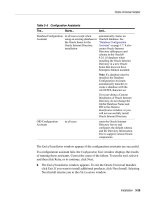
Table 1–1 Oracle9i Database Configurations
Environment Description
General Purpose Users perform a variety of database tasks, ranging from simple
transactions to complex queries. Select this database
environment for general purpose usage.
Online Transaction
Processing
Users perform large numbers of concurrent transactions, where
each transaction is a relatively simple operation processing a
small amount of data. Transactions consist of reading, writing
and deleting data in database tables.
Billing databases, such as those commonly found on internet
commerce sites, are the most common example of this database
configuration. These are also known as Online Transaction
Processing (OLTP) databases.
Data Warehouse Users perform Online Analytical Processing (OLAP) where
very complex queries access and process large volumes of data.
OLAP queries are typically read-only and range from a simple
query of a few records to complex queries that sort thousands
of records from many different tables. Historical databases are
the most common example of this database configuration. Data
warehousing databases are also known as Decision Support
Systems (DSS).
Oracle Configuration Assistants
Oracle9i Installation Planning 1-5
Oracle Configuration Assistants
Oracle Configuration Assistants are Graphical User Interface (GUI) tools included
with the Oracle9i software to assist you with configuring and fine-tuning your
environment and system for optimal performance. Many of them start
automatically when the installation is completed, depending on the selections you
make when you run the Installer. You can also manually start the configuration
assistants as standalone tools.
■ Database Upgrade Assistant starts automatically when you select the Upgrade
an Existing Database option. You can also choose not to select the option and
run Database Upgrade Assistant independently after completing installation.
Customized Allows you to create a customized database configuration of
Oracle products that meets specialized requirements.
Select this option only if you are prepared to provide detailed
product and database environment choices. Choosing this
option requires a longer installation session than choosing a
preconfigured database.
Software Only Allows you to install Oracle products. It does not configure the
listeners or network infrastructure and does not create a
database.
Oracle Corporation recommends that you install at least one
preconfigured database to serve as a template for database
configuration.
See Also: Oracle9i Concepts, Oracle9i Database Performance Tuning
Guide and Reference and Oracle9i Real Application Clusters Setup and
Configuration for more information on database environment issues.
"Database Configuration Assistant" on page 1-7 for more
information on how to choose a database.
Many of the Oracle documents included in the Oracle9i Generic
Documentation CD-ROM provide information about database
environments, the effect database environment settings have on
performance, and how your database can be tuned to maximize
performance.
Table 1–1 Oracle9i Database Configurations (Cont.)
Environment Description