Multimedia cho Joomla part 2 doc
Bạn đang xem bản rút gọn của tài liệu. Xem và tải ngay bản đầy đủ của tài liệu tại đây (2.29 MB, 10 trang )
Chapter 1
[ 17 ]
Images can be created, edited, and saved into numerous formats. Some of these
formats are more applicable for use on the Web than others.
For more detailed image information, please view Chapter 4, Adding and Managing
Image Content.
Audio
Audio (or sound as we know it) can be used to inspire human emotion and deliver
information. Audio is a major element of human entertainment, as well as a
contributing element to videos, gaming, and other multimedia presentations.
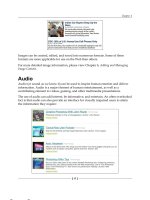
The use of audio can add interest, be informative, and entertain. An often overlooked
fact is that audio can also provide an interface for visually impaired users to attain
the information they require:
This material is copyright and is licensed for the sole use by jackie tracey on 23rd February 2010
953 Quincy Drive, , Brick, , 08724
Getting Started with Joomla! Multimedia
[ 18 ]
Internet is now an audio-rich delivery mechanism, with audio being easily
downloaded from websites and application portals. Most modern computer setups
now include speakers, which depending on the way you look at it, has helped the
evolution of audio usage within web pages. Possibly the equation goes the other way
and greater audio usage on web pages has specied the requirements for computer
users to need speakers.
All of that said, gone are the dancing Santas that used to load into web pages,
and play a nasty Christmas MIDI le with no volume control! Now we are talking
about websites containing "podcasts on demand", and "dial up your own personal
radio station playlists", and impressive audio players including time counts and
player controls.
Like images, sound les can be created and saved in many formats, including AAC,
MP3, MIDI, WAV, as well as many others. Choosing the correct audio format to use
on your website is imperative for the efcient delivery of the audio content to your
site users.
This material is copyright and is licensed for the sole use by jackie tracey on 23rd February 2010
953 Quincy Drive, , Brick, , 08724
Chapter 1
[ 19 ]
Video
Video can be dened as a sequence of still images put together and displayed on a
screen to form the illusion of motion:
Video is one of the most powerful multimedia types, as it incorporates both images
and audio. It can also contain text in the form of titles and descriptions.
Video has been known as one of the most demanding media types to work with
due to the overheads of processing and working with large le sizes. Transmission
and storage of video has often made it an unsuitable medium to use in certain
conditions. However, things are changing rapidly, and video is now often linked
to or "streamed" into an application, rather than the les hosted themselves.
This material is copyright and is licensed for the sole use by jackie tracey on 23rd February 2010
953 Quincy Drive, , Brick, , 08724
Getting Started with Joomla! Multimedia
[ 20 ]
Video can be saved in a variety of formats and compression types. Some of these
will be very applicable, and others you should stay clear of for website use. More
information about working with video can be found in Chapter 5, Using Video
within Your Joomla! Website.
Multimedia and web accessibility
Website accessibility means that people who have disabilities can understand,
interact, and navigate through web pages.
One of the main principles of web accessibility is to design websites and web software,
which is exible to meet different users' situations, preferences, and environments.
This material is copyright and is licensed for the sole use by jackie tracey on 23rd February 2010
953 Quincy Drive, , Brick, , 08724
Chapter 1
[ 21 ]
With the Web becoming an increasingly important resource for the sharing of
information, many users are now going online for reference: health, commerce,
government, recreation, media, and many other resources. It is essential that
people wanting to utilize the Web have equal access and equal opportunities
to these resources:
Another important consideration when building a website is that web accessibility
has legal obligations in certain countries. Besides the important consideration to
all of your site users, there could also be legal reasons why accessibility should be
considered when building and maintaining your website.
This material is copyright and is licensed for the sole use by jackie tracey on 23rd February 2010
953 Quincy Drive, , Brick, , 08724
Getting Started with Joomla! Multimedia
[ 22 ]
Can a multimedia website be accessible?
It is possible for a multimedia rich website to also be an accessible website. However,
the level of accessibility options you choose to implement into your website are
decisions you need to make for your project. The decision basis will often include
factors such as target audiences, country legalities, and project time and budgets.
There are a number of accessibility standards used around the Web, which provide
accessibility guidelines and checklists to benchmark against. Examples of these are:
The Web Content Accessibility Guidelines (WCAG)
The Web Content Accessibility Guidelines (WCAG) have become a world standard
for web accessibility, and falls into three 'compliance' categories:
1. A (also known as Level 1)
A website must comply with all checkpoints in Level 1 otherwise one or more
user groups will nd it impossible to access information or functionality.
2. AA (also known as Level 2)
A website should comply with all checkpoints in Level 2 otherwise one
or more groups will experience signicant barriers to access information
or functionality.
3. AAA (also known as Level 3)
A website may comply with all checkpoints in Level 3 otherwise one or more
groups will nd it somewhat difcult to access information in the document.
Section 508
Section 508 is a standard created by the US Federal Government. It contains 16
checkpoints for testing your website against. The rst 11 checkpoints are exactly
equivalent to the WCAG A (Level 1) guidelines. The last ve checkpoints are partly
based on the WCAG guidelines, but are more extensive. For further information
about this standard, please search for Section 508 on the Net.
Site accessibility features are best considered at the start of a website project, and
then having these addressed during development. It is much easier to take this
approach rather than address this issue retrospectively. Fixing invalid site code and
creating
title or alt tags can consume hours of working time and often outweigh
any budgets that have been put aside to make your content accessible.
There are a number of simple processes you can put in place to make your website
more accessible. Trying to attain a higher level of accessibility will of course require
a greater investment of time.
This material is copyright and is licensed for the sole use by jackie tracey on 23rd February 2010
953 Quincy Drive, , Brick, , 08724
Chapter 1
[ 23 ]
You may come across situations where the type of content you wish to offer on your
site pages will never be accessible to certain audiences. This is where decisions must
be made whether you make that content available in alternative formats. An example
of this may be to include captions when playing a video, or to offer an audio version
of text documents.
Throughout the development of your website, numerous software and online
evaluation tools can be used to help determine the accessibility of your website pages.
An exhaustive list of these can be found on the Web, or at sites such as
/>More information on web accessibility
For further information and tools which can help you make your site accessible,
please visit the following resources:
1. Guidelines and resources from the World Wide
Web Consortium (W3C).
2. Resources to help make the Web
more accessible to you.
This material is copyright and is licensed for the sole use by jackie tracey on 23rd February 2010
953 Quincy Drive, , Brick, , 08724
Getting Started with Joomla! Multimedia
[ 24 ]
3. Wikipedia's page
on accessibility guidelines.
4. Section 508 requires that Federal agencies'
electronic and information technology is accessible to people with disabilities.
Web browser support for multimedia
The Web was originally a text only medium, with browsers only being able to
display text in a single font, size, and color.
With the explosion of the Internet, website browsers can now view images,
play audio and video. A further development of the World Wide Web has been
the evolution of "streaming media" which allows the media playback to begin
without the les being fully downloaded rst.
There are many web browsers available. Some of these are suitable for specic
purposes and others pride themselves on being the most lightweight, or the
fastest browser available.
Most browsers have built-in media capabilities, which is an acknowledgement of the
growth of website multimedia. Other browsers require plugins to play multimedia
content. Plugins are programs, which extend your browser capabilities by making
making them compatible with additional media types. When your browser
encounters a multimedia le, it hands over the data to the plugin in order to
play or display that le.
You may have heard of the plugin "Adobe Flash Player", which enables you to play
Adobe movies through your web browser, or the "Windows Media Player" browser
plugin, which plays streaming audio, video, and presentations saved in Microsoft
formats. Without these plugins installed into the web browser, this
media content on website pages cannot be effectively viewed:
This material is copyright and is licensed for the sole use by jackie tracey on 23rd February 2010
953 Quincy Drive, , Brick, , 08724
Chapter 1
[ 25 ]
This highlights the importance of offering multimedia material in numerous formats,
or if that is not an option, to provide the site users with clear instructions about the
media trying to load, and when possible, where to go and nd a plugin in order to
play it.
This material is copyright and is licensed for the sole use by jackie tracey on 23rd February 2010
953 Quincy Drive, , Brick, , 08724
Getting Started with Joomla! Multimedia
[ 26 ]
Summary
In this chapter, we have looked at the terminology "multimedia" and how this
description contains numerous types of media content.
We have highlighted the Joomla! CMS platform and recognized its built-in
multimedia capabilities, as well as mentioned how these can be enhanced using
Joomla! Extensions. As extensions enhance the default Joomla! installation, they
will receive a healthy coverage throughout the chapters.
It is important to note website accessibility in this chapter, as it is much easier to
consider and integrate web accessibility into the start of website development, rather
than trying to address accessibility issues retrospectively. More information about
accessibility and how it relates to specic media, is covered within each chapter.
This material is copyright and is licensed for the sole use by jackie tracey on 23rd February 2010
953 Quincy Drive, , Brick, , 08724