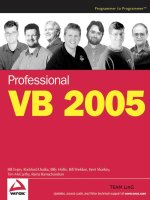
professional vb 2005 2006
Bạn đang xem bản rút gọn của tài liệu. Xem và tải ngay bản đầy đủ của tài liệu tại đây (23.63 MB, 1,100 trang )
TEAM LinG
Professional VB 2005
01_575368 ffirs.qxd 10/7/05 10:46 PM Page i
01_575368 ffirs.qxd 10/7/05 10:46 PM Page ii
Professional VB 2005
Bill Evjen, Billy Hollis, Rockford Lhotka,
Tim McCarthy, Rama Ramachandran,
Kent Sharkey, Bill Sheldon
01_575368 ffirs.qxd 10/7/05 10:46 PM Page iii
Professional VB 2005
Published by
Wiley Publishing, Inc.
10475 Crosspoint Boulevard
Indianapolis, IN 46256
www.wiley.com
Copyright © 2006 by Wiley Publishing, Inc., Indianapolis, Indiana
Published simultaneously in Canada
ISBN-13: 978-0-7645-7536-5
ISBN-10: 0-7645-7536-8
Manufactured in the United States of America
10 9 8 7 6 5 4 3 2 1
1B/SW/RQ/QV/IN
Library of Congress Cataloging-in-Publication Data:
Professional Visual Basic 2005 / Bill Evjen [et al.].
p. cm.
Includes index.
ISBN-13: 978-0-7645-7536-5 (paper/website)
ISBN-10: 0-7645-7536-8 (paper/website)
1. Microsoft Visual BASIC. 2. BASIC (Computer program language) 3. Microsoft .NET.
I. Evjen, Bill.
QA76.73.B3P7485 2005
005.2’768 — dc22
2005012585
No part of this publication may be reproduced, stored in a retrieval system or transmitted in any form or by any means,
electronic, mechanical, photocopying, recording, scanning or otherwise, except as permitted under Sections 107 or 108 of
the 1976 United States Copyright Act, without either the prior written permission of the Publisher, or authorization through
payment of the appropriate per-copy fee to the Copyright Clearance Center, 222 Rosewood Drive, Danvers, MA 01923,
(978) 750-8400, fax (978) 646-8600. Requests to the Publisher for permission should be addressed to the Legal Department,
Wiley Publishing, Inc., 10475 Crosspoint Blvd., Indianapolis, IN 46256, (317) 572-3447, fax (317) 572-4355, or online at
/>LIMIT OF LIABILITY/DISCLAIMER OF WARRANTY: THE PUBLISHER AND THE AUTHOR MAKE NO REPRESEN-
TATIONS OR WARRANTIES WITH RESPECT TO THE ACCURACY OR COMPLETENESS OF THE CONTENTS OF
THIS WORK AND SPECIFICALLY DISCLAIM ALL WARRANTIES, INCLUDING WITHOUT LIMITATION WAR-
RANTIES OF FITNESS FOR A PARTICULAR PURPOSE. NO WARRANTY MAY BE CREATED OR EXTENDED BY
SALES OR PROMOTIONAL MATERIALS. THE ADVICE AND STRATEGIES CONTAINED HEREIN MAY NOT BE SUIT-
ABLE FOR EVERY SITUATION. THIS WORK IS SOLD WITH THE UNDERSTANDING THAT THE PUBLISHER IS NOT
ENGAGED IN RENDERING LEGAL, ACCOUNTING, OR OTHER PROFESSIONAL SERVICES. IF PROFESSIONAL
ASSISTANCE IS REQUIRED, THE SERVICES OF A COMPETENT PROFESSIONAL PERSON SHOULD BE SOUGHT.
NEITHER THE PUBLISHER NOR THE AUTHOR SHALL BE LIABLE FOR DAMAGES ARISING HEREFROM. THE
FACT THAT AN ORGANIZATION OR WEBSITE IS REFERRED TO IN THIS WORK AS A CITATION AND/OR A
POTENTIAL SOURCE OF FURTHER INFORMATION DOES NOT MEAN THAT THE AUTHOR OR THE PUBLISHER
ENDORSES THE INFORMATION THE ORGANIZATION OR WEBSITE MAY PROVIDE OR RECOMMENDATIONS IT
MAY MAKE. FURTHER, READERS SHOULD BE AWARE THAT INTERNET WEBSITES LISTED IN THIS WORK MAY
HAVE CHANGED OR DISAPPEARED BETWEEN WHEN THIS WORK WAS WRITTEN AND WHEN IT IS READ.
For general information on our other products and services please contact our Customer Care Department within the
United States at (800) 762-2974, outside the United States at (317) 572-3993 or fax (317) 572-4002.
Trademarks: Wiley, the Wiley logo, Wrox, the Wrox logo, Programmer to Programmer, and related trade dress are trade-
marks or registered trademarks of John Wiley & Sons, Inc. and/or its affiliates, in the United States and other countries,
and may not be used without written permission. Visual Basic is a registered trademark of Microsoft Corporation in the
United States and/or other countries. All other trademarks are the property of their respective owners. Wiley Publishing,
Inc., is not associated with any product or vendor mentioned in this book.
Wiley also publishes its books in a variety of electronic formats. Some content that appears in print may not be available
in electronic books.
01_575368 ffirs.qxd 10/7/05 10:46 PM Page iv
About the Authors
Bill Evjen is an active proponent of .NET technologies and community-based learning initiatives for
.NET. He has been actively involved with .NET since the first bits were released in 2000. In the same
year, Bill founded the St. Louis .NET User Group (
www.stlnet.org), one of the world’s first .NET user
groups. Bill is also the founder and the executive director of the International .NET Association (INETA –
www.ineta.org), which represents more than 375,000 members worldwide.
Based in St. Louis, Missouri, Bill is an acclaimed author and speaker on ASP.NET and XML Web Services.
He has written or coauthored more than 10 books, including Professional C# 2005 and Professional ASP.NET
2.0 (Wrox), XML Web Services for ASP.NET, ASP.NET Professional Secrets (Wiley), and more.
Bill is a technical director for Reuters, the international news and financial services company, and he
travels the world speaking to major financial institutions about the future of the IT industry. He gradu-
ated from Western Washington University in Bellingham, Washington, with a Russian language degree.
When he isn’t tinkering on the computer, he can usually be found at his summer house in Toivakka,
Finland. You can reach Bill at
To Kalle – Welcome to the family!
Billy Hollis is coauthor of the first book ever published on Visual Basic .NET, VB.NET Programming on
the Public Beta (Wrox Press) as well as numerous other books and articles on .NET. Billy is a Microsoft
regional director and an MVP, and he was selected as one of the original .NET “Software Legends.” He
writes a monthly column for MSDN Online and is heavily involved in training, consultation, and soft-
ware development on the Microsoft .NET platform, focusing on smart-client development and commer-
cial packages. He frequently speaks at industry conferences such as Microsoft’s Professional Developer
Conference, TechEd, and COMDES. Billy is a member of the INETA speakers’ bureau and speaks at user
group meetings all over the United States.
Rockford Lhotka is the principal technology evangelist for Magenic Technologies (
www.magenic.com),
a company focused on delivering business value through applied technology and one of the nation’s
premiere Microsoft Gold Certified Partners. Rockford is the author of several books, including Expert
Visual Basic .NET and C# Business Objects. He is a Microsoft Software Legend, regional director, MVP, and
INETA speaker. He is a columnist for MSDN Online and contributing author for Visual Studio Magazine,
and he regularly presents at major conferences around the world — including Microsoft PDC, Tech Ed,
VS Live! and VS Connections. For more information go to
www.lhotka.net.
For my Mom and Dad, whose love and guidance have been invaluable in my life. Thank you!
Tim McCarthy is a principal engineer at InterKnowlogy, where he architects and builds highly scalable
n-tier web and smart-client applications utilizing the latest Microsoft platforms and technologies. Tim’s
expertise covers a wide range of Microsoft technologies, including, but not limited to: .NET Framework
(ASP.NET/Smart Clients/Web Services), Active Directory, UDDI, SQL Server, Windows SharePoint
Services/SharePoint Portal Server 2003, and Service Oriented Architecture (SOA) applications. Tim has
worked as a project technical lead/member as well as in a technical consulting role for several Fortune
500 companies. He has held the Microsoft Certified Solution Developer (MCSD) and Microsoft Certified
Trainer (MCT) certifications for several years and was one of the first wave of developers to earn the
Microsoft Certified Application Developer (MCAD) for .NET and MCSD for .NET certifications. He also
holds the Microsoft Certified Database Administrator certification for SQL Server 2000.
01_575368 ffirs.qxd 10/7/05 10:46 PM Page v
Tim has been an author and technical reviewer for several books from Wrox Press and most recently was
a lead author on Professional VB.NET 2003. His other books include Professional Commerce Server 2000,
and Professional ADO 2.5 Programming. Tim is currently working as a lead author on the next edition of
Professional VB.NET. Tim has written numerous articles for the Developer .NET Update newsletter, devel-
oped packaged presentations for MSDN, and has written a whitepaper for Microsoft on using COM+
services in .NET. He has also written articles for SQL Server Magazine and Windows & .NET Magazine.
Tim has spoken at technical conferences around the world and several San Diego area user groups (includ-
ing both .NET and SQL Server groups) and he has been a regular speaker at the Microsoft Developer Days
conference in San Diego for the last several years. Tim has also delivered MSDN webcasts, many of which
were repeat requests from Microsoft. Tim also teaches custom .NET classes to companies in need of expert
.NET mentoring and training.
Tim holds a B.B.A. in marketing from the Illinois Institute of Technology as well as an M.B.A. in market-
ing from National University. Before becoming an application developer, Tim was an officer in the United
States Marine Corps. Tim’s passion for .NET is only surpassed by his passion for Notre Dame athletics.
I dedicate this book to everybody in my family who supports me. Jasmine, some day you will be writing
books, too!
Rama Ramachandran is a software architect at DKR Capital, a major hedge fund company in Stamford,
Connecticut. He is a Microsoft Certified Solutions Developer and Site-Builder and has excelled in
designing and developing WinForms and Web applications using .NET, ASP.NET, Visual Basic and SQL
Server. Rama has more than 15 years’ experience with all facets of the software development lifecycle
and has cowritten Introducing .NET, Professional ASP Data Access, Professional Visual InterDev Programming
(all Wrox Press), and four books on classic Visual Basic.
Rama is also the “ASP Pro” at
Devx.com, where he maintains ASP-related columns. He teaches .NET
Development and Web Development for Fairfield University’s master’s degree in software engineering,
and at the University of Connecticut. You can reach Rama at
This book is dedicated to my wife, Beena, and our children, Ashish and Amit. They make my life whole.
I’m great at writing about technology but get tongue-tied trying to say how much I love and care about
the three of you. I am grateful to our prayer-answering God for your laughing, mischievous, adoring
lives. Thanks for being there, Beens. I love you.
Kent Sharkey. Born in an igloo and raised by wolves in a strange realm called “Manitoba,” Kent
Sharkey wandered the wilderness until found by a group of kind technical evangelists and migrated to
Redmond. He now is content strategist (yeah, he doesn’t know what he’s supposed to do either) for
ASP.NET content on MSDN. When not answering email he dreams of sleeping, complains to everyone
around (come to think of it, he does that while answering email as well), and attempts to keep his house-
mates (Babi, Cica, and Squirrel) happy.
As with all else, to Margaret. Thank you.
Bill Sheldon is a software architect and engineer originally from Baltimore, Maryland. Holding a degree
in Computer Science from the Illinois Institute of Technology (IIT) and a Microsoft Certified Solution
Developer (MCSD) qualification, Bill has been employed as an engineer since resigning his commission
with the U.S. Navy following the first Gulf War. Bill is involved with the San Diego .NET User Group
and writes for Windows and .NET magazines, including the twice monthly Developer .NET Update email
newsletter. He is also a frequent online presenter for MSDN and speaks at live events such as Microsoft
Developer Days. He lives with his wife, Tracie, in Southern California, where he is employed as a princi-
pal engineer with InterKnowlogy. You can reach Bill at
01_575368 ffirs.qxd 10/7/05 10:46 PM Page vi
Credits
Acquisitions Editor
Katie Mohr
Development Editors
Eileen Bien Calabro
Ami Frank Sullivan
Technical Editor
Brian Patterson
Production Editor
Pamela Hanley
Copy Editor
Foxxe Editorial Services
Editorial Manager
Mary Beth Wakefield
Vice President & Executive Group Publisher
Richard Swadley
Vice President and Publisher
Joseph B. Wikert
Project Coordinator
Ryan Steffen
Graphics and Production Specialists
Carrie A. Foster
Lauren Goddard
Denny Hager
Barbara Moore
Lynsey Osborn
Alicia South
Quality Control Technicians
Laura Albert
John Greenough
Leeann Harney
Jessica Kramer
Brian H. Walls
Proofreading
TECHBOOKS Production Services
Indexing
Broccoli Information Management
01_575368 ffirs.qxd 10/7/05 10:46 PM Page vii
01_575368 ffirs.qxd 10/7/05 10:46 PM Page viii
Contents
Introduction xxv
Chapter 1: What Is Microsoft .NET? 1
What Is .NET? 1
A Broad and Deep Platform for the Future 2
What’s Wrong with DNA and COM? 2
An Overview of the .NET Framework 3
The Common Language Runtime 4
Key Design Goals 5
Metadata 7
Multiple-Language Integration and Support 7
A Common Type System 8
Namespaces 8
The Next Layer — The .NET Class Framework 8
What Is in the .NET Class Framework? 9
User and Program Interfaces 10
Windows Forms 11
Web Forms 11
Console Applications 12
Web Services 12
XML as the .NET Metalanguage 12
The Role of COM 13
No Internal Use of COM 13
Some Things Never Change . . . 13
.NET Drives Changes in Visual Basic 14
How .NET Affects You 14
A Spectrum of Programming Models 14
Reducing Barriers to Internet Development 15
Libraries of Prewritten Functionality 15
Easier Deployment 15
The Future of .NET 16
Major Differences in .NET 2.0 16
Summary 17
02_575368 ftoc.qxd 10/7/05 10:47 PM Page ix
x
Contents
Chapter 2: Introducing Visual Basic 2005 and Visual Studio 2005 19
Visual Studio .NET — Startup 20
Visual Studio .NET 21
The Solution Explorer 22
My Project 23
References 24
Assembly Information Screen 25
The New Code Window 26
The Properties Window 29
Dynamic Help 30
Working with Visual Basic 2005 31
Form Properties Set in Code 32
Enhancing the Sample Application 34
Adding a Control and Event Handler 34
Customizing the Code 35
Build Configurations 40
Building Applications 43
Useful Features of Visual Studio 46
The Task List 46
The Command Window 47
The Server Explorer 47
Recording and Using Macros in Visual Studio 2005 49
Summary 50
Chapter 3: Variables and Type 51
Differences of Value and Reference Types 52
Value Types (Structures) 54
Primitive Types 54
Explicit Conversions 63
Compiler Options 64
Performing Explicit Conversions 66
Reference Types (Classes) 68
The Object Class 68
The String Class 70
The DBNull Class and IsDBNull() Function 72
Arrays 73
Collections 76
Parameter Passing 78
Boxing 79
02_575368 ftoc.qxd 10/7/05 10:47 PM Page x
xi
Contents
Retired Keywords and Methods 80
Elements of Visual Basic 6.0 Removed in .NET 80
Summary 81
Chapter 4: Object Syntax Introduction 83
Object-Oriented Terminology 84
Objects, Classes, and Instances 84
Composition of an Object 85
Working with Objects 88
Object Declaration and Instantiation 88
Object References 90
Dereferencing Objects 90
Early versus Late Binding 90
Creating Classes 94
Creating Basic Classes 94
Constructor Methods 114
Termination and Cleanup 115
Advanced Concepts 116
Overloading Methods 116
Overloading Constructor Methods 119
Shared Methods, Variables, and Events 120
Operator Overloading 125
Delegates 128
Classes versus Components 133
Summary 134
Chapter 5: Inheritance and Interfaces 137
Inheritance 138
Implementing Inheritance 140
Multiple Interfaces 187
Object Interfaces 187
Secondary Interfaces 189
Summary 195
Chapter 6: The Common Language Runtime 197
Elements of a .NET Application 198
Modules 198
Assemblies 199
Types 200
02_575368 ftoc.qxd 10/7/05 10:47 PM Page xi
xii
Contents
Versioning and Deployment 201
Better Support for Versioning 201
Better Deployment 202
Cross-Language Integration 203
The Common Type System 203
Metadata 204
Better Support for Metadata 205
Attributes 206
The Reflection API 208
IL Disassembler 209
Memory Management 210
Traditional “Garbage Collection” 211
Faster Memory Allocation for Objects 218
Garbage Collector Optimizations 220
Summary 222
Chapter 7: Applying Objects and Components 223
Abstraction 223
Encapsulation 227
Polymorphism 230
Method Signatures 230
Implementing Polymorphism 230
Inheritance 241
When to Use Inheritance 242
Inheritance and Multiple Interfaces 246
How Deep to Go? 252
Fragile Base Class Issue 254
Summary 257
Chapter 8: Generics 259
Using Generics 260
Generic Types 261
Generic Methods 265
Creating Generics 267
Generic Types 267
Generic Methods 275
Constraints 276
Generics and Late Binding 280
Summary 281
02_575368 ftoc.qxd 10/7/05 10:47 PM Page xii
xiii
Contents
Chapter 9: Namespaces 283
What Is a Namespace? 284
Namespaces and References 287
Common Namespaces 289
Importing and Aliasing Namespaces 291
Importing Namespaces 292
Referencing Namespaces in ASP.NET 293
Aliasing Namespaces 294
Creating Your Own Namespaces 295
My 298
My.Application 299
My.Computer 303
My.Forms 307
My.Resources 308
My.User 308
My.WebServices 308
Summary 309
Chapter 10: Exception Handling and Debugging 311
A Brief Review of Error Handling in VB6 312
Exceptions in .NET 314
Important Properties and Methods of an Exception 314
How Exceptions Differ from the Err Object in VB6 315
Structured-Exception-Handling Keywords in VB.NET 315
The Try, Catch, and Finally Keywords 316
The Throw Keyword 318
Throwing a New Exception 319
The Exit Try Statement 320
Nested Try Structures 321
The Message Property 323
The InnerException and TargetSite Properties 323
Interoperability with VB6-Style Error Handling 328
Error Logging 329
Writing to Trace Files 333
Analyzing Problems and Measuring Performance via the Trace Class 335
Summary 338
02_575368 ftoc.qxd 10/7/05 10:47 PM Page xiii
xiv
Contents
Chapter 11: Data Access with ADO.NET 2.0 341
ADO.NET 2.0 Architecture Enhancements 342
ADO.NET Components 343
.NET Data Providers 344
Connection Object 344
Command Object 345
Using Stored Procedures with Command Objects 346
DataReader Object 350
Executing Commands Asynchronously 352
DataAdapter Objects 354
SQL Server .NET Data Provider 358
OLE DB .NET Data Provider 359
The DataSet Component 359
DataTableCollection 359
DataRelationCollection 360
ExtendedProperties 360
Creating and Using DataSet Objects 361
ADO.NET DataTable Objects 363
ADO.NET 2.0 Enhancements to the DataSet and DataTable 364
Working with the Common Provider Model 366
Connection Pooling Enhancements in ADO.NET 2.0 369
Building a Data Access Component 369
Constructors 370
Properties 371
Stored Procedure XML Structure 372
Methods 373
Using DataSet Objects to Bind to DataGrids 385
Summary 388
Chapter 12: Using XML in Visual Basic 2005 389
An Introduction to XML 391
XML Serialization 392
Source Code Style Attributes 397
System.Xml Document Support 399
XML Stream-Style Parsers 399
Writing an XML Stream 400
Reading an XML Stream 405
Using the MemoryStream Object 414
Document Object Model (DOM) 418
02_575368 ftoc.qxd 10/7/05 10:47 PM Page xiv
xv
Contents
XSLT Transforms 424
XSLT Transforming between XML Standards 429
Using XML in Visual Basic 2005 430
Other Classes and Interfaces in System.Xml.Xsl 432
ADO.NET 432
ADO.NET and SQL Server 2000’s Built-In XML Features 434
XML and SQL Server 2005 436
Summary 437
Chapter 13: Security in the .NET Framework 2.0 439
Security Concepts and Definitions 440
Permissions in the System.Security.Permissions Namespace 442
Code Access Permissions 445
Role-Based Permissions 446
Identity Permissions 449
Managing Code Access Permissions 449
Managing Security Policy 454
Figuring the Minimum Permissions Required for Your Application 465
Using Visual Studio to Figure Minimum Permissions 467
Security Tools 470
Dealing with Exceptions Using the SecurityException Class 471
Cryptography Basics 473
Hash Algorithms 474
Summary 495
Chapter 14: Windows Forms 497
The Importance of Windows Forms 498
Summary of Changes in Windows Forms version 2.0 498
Default Instances of Forms 498
Changes in Existing Controls 499
New Controls 500
Replacements for Older Windows Forms Controls 501
The System.Windows.Forms Namespace 502
Using Forms 502
Showing Forms via Sub Main 503
Setting the Startup Form 503
Startup Location 504
Form Borders 505
Always on Top — The TopMost Property 505
Owned Forms 505
02_575368 ftoc.qxd 10/7/05 10:47 PM Page xv
xvi
Contents
Making Forms Transparent and Translucent 507
Visual Inheritance 508
Scrollable Forms 509
Forms at Runtime 509
Controls 510
Control Tab Order 511
Control Arrays 511
Automatic Resizing and Positioning of Controls 513
FlowLayoutPanel Control 517
TableLayoutPanel Control 520
Extender Provider Controls 520
Advanced Capabilities for Data Entry 523
Validating Data Entry 526
Toolbars and the New ToolStrip Control 528
Menus 531
Common Dialogs 533
Drag and Drop 535
Panel and GroupBox Container Controls 538
Summary of Standard Windows.Forms Controls 539
Retired Controls 543
Using ActiveX Controls 543
Other Handy Programming Tips 543
MDI Forms 544
An MDI Example in VB.NET 545
Dialog Forms 547
Summary 549
Chapter 15: Windows Forms Advanced Features 551
Packaging Logic in Visual Controls 552
Developing Custom Controls in .NET 552
Inherit from an Existing Control 553
Build a Composite Control 553
Write a Control from Scratch 554
Inheriting from an Existing Control 554
Overview of the Process 554
Adding Additional Logic to a Custom Control 555
Other Useful Attributes 559
Defining a Custom Event for the Inherited Control 560
Creating a CheckedListBox that Limits the Number of Selected Items 560
The Control and UserControl Base Classes 564
The Control Class 564
The UserControl Class 565
02_575368 ftoc.qxd 10/7/05 10:47 PM Page xvi
xvii
Contents
A Composite UserControl 566
Creating a Composite UserControl 567
How Does Resize Work? 568
Setting a Minimum Size 568
Exposing Properties of Subcontrols 568
Stepping Through the Example 569
Building a Control from Scratch 572
Painting a Custom Control with GDI+ 573
Attaching an Icon for the Toolbox 579
Embedding Controls in Other Controls 580
Summary 582
Chapter 16: Building Web Applications 583
A Web Site in Action 583
Setting Up the Environment 584
The HelloWorld Web Form 584
The Anatomy of a Web Form 590
Single-File Page Model 590
Code-Behind Page Model 591
The Template for Presentation 593
A More Complex Example 594
The Processing Flow of ASP.NET Web Forms 596
The Controls Available in Web Forms 598
The Concept of Server-Side Controls 598
HTML Server Controls 600
ASP.NET Server Controls 602
Validation Controls 604
User Controls 605
Events in Web Forms 606
The Web Form’s Lifecycle 607
Event Categories 608
Web Forms versus ASP 609
Transferring Control among Web Forms 611
A Final Example 611
Summary 625
Chapter 17: ASP.NET 2.0 Advanced Features 627
Applications and Pages 627
Cross-Page Posting 628
ASP.NET Advanced Compilation 632
02_575368 ftoc.qxd 10/7/05 10:47 PM Page xvii
xviii
Contents
Master Pages 634
Creating a Master Page 635
Creating the Content Page 637
Declaring the Master Page Application-Wide 641
Providing Default Content in Your Master Page 642
Data-Driven Applications 642
Using the GridView and SqlDataSource Controls 643
Allowing for Editing and Deleting of Records with the GridView 648
Don’t Stop There! 652
Navigation 653
Using the SiteMapPath Server Control 654
Menu Server Control 656
The TreeView Server Control 657
Membership and Role Management 661
Personalization 665
Configuring ASP.NET 666
Summary 668
Chapter 18: Assemblies 671
Assemblies 672
The Manifest 673
The Identity Section 675
Referenced Assemblies 677
Assemblies and Deployment 678
Application-Private Assemblies 678
Shared Assemblies 679
Versioning Issues 681
Application Isolation 681
Side-by-Side Execution 682
Self-Describing 682
Version Policies 682
Configuration Files 684
Dynamic Loading of Assemblies 687
The Assembly Class 687
Putting Assemblies to Work 689
Summary 689
Chapter 19: Deployment 691
Application Deployment 692
Why Is Deployment Easier in .NET? 692
02_575368 ftoc.qxd 10/7/05 10:47 PM Page xviii
xix
Contents
XCOPY Deployment 694
Using the Windows Installer 694
Visual Studio .NET Deployment Projects 695
Project Templates 696
Creating a Deployment Project 698
Walkthroughs 698
Modifying the Deployment Project 710
Project Properties 711
The File System Editor 714
The Registry Editor 719
The File Types Editor 722
The User Interface Editor 723
The Custom Actions Editor 726
The Launch Conditions Editor 729
Building 732
Internet Deployment of Windows Applications 733
No-Touch Deployment 733
ClickOnce Deployment 735
Custom Deployment Options 745
Summary 745
Chapter 20: Working with Classic COM and Interfaces 747
Classic COM 748
COM and .NET in Practice 749
A Legacy Component 749
The .NET Application 752
Trying It All Out 754
Using TlbImp Directly 755
Late Binding 756
ActiveX Controls 761
A Legacy ActiveX Control 761
A .NET Application, Again 763
Trying It All Out, Again 766
Using .NET Components in the COM World 766
A .NET Component 767
RegAsm 769
TlbExp 772
Summary 772
02_575368 ftoc.qxd 10/7/05 10:47 PM Page xix
xx
Contents
Chapter 21: Enterprise Services 773
Transactions 774
The ACID Test 774
Transactional Components 775
An Example of Transactions 776
Other Aspects of Transactions 791
Just-In-Time 791
Object Pooling 792
Holding Things Up 792
Queued Components 792
An Example of Queued Components 793
Transactions with Queued Components 799
Summary 801
Chapter 22: Threading 803
What Is a Thread? 803
Processes, AppDomains, and Threads 805
Thread Scheduling 807
Thread Safety and Thread Affinity 809
When to Use Threads 809
Designing a Background Task 811
Interactive Applications 811
Implementing Threading 812
A Quick Tour 812
Threading Options 815
Manually Creating a Thread 820
Shared Data 822
Avoid Sharing Data 823
Sharing Data with Synchronization 825
Synchronization Objects 827
Summary 834
Chapter 23: XML Web Services 835
Introduction to Web Services 835
Early Architectural Designs 837
The Network Angle 837
Application Development 837
Merging the Two with the Web 837
The Foundations of Web Services 838
02_575368 ftoc.qxd 10/7/05 10:47 PM Page xx
xxi
Contents
The Problems 839
The Other Players 840
What All the Foundations Missed 841
Building a Web Service 844
A Realistic Example 848
Using Visual Studio 2005 to Build Web Services 848
Visual Basic and System.Web.Services 858
System.Web.Services Namespace 858
System.Web.Services.Description Namespace 859
System.Web.Services.Discovery Namespace 860
System.Web.Services.Protocols Namespace 860
Architecting with Web Services 861
Why Web Services? 861
How This All Fits Together 862
State Management for XML Web Services 862
Using DNS As a Model 863
Security in Web Services 866
The Secure Sockets Layer 867
Directory-Level Security 867
Other Types of Security 868
The Downside 868
Security 868
State 868
Transactions 868
Speed and Connectivity 868
Where We Go from Here 869
Summary 869
Chapter 24: Remoting 871
Remoting Overview 872
Basic Terminology 872
SingleCall, Singleton, and Activated Objects 875
Implementing Remoting 879
A Simple Example 879
Using IIS As a Remoting Host 890
Using Activator.GetObject 894
Interface-Based Design 895
Using Generated Proxies 897
Summary 898
02_575368 ftoc.qxd 10/7/05 10:47 PM Page xxi
xxii
Contents
Chapter 25: Windows Services 899
Example Windows Services 899
Characteristics of a Windows Service 900
Interacting with Windows Services 901
Creating a Windows Service 902
The .NET Framework Classes for Windows Services 902
Other Types of Windows Services 905
Creating a Windows Service with Visual Basic 906
Creating a Counter Monitor Service 907
Installing the Service 910
Starting the Service 910
Uninstalling the Service 911
Monitoring a Performance Counter 912
Creating a Performance Counter 912
Integrating the Counter into the Service 914
Changing the Value in the Performance Counter 914
Communicating with the Service 915
The ServiceController Class 916
Integrating a ServiceController into the Example 917
More About ServiceController 919
Custom Commands 919
Passing Strings to a Service 921
Creating a File Watcher 922
Writing Events Using an Eventlog 922
Creating a FileSystemWatcher 923
Debugging the Service 927
To Debug a Service 927
Summary 929
Chapter 26: Network Programming 931
Getting Your Message Across: Protocols, Addresses, and Ports 931
Addresses and Names 933
Ports: They’re Not Just for Ships 934
Firewalls: Can’t Live with Them, Can’t Live without Them 934
The System.Net Namespace 935
Web Requests (and Responses) 935
Simplifying Common Web Requests with WebClient 952
Creating Your Own Web Server with HttpListener 955
Summary 963
02_575368 ftoc.qxd 10/7/05 10:47 PM Page xxii
xxiii
Contents
Chapter 27: Visual Basic and the Internet 965
Downloading Internet Resources 965
Sockets 969
Building the Application 970
Creating Conversation Windows 972
Sending Messages 980
Shutting Down the Application 986
Using Internet Explorer in Your Applications 990
Windows Forms and HTML — No Problem! 991
Summary 1000
Appendix A: The Visual Basic Compiler 1001
Appendix B: Visual Basic Resources 1017
Index 1019
02_575368 ftoc.qxd 10/7/05 10:47 PM Page xxiii
02_575368 ftoc.qxd 10/7/05 10:47 PM Page xxiv