1 SỐ LỆNH TẮT TRONG REVIT 2017
Bạn đang xem bản rút gọn của tài liệu. Xem và tải ngay bản đầy đủ của tài liệu tại đây (32.72 KB, 1 trang )
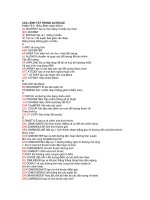
LỆNH TẮT REVIT 2017 - NXN
MEP
----------------------------------------1. Cửa sổ màn hình
"WC" - "Window-Cascade": cho các khung
màn hình hiển thị ngang.
"ZE" - "View-Zoom-Zoom To Fit"
"RT" - "Drafting-Room Tag"
"ZX" - "View-Zoom-Zoom To Fit"
"DL" - "Drafting-Detail Lines"
"ZA" - "View-Zoom-Zoom All To Fit"
F7 - "Tools-Spelling"
"ZS" - "View-Zoom-Sheet Size"
"MA" - "Tools-Match"
"WT" - "Window-Tile": cho các khung màn
hình hiển thị trải đều.
"ZP" - "View-Zoom-Previous Pan/Zoom"
"LW" - "Tools-Linework"
2. Tệp - File
"ZC" - "View-Zoom-Previous Pan/Zoom"
"PT" - "Tools-Paint"
"ER" - "File-Editing Requests"
"VP" - "View-View Properties"
"SF" - "Tools-Split Face"
"RL" - "File-Reload Latest"
"VG" - "View-Visibility/Graphics"
"AL" - "Tools-Align"
3. Chỉnh sửa các đối tượng - Edit
"VV" - "View-Visibility/Graphics"
"SL" - "Tools-Split Walls and Lines"
"RW" - "File-Reload Latest"
"HH" - "View-Temporary Hide/Isolate-Hide
Element"
"TR" - "Tools-Trim/Extend"
"DE" - "Edit-Delete": xóa các đối tượng.
"OF" - "Tools-Offset"
"MD" - "Edit-Modify": lệnh Modify.
"HI" - "View-Temporary Hide/Isolate-Isolate
Element"
"SA" - "Edit-Select All Instances": chọn tất cả
các đối tượng.
"HC" - "View-Temporary Hide/Isolate-Hide
Category"
"MV" - "Edit-Move": di chuyển.
"IC" - "View-Temporary Hide/Isolate-Isolate
Category"
"SU" - "Settings-Sun and Shadows Settings"
"UN" - "Settings-Project Units"
"SI" - snapcode: "Intersections"
"SE" - snapcode: "Endpoints"
"CO" hoặc CC" - "Edit-Copy": sao chép.
"RO" - "Edit-Rotate": xoay hình.
"HR"- "View-Temporary Hide/Isolate-Reset
Temporary Hide/Isolate"
"AR" - "Edit-Array": tạo dãy.
"EH" - "View-Hide in view-Elements"
"MM" - "Edit-Mirror": lấy đối xứng.
"VH" - "View-Hide in view-Category"
"RE" - "Edit-Resize": thay đổi kích thước.
"EU" - "View-Unhide in view-Elements"
"GP" - "Edit-Group-Create Group": tạo nhóm.
"VU" - "View-Unhide in view-Category"
"EG" - "Edit-Group-Edit Group": sửa nhóm.
"WF" - "View-Wireframe"
"UG" - "Edit-Group-Ungroup":
"HL" - "View-Hidden Line"
"LG" - "Edit-Group-Link Group"
"SD" - "View-Shading with Edges"
"EX" - "Edit-Group-Exclude Member"
"AG" - "View-Advanced Model Graphics"
"MP" - "Edit-Group-Move Member to Project"
"RR" - "View-Rendering Dialog"
"RB" - "Edit-Group-Restore Excluded
Member"
"TL" - "View-Thin Lines"
"SM" - snapcode: "Midpoints"
"SC" - snapcode: "Centers"
"SN" - snapcode: "Nearest"
"SP" - snapcode: "Perpendicular"
"ST" - snapcode: "Tangents"
"SW" - snapcode: "Work Plane Grid"
"SQ" - snapcode: "Quadrants"
"SX" - snapcode: "Points"
"SR" - snapcode: "Snap to Remote Objects"
"SZ" - snapcode: "Close"
"SO" -snapcode: "Snaps Off"
"SS" - snapcode: "Turn Override Off"
F5 - "View-Refresh"
"RA" - "Edit-Group-Restore All"
"ZZ" - "View-Zoom-Zoom In Region"
5. Dựng mô hình – Modelling
"AP" – "Edit-Group-Add to Group"
"ZX" - "View-Zoom-Zoom To Fit"
"WA" - "Modelling-Wall”: vẽ tường.
"RG" – "Edit-Group-Remove from Group"
"ZC" - "View-Zoom-Previous Pan/Zoom"
"DR" - "Modelling-Door"
"AD" - "Edit-Group-Attach Detail"
"ZV" - "View-Zoom-Zoom Out (2x)"
"WN" - "Modelling-Window"
"PG" - "Edit-Group-Group Properties"
"CM" - "Modelling-Component"
"FG" - "Edit-Group-Finish Group"
"LI" - "Modelling-Lines"
"CG" - "Edit-Group-Cancel Group"
"RP" - "Modelling-Ref Plane"
"PP" - "Edit-Pin Position"
"RP" - "Drafting-Ref Plane"
"UP" – "Edit-Unpin Position"
"RP" - "Modelling-Ref Plane"
"CS" – "Edit-Create Similar"
"DI" - "Drafting-Dimension"
"PR" – "Edit-Properties"
4. Khung nhìn – View
"EL" - "Drafting-Spot Dimension-Spot
Elevation"
"ZR" - "View-Zoom-Zoom In Region"
"TX" - "Drafting-Text"
"ZZ" - "View-Zoom-Zoom In Region"
"GR" - "Drafting-Grid"
"ZO" - "View-Zoom-Zoom Out (2x)"
"LL" - "Drafting-Level"
"ZV" - "View-Zoom-Zoom Out (2x)"
"TG" - "Drafting-Tag-By Category"
"ZF" - "View-Zoom-Zoom To Fit"
"RM" - "Drafting-Room"