Tutorial 10 programming with javascript(2)
Bạn đang xem bản rút gọn của tài liệu. Xem và tải ngay bản đầy đủ của tài liệu tại đây (21.04 MB, 51 trang )
mpl2txt.htm
mplstyles.css
random.js
+ 11 graphic files
ads.js
fronttxt.htm
random.js
styles.css
+ 7 graphic files
datetime.js
skymaptxt.htm
skyweb.css
+ 26 graphic files
back.jpg
functi0ns.j~
functi0ns.j~
log0.j ~g
sunday.htm - saturday.htm
todaytxt.htm
+ 2 style sheets
I
I
HTML 564 HTML and XHTML Tutorial 10 Programming with JavaScript
I
Session 10.1
Introducing JavaScript
You meet with Kate to discuss her goals regarding the e-mail addresses on the libraw!
staff directory page. She shows you the content and page layout she has created.
To open the staff directory page:
1. Use your text editor to open mpltxt.htm from the tutorial.lO\tutorial folder
included with your Data Files. Enter your name and the d a t e in the comment'
section at the top of the file and save the file as mpl.htm in the same folder
) 2.
Take some time to scroll through the document to become familiar with i t s (
tents and structure.
) 3.
Open mpl.htm in your Web browser. Figure 10-1 shows the initial appearance (
the Web page.
Note that the staff directory table contains a column in which Kate wants to ins
links to each employee's e-mail address; right now the column is empty.
I
Monroe Public Library Staff page
Figure 10-1
1-1
Ha
~aoe
1
Staff Directory
Although the staff directory page has proven invaluable in making library emplo
more responsive to the needs of the public, Kate is concerned about the security risks oj
putting e-mail addresses in that directory. Kate is most concerned about sparn. Spam is
essentially junk e-mail-messages that advertise products and services not requested by
the recipient. A spammer is a person who sends these unsolicited e-mails, sometimes in
bulk e-mailings involving tens of thousands of recipients. Aside from the annoyance of
receiving unsolicited e-mail, spam costs companies thousands-and sometimes
millions--of dollars each year by consuming valuable resources on mail servers and
other devices forced to process the messages. Spam also reduces productivity by forcing
employees to wade through numerous spam messages every day to find messages that
are truly relevant.
I
I
rutorial 10 Programming with JavaScript HTML and XHT!
One way that spammers collect e-mail addresses is through the use of e-mail
harvesters. An e-mail harvester is a program that scans documents, usually Web pages,
looking for e-mail addresses. Any e-mail address the harvester finds within the document
code is added to a database, which can then be used for sending spam. So by putting the
staff's e-mail addresses in the HTML code for the staff directory, Kate is also making them
available to e-mail harvesters. See Figure 10-2.
Harvesting e-mail addresses
I
,
.
I
F - I I I ~ I(IUUI
I
F J J F J I,,
the staff directory
I
Kate would like you to scramble the e-mail addresses so that they don't appear within
the Web page code; but when a browser loads and renders the page for a user, the e-mail
addresses are unscrambled. See Figure 10-3. This mechanism will thwart most e-mail harvesters examining the document's HTML code while making the addresses available to
users viewing the page on the Web. Note that some e-mail harvesters can still view both
the underlying code and the page as they are rendered by a browser, so the proposed
scrambling method is not 100% effective. However, because this technique will thwart
many e-mail harvesters, Kate accepts it as a compromise solution.
Scrambling e-mail addresses
e-mail address scrambled with JavaScript,
keeping it from appearing in the page code
the browser runs a JavaScriptprogram
to unscramble the e-mail address
...
...that the end user can view
Figure 10-3
0
I
I
HTML 5CC HTML and XHTML Tutorial 10 Programming with lavascript
1
Neither HTML nor XHTML has features that allow you to scramble and unscramble
the e-mail addresses from Kate's staff directory. This is not a standard function of Web
browsers either. Therefore, you'll have to write a program to do this. Kate doesn't want
library patrons to have to download any special applications; she wants the scrambling
and unscrambling to appear behind the scenes of the library Web page. After some discussion, you decide that JavaScript is well suited to this task. You'll start on this project
by first finding out just what JavaScriptis and how to use it.
Server-Side and Client-Side Programming
Programming on the Web comes in two types: server-side programming and client-side
programming. In server-side programming, a program is placed on the server that hosts a
Web site. The program is then used to modify the contents and structure of Web pages.
In some cases, users can interact with the program, requesting that specific information
be displayed on a page, but the interaction is done remotely from the user to the server.
See Figure 10-4.
3) a server-side program processes
the information and may send
additional feedback to the user
C*
3
r %
.
L
1) user retrieves Web
page from the server
t
J
2)
program
information
running
is sent
on the
to aserver
There are advantages and disadvantages to this approach. A program running on a
server can be connected to a database containing information not usually accessible to
end users, enabling them to perform tasks not available on the client side. This enables
Web pages to support such features as online banking, credit card transactions, and discussion groups. However, server-side programs use Web server resources, and in some
cases a server's system administrator might place limitations on access to server-side pr
grams to prevent users from continually accessing the server and poten~iallyoverloadin
1
/
I
Tutorial 10 Programming with lavascript HTML and XHTM
HTML !Mi7
1
:
Figure 10-5
1
I
lllM NH HTML and XHTML Tutorial 10 Programming with JavaScri-' 1
Figure 10-6
7
4) a server-side program processes
the data from the client-side program
3) information is sent from
the program to the server
2 ) user runs a program locally
In this tutorial you'll work only with client-side programming. However, it's important
to be aware that in many cases, a complete Web program includes both cli.ent-side and
sewer-side elements.
The Development of JavaScript
Several programming languages can be run on the client side. One client-side programming language that you worked with in Tutorial 7 is Java. When Java was introduced, its
I
advantages were quickly apparent and it was soon in wide use in many different
browsers. However, creating a Java applet required access to the Java Development Kit
UDK), so nonprogrammers found it difficult to write their own Java applets.
To simplify this process, a team of developers from Netscape and Sun Microsystems
created a subset of Java called JavaScript, which was different from Java in several important ways. Java is a compiled language, meaning that the program code must be submitted to a compiler that manipulates it, translating the code into a more basic language
that machines can understand. For Java, this compiled code is the Java applet. Therefore,
to create and run a program written in a compiled language, you need both the compiler
and an application or operating system that can run the compiled code.
On the other hand, JavaScripti s an interpreted language, meaning that the program
code is executed directly without compiling. You need only two things to use JavaScript:
1) a text editor to write the JavaScriptcommands, and 2) a Web browser to run the commands and display the results. This means that JavaScriptcode can be inserted directly
into an HTML or XHTML file, or placed in a separate text file that is linked to the Web
page. JavaScript i s not as powerful a computing language as Java, but it is simpler to us
and meets the needs of most users who want to create programmable Web pages. Figu
10-7 highlights some of the key differences between Java and JavaScript.
I
II
'
4 compil
-
anguage
+
I
1
Tutorial 10 Programming with JavaScript HTML and XHTML
Comparing Javaand JavaScript 4
h interpreted language
Requires the JDK (Java Development Kit) to
create the applet
Requires a text editor
Requires a JZrmvirtuai machine or interpreter
to run the apple&
Requires a browser that can interpret JavaScript code
Applet files are distinct from the HTML and
JavaScript
. m
. r -a m s are inteqrated with HTML and
XHTML code
XHML
code
Source code i; hydd-
. .
*
,
;
L
-
Powerful, requiring programming knowtedge
Source code is accessible to the user
Simpler, requiring less programming know~eugeana
Through the years, JavaScripthas undergone several revisions. lnternet Explorer actually supports a slightly different version of JavaScript called JScript.Although JScript is
almost identical to JavaScript, some JavaScript commands are not supported in JScript,
and vice versa. In addition, although it is tempting to use commands available in the latest JavaScriptor JScript versions, these commands might prevent your programs from running on older browsers. For these reasons, you should always test your JavaScript
programs on a variety of Web browsers.
Because of the proliferation of competing versions and revisions of scripting languages, the responsibility for developing a scripting standard has been transferred to an
international body called the European Computer Manufacturers Association (ECMA).
The standard developed by the ECMA is called ECMAScript-though browsers still refer
to it as JavaScript.Other client-side programming languages are also available to Web
page designers, such as the lnternet Explorer scripting language VBScript. However,
because of the nearly universal support for JavaScript, you'll use this language for your
work on the library Web site.
Working with the Script Element
JavaScriptprograms can be placed directly in an HTML file or they can be saved in an
external text file. Placing JavaScriptcode in a Web page file means that users only need
to retrieve one file from the server. In addition, because the code and the page it affects
are both within the same file, it can be easier to locate and fix programming errors. However, if you place the code in a separate file, the programs you write can be shared by
the different pages on your Web site. In this tutorial, you'll work with JavaScriptcode
entered into an HTML file as well as code stored in an external file. You'll first examine
how to insert JavaScriptcode directly into an HTML file.
~reatinga Script Element
script type="rnirne-typett>
s c r i p t commands
HTML 570 HTML and XHTML Tutorial 10 Programming with JavaScript
where mime-type defines the language in which the script is written and script commands
are commands written in the scripting language. l e type attribute is required for XHTML
documents and should be used for HTML documents as well. The MlME type for JavaScript
programs is textljavascript; meaning that for JavaScriptprograms, you would use the following form:
- -
.
,
I*.
<script type=Ntext/javascripttt>
JavaScript commands
</script>
.
+
--
You might see other ways of entering script elements into Web page code. In earlier versions
of HTML, the language attribute was used in place of the type attribute to indicate the script
language. For older browsers, you indicate that the scripting language is JavaScript using the
following form:
cscript lang~age=~JavaScript"s
JavaScript commands
</script>
The language attribute has been deprecated and is not supported by strict applications of
XHTML, so you should use the type attribute in its place if you want to conform with
current standards.
Note that the script element can be used with programming languages other than
JavaScript.Other client-side scripting languages are identified by using a different value
for the type attribute. For example, if you use VBScript from Microsoft, the MlME type is
textlvbscript. You won't useVBScript in this tutorial.
I
Reference Window
I
Creating a Script Element
To place a JavaScript script element into the Web page, insert the two-sided tag
cscript type=qtmime-typet'z
script commands
</script>
where mime-type defines the language in which the script is written and script commands
are commands written in the scripting language.
For JavaScript programs, set the mime-type to textljavascript.
I
Placing the Script Element
When a browser encounters a script element within a file, it treats any lines within the
element as commands to be run. Script elements are processed in the order in which
they appear within an HTML file; there is no limit to the number of script elements that
you can use within a Web page. Scripts can be placed in either the head section or the
body section of a document. When placed in the body section, a browser interprets and
runs them as it loads the different elements of the Web page. Although a single page can
contain many script elements, the browser still can work with them as a single unit. So
JavaScript commands that are created in one script element can be referenced by commands in other script elements.
I
,
1
I
Tutorial 10 Programming with JavaScript HTML and XHTML
Writing a JavaScript Statement
NOW that you've rwiewed some of the basics involved in entering JavaScript into your
HTML files, you'll examine how to enter JavaScript code. Every JavaScript program consists of a series of statements. Each statement-also known as a command-is a single
line that indicates an action for the browser to take. A statement should end in a sernicxrIan, employing the syntax
JavaScript statement;
where EavaScript statement is the code that the browser runs. The semicolon is the official
way of notifying the browser that it has reached the end of the statement. Most browsers
are very forgiving and still interpret most statements correctly even if you neglect to
include the ending semicolon. However, i t is good programming practice to include the
semicolons and some browsers require them.
1
JavaSeript and X M L Parser
Using JavaScript code within an XHTML file can lead to problems because XHTML parsers
attempt to process the symbols in JavaScript code. Because character symbols such as angle
brackets (o)
and the ampersand (&) are often used in JavaScript programs, this can lead to
a page being rejected by an XHTML parser. To avoid this problem, you can place your JavaScript code within a CDATA section as follows:
e=Mtext/javascriptll>
JavaScript code
where lavascript code is the code contained in the JavaScript program. The CDATA section
marks the text of the JavaScript code as data that should not be processed by XHTML
ately, the CDATA section is not well supported by current browsers.
is not to embed your scripts within XHTML files at all, but instead to
rnal files. This practice has the added advantage of separating program
from page content. I f you need to create valid XHTML documents, this is probably the
Writing Output to a Web pocument1 e iirst JavaScriptprogram you add to Kate's document is a program that writes the text
t,an e-mail address into the Web page. Although you could enter the e-mail address
directly, you use this opportunity to experiment with JavaScript.You also build on this
t as you progress through the rest of the tutorial. You insert the e-mail
for Catherine Adler as the first entry in the staff directory. Her e-mail address is
mpl.gov. To write this text to the Web document, you insert the following
ipt type="text/javascriptv>
ocument .write (llcadler@mpl
.gov") ;
ite0 statement tells the browser to send the text string
the Web page document. To see how your browser applies this command, enter the
ript element and command into Kate's mpl.htm file.
I
H
m
m
1
HTML 572
I
IML and XHTML Tutorial 10 Programming with JavaScrip
To write text to the Web page using Javaacr
:
1. Return t o the mpl.htm in your text editor.
) 2.
I
Locate the table cell after the entry for Catherine Adler and insert the following
code, as shown in Figure 10-8:
cscript type=ntext/javascript">
docwnent.write();
</script>
a
=i
script to write conten
3. Save your changes to the file and then reload mpl.htm in your Web browser. As
shown in Figure 10-9, the text of Catherine's e-mail address should appear in the
staff directory.
Figure 10-9
Text generated by JavaScript
l~tafD
f irector)
1
e-mail address inserte
using JavaScript
1
. -ti
;j
:.q
Trouble? Internet Explorer might display a yellow alert bar at the top of the
-.
.i'
"
1
browser window with a warning that it has restricted access to active content for
security reasons. This is done to enable users to prevent their browsers from run- .
ning unwanted scripts. To run the script, click the information bar and choose
Allow Blocked Content from the pop-up menu, and then click Yes in the dialog box
that follows.
Note that the placement of the script element tells the browser where to place the
new text. Because the script element is placed between the opening and closing <td>
tags, the text generated by the script is placed there as well. In more advanced JavaScript
programs, you can direct your output to specific locations in the Web page
document-but that's beyond the scope of this tutorial.
.:,f
4
I
Tutorial 10 Programming with JavaScript HTML and XHTML
H T M 573
/The kurnent.write0 Method
The document.write() method, which you just used to display the e-mail text, is one of
the basic ways in JavaScript to send output to the Web document. Why is it called a
method?In JavaScript, many commands involve working with objects in the Web page
and browser. An object is any item-from the browser window itself to a document displayed in the browser to an element displayed within the document. Even the mouse
pointer, the window scrollbars, or the browser application itself can be treated as an
object. A method is a process by which JavaScriptmanipulates or acts upon the properties of an object. In this case, you've used the write() method to write new text into the
document object. The document.write0 method has the general syntax
document.write ( "text") ;
where text i s a string of characters that you want written to the Web document. The text
string can also include HTML tags. For example, the following statement writes the text
Monroe Public Library marked as an h l heading into a document:
document.write ( l l e h l > M ~ n rPublic
oe
Library
When a browser encounters this statement, it places the text and the markup tags into the
document and renders that text as if it had been entered directly into the HTML file.
Kate wants the e-mail addresses in the staff directory to appear as hypertext links. This
requires placing the e-mail addresses within <a> tags and adding the href attribute value
indicating the destination of each link. For exam~le,
. the code to create a link for Catherine
Adler's e-"mail address is:
.
<a href=11mailto:>/a>
Writing this text string requires you to include quotation marks around the href attribute
value. Because text strings created with the document.write() method must be enclosed
in quotes as well, you have to place one set of quotes within another. This is done by
using both single and double quotation marks. If you want to write a double quotation
mark as part of the code sent to the document, you enclose the quotation marks within
single quotation marks. To write single quotation marks, you enclose them within a set of
double quotation marks. The type of quotation mark must always be different. If you try
to enclose double quotes within another set of double quotes, the browser won't know
when the quoted text string begins and ends. The following JavaScriptcode encloses the
href attribute value in single quotes and uses double quotes to mark the entire text to be
written to the Web page document:
document.~rite(~~
document.write ( llcadler@mpl.
gov" ) ;
document .write (n
Note that this example places the entire code into three separate document.write()
commands. Although you could use one long text string, it might be more difficult to
read and to type without making a mistake. A browser treats these consecutive commands as one long string of text to be written into the document.
L
e
which is identical to the
document.write0 methoc
except that it adds a line
I
ITML and XHTML Tutorial 10 Programming with JavaScript
Reference Window
I
I
Writing to the Web Page
7
To write text t o the Web page with JavaScript, use the method
document. write ( " text")
where text is the HTML code to be written t o the Web page.
,I> t a 01
a
I
J
m
~ L v r
'7%
gjr,v
'
m r
ttr:
1
r.
I
You're ready to add the code for the link to Catherine Adler's e-mail address.
1
1.
I-
To write the e-n
,I
I link for Ca
!rine Adler:
1. Return t o t h e mpl.htm file i n your text editor.
2. Directly after t h e opening <script> element, insert the following command:
d o c w e n t . ~ r i t e ( ~ c href=tmailto:cadler~pl.gov~>~~);
a
,
3. Directly before t h e closing </script> tag, insert the following command:
document-write (nc/a>n)
;
Figure 10-10 shows t h e revised code i n t h e file.
) 4.
) 5.
Save your changes and then reopen mpl.htm i n your Web browser.
Hwer your mouse pointer w e r the e-mail address t o verify that it is a link. As shown in
Figure 10-11, the link t o the e-mail address should appear i n the browser's status bar.
I
irtorial10 Programming with JavaScript HTML and XI
kLkLkL.L
,
II
--
- I r -
.
I--
-
Viewing an e-mail link
...
1
1 Monroe r u ~ l ~~l oc r a r y
itaff Dlrectoi
in the status ba
@ lnrsmt IPmtcaed Mod. On
%lmV
Trouble? If the link does not appear, verify that you included the opening and
closing quotation marks in the JavaScript commands you just entered.
5. If you want to take a break before starting the next session, you can close any opc
files or programs now.
Understanding JavaScript Syntax
Besides the use of semicolons, there are some other syntax rules you should keep in
mind when writing JavaScriptstatements. JavaScriptis case sensitive so you must pay
attention to whether or not letters are capitalized. For example, the following statements
are not equivalent as far as JavaScriptis concerned:
document .write ( llc/a>lo ) ;
Document. write ( " < / a > " );
The first command writes the HTML tag </a> to a Web page document. The second command is not recognized by a browser as a legitimate command and results in an error
message. Figure 10-12 shows the error message generated by the Internet Explorer
browser. The browser does not recognize the word Document (as opposed to document)
and so cannot process the command. You'll examine how to handle this type of error
later in this tutorial.
4L
HTML 575
I
I
HTML 576 HTML and XHTML Tutorial 10 Programming with JavaScript
Figure 10-12
)
An Internet Explorer error message resulting from improper case
Like HTML, JavaScript ignores most occurrences of extra white space so you can
indent your code to make it easier to read. You can see examples of this in Figure 10-10,
where the newly entered statements are indented several spaces to make the commands
stand out from the opening and closing <script> tags.
However, unlike HTML, you must be careful about line breaks occurring within a
statement. A line break cannot be placed within the name of a JavaScript command or
within a quoted text string without causing an error in the code. For example, the following line break is not allowed:
do~urnent.write(~ca
href=lrnailto:>
cad1erarnpl . gov
</a>");
It is good practice not to break a statement into several lines if you can avoid it. If you
must break a long statement into several lines, you can indicate that the statement continues on the next line using a backslash, as follows:
If the line break occurs within a quoted text string, you can also break the string into several distinct text strings placed over several lines by adding a plus symbol (+) at the end
of each line, as follows:
The + symbol used in this command combines several text strings into a single text
I
string. However, breaking a single statement into several lines is usually not recomYou can write a long text
string to a Web page by
breaking the text string in+several document.write0
I statements.
mended because of the possibility of introducing errors into the code. It should be done
only with very long and complicated statements.
ITutorial 10 Programming with JavaScriptI HTML and XHTML
I
Supporting Non-JavaScriptBrowsers
I
For browsers that don't support scripts or that have their support for client-side scripts disabled, you can specify alternative content using the noscript element. The syntax of the
noscript element is
<noscript>
a1 ternative content
</noscript>
where alternative content is the content a browser should display in place of accessing and
running the script. For example, the following code displays a text message indicating that
the page requires the use of JavaScript:
<script type=wtext/javascriptv>
JavaScript statements
</script>
<noscript>
This page requires JavaScript. Please turn on JavaScript
if your browser supports it and reload the page.
</noscript>
Browsers that support client-side scripts and have that support enabled ignore the content
of the noscript element.
You've completed the first phase of creating a script to scramble e-mail addresses in
Kate's staff directory. At this point you've worked on learning how to create and run JavaScript code to write text to a Web document. In the next session you'll add the ability to
create and work with variables and functions.
Session 10.1 Quick Check
1. What is a client-side program?What is a server-side program?
2. What tag do you enter in your HTML code to create a script element for the JavaScript
programming language?
3. What JavaScript command writes the text Public Library as an h2 heading to a Web
document?
4. What JavaScriptcommand would you enter to write the following tag to a Web
document?
ch2 id="sub" >Public Library
5. How do you enter a single JavaScript statement on two lines?
6. Why would the following command produce an error message?
;
1
do~ument.Write(~Monroe
Public Library u1);
7. What code should you enter in an HTML file to display the following paragraph for
browsers that don't support JavaScript?
cp><i>JavaScript required</i>
I
HTML 577
Insight
I
I
HTML ~ ~ * T M L and XHTML Tutorial 10 Programming with JavaScript
Session 10.2
Working with Variables
In the previous session you learned how to write page content to a Web page using the
document.write0 method. Because you used this method to specify a text string explicitly, the code did little more than what you could have accomplished by entering the
e-mail link directly into an HTML tag. However, the document.writeO method is much
more powerful and versatile when used in conjunction with variables. A variable is a
named item in a program that stores information. Most JavaScript programs use variables
to represent values and text strings. Variables are useful because they can store information created in one part of a program and use that information elsewhere. Variable values
can also change as the program runs, enabling the program to display different values
under varying conditions.
Declaring a Variable
It's common practice to introduce variables in your code by declaring them. Declaring a
variable tells the JavaScriptinterpreter to reserve memory space for the variable. The
statement to declare a variable is
var variable;
where variable is the name assigned to the variable. For example, the following statement
creates a variable named emlink:
var emlink;
You can declare multiple variables by entering the variable names in a comma-separated
list. The following statement declares three variables named emlink, userName, and
emserver:
var emlink, userName, emserver;
JavaScriptimposes some limits on variable names:
The first character must be either a letter or an underscore character 0.
The remaining characters can be letters, numbers, or underscore characters.
Variable names cannot contain spaces.
You cannot use words that JavaScripthas reserved for other purposes. For example, you
cannot name a variable document.write.
kip
ors, use a consiste
Like other aspects of the JavaScript language, variable names are case sensitive. The
variable names emLink and emlink represent two different variables. One common programming mistake is to forget this important fact and to use uppercase and lowercase
letters interchangeably in variable names.
Assigning a Value to a Variable
Once a variable has been created or declared, you can assign it a value. The statement to
assign a value to a variable is
variable
=
value;
1Tutorial 10 Programming with JavaScriptI HTML and XHTMl
I
.E!?i--
is the variable name and value is the value assigned to the variable. For
llowing statement stores the text string cadler in a variable named
userName:
userName
=
"cadlerI1;
You can combine the variable declaration and the assignment of a value in a single
statement. The following statements declare the userName and emserver variables, and
set their initial values:
var userName
=
"cadleru, emserver = Itmpl.govu;
Note that declaring a variable with the var keyword is not required in JavaScript.The first
time you use a variable, JavaScript creates the variable in computer memory. The followstatement both creates the director variable (if it has not already been declared in a
statement) and assigns it an initial value:
director
=
-m
make your code easier
t o interpret, place all of
your variable declarations
"Catherine AdlerM;
Although it's not required, it's considered good programming style to include the var
ommand whenever you create a variable. Doing so helps you keep track of the variables
uses and also makes it easier for others to read and interpret your code.
IReference Window
Declaring a JavaScriptVariable
To declare a JavaScript variable, run the statement
var v a r i a b l e
where variable is the name assigned to the variable.
declare a JavaScript variable and set i t s initial value, use
var v a r i a b l e = v a l u e ;
where value is the initial value of the variable.
'
., .
,.
I-.
,,.ipt ekment you created in the last session. he first variable, userName, will store the
text string cadler, which is Catherine Adler's username on the library's mail server. The
second variable, emserver, will store the text string mpl.gov, which is the domain name
of the mail server. Later you'll revise this code to place different values in these variables,
but you start with these two fixed values. By breaking up Catherine Adler's e-mail address
into two parts, you'll make it easier to hide the e-mail address from e-mail harvesters.
e two JavaScript variables:
turn to the mpl.htm file i n your text editor.
cate the script element you created in the last session. Directly below the openfig <script> tag, insert the following code, as shown in Figure 10-13:
s?&!r usffName = ncadlern;
BmgerVer
= nmpl.govnl
I
HTML
TML and XHTML Tutorial 10 Programming with JavaScript
I
1
Declaring JavaScript variables
I
.
I
(tr>
~ & a t h e r l n e Adlercbr / x i b r a r y Directw4&555-31D(k/td,
ctd,
-
cscr 1p t type-"tem/ j avascrl ptt'>
var u s c r ~ r a "cad1n"i
vat- e v e r = "q1.w
;
I
document.write "docment.write "cadlerrBapl.go~");
document. write "4-"1;
</script>
-?/tr>
3.
E2
Save your changes to the file.
%'i
1
I
Working with Data Types
50 far, the emrnple grou% mplorcsd haw 4 variables that &we text sfrings*Hweve1;
j a d a i p t variables can mre different types 05 information. The type of infanstation stad in
a varkhk is r e f e d to: as its &data type. JawScript s~~lapa&
the fa~~ovtling
d ~ t atypes
11umrEcvalue
* text strims
* b l s a n value
* null wlm
A nu&
value is any nwmh, such as 13,22,5?~r -3,14159. Numkn a n alss be
expressed i n scientific natation, such as 5.1 E? for the value 5.1 M I d tar 510. Numctrrc
values are qxtci.fi4 withwt any qumtim m a r k Sa if ysu wished t~ @BE
the value
20Q7 in the year variable, p would u e the statemt
yeax = 2007;
rather than
year = *9Q07*;
-
A fed string is any group of &amr~~m,
wch as "Hel Idrrr "Happy Halidaysi" or ''42 1
Sunrise Lane." T W strings mat hm c - I dwithin e i t k dauble ar s i d e quoaa,tlcnn ma*,
but not both. The string value 'Helld is aaeptahle, but the string valve "Helld is rot,
e are only WQ Boolean
A Weiul wlue indieate .theawth OT falsity
d u e d ohe wSafari
\MI= true and false. For exarnpk the folllowin
variable ta true and the wlm d the USIE
usesafari = true;
W P E = fal~fe;
If a Booleanvariable's value
Bwlean valuer are mort &en uled in programs that must M diffjerefitty b a d on different wnditians. Re u&afari v;mri.ablr?cited a b e might bbt used in a pqtarn that bests
whether a user is running the Safari brawser. If the value is set ta true, the praflrarn
be written to run differently for the user than if the wlue were wt to false.
Finally, a null d i e indicates that n s value has yet been ossijgnad to the variable. This
a n alw Ire done explicitly using the keperd null in m'gnimg a value to!the variable, as
in the statement
emlink
=
null;
1
Tutorial 10 Programming with JavaScript HTML and XHTML
or implicitly by simply declaring the variable without assigning it a value, as follows:
var emlink;
In either case, the emLink variable will have a null value until it is assigned a value using
one of the other data types.
In JavaScript, a variable's data type is always determined by the context in which it is
used. This means that a variable can switch from one data type to another within a single
program. In the following two statements, the variable Month starts out as a numeric variable with an initial value of 5, but then becomes a text string variable containing the text
March:
Month = 5;
Month = flMarchn;
When variables are not strictly tied to specific data types like this, programmers refer to
the language as a weakly typed language; JavaScriptis one such language. Other programming languages are strongly typed languages, forcing the programming to explicitly
identify a variable's data type. In those languages, the above code would result in an
error because a given variable cannot store more than one type of data.
A weakly typed language such as JavaScriptrelieves the programmer from the task of
assigning a data type to a variable. However, this can lead to unpredictable results if you
aren't careful. For example, in JavaScript the + symbol can be used with either numeric
values or text strings. When used with numeric values, it returns the sum of the
values-SOthat the code
var t o t a l
= 5
+ 4;
stores the value 9 in the total variable. When used with text strings, the + symbol combines the text strings-so that the code
var emLink
=
' f ~ a d l e +r ~l t ~
@lf
+ Im
' p l . govn ;
stores the text string cadlerQmpl.gov in the emLink variable. However, when used with
both text strings and numeric values, the + symbol treats the numeric value as a text
string so that the code
stores the text string 54 in the z variable because the y variable stores "4" as a text string,
not a number. This result is not readily apparent from the code without a prior understanding of how JavaScripthandles text and numeric values. This is one of the limitations
of a weakly typed language in which data types are inferred by the rules of the language
and not by the programmer.
To see how the + symbol works with text string variables, you'll add a third variable to
your script. The emLink variable will be used to store the complete e-mail address for
Catherine Adler by combining the userName variable with the emserver variable.
To create the emLink varia
:
1. Return to the mpl.htm file in your text editor.
2. Directly below the command to create the emserver variable, insert the following
command, as shown in Figure 10-14:
var &ink
= userName
+
"@"
+ emserver;
I HTML !Ml
I
HTML Y1 I HTML and XHTML Tutorial 10 Programming with JavaScript
I
w
Creating the emlink variable
- --
~ c rp ft type-"text/javascript"r
var userNaw
cadler".
var emserver
"q~l.~w'.
w pllfnlc
userwu
*
+
cl5svar.
</script>
)
3. Save your changes to the file.
After you've created a variable, you can use it in JavaScriptstatements in place of the
value it contains. The following code writes the text string Monroe Public Library to a
Web page:
var libName = tBMonroePublic LibraryM;
document.write(1ibName);
You can also use the + symbol to combine a variable with a text string and then write the
combined text string to the document. The following statements send the text string
cpsWelcome to the Monroe Libraryc/p>
to the Web document:
var libName = "Monroe Library";
document.write (Bf
Welcome
to the w+libName+lBc/p>lt)
;
You can use the document.writeO command with the variables you've already created to
write the hypertext link for Catherine Adler's e-mail address. The code is as follows:
document.write ("
document.write ("</a>");
I
>I1)
;
If the text string is stored in the emLink variable, these commands will
write the following code to the Web page:
replacing the previous document.write() commands.
To replace the document.write() commands in the script:
)
1. Return to the mpl.htm file in your text editor.
) 2.
Replace the three document.write() commands in the script with the following
code, as shown in Figure 10-15:
do~ument.write(~ea
href='mailto:
document.write (emlink);
document.write ("e/asn9;
+ d i n k + "'sm);
I
I
Tutorial 10 Programming with JavaScript HTML and XHTML HTML 583
Writing the value of the emlink variable to the Web page
,
-
u c r i p t type-"re=/ javascr Ipr">
var USerNatUe
cadler".
var elnserver = " ~ 1govL.
.
var e m i n k
USerNa8Ie +
-
+
emserver;
*
r'ull~p:" egk*
) 3.
* *'%92
Save your changes to the file and then reload mpl.htm in your Web browser. The
hypertext link for Catherine Adler's e-mail address should remain unchanged from
what was shown ~ a r l i eirn Fiaure 10-11.
Creating a JavaScriptFunction
So far, in writing code for the staff directory page, you've focused on the e-mail address
of only one person. However, five other individuals are listed in the staff directory. If you
wanted to use JavaScriptto write the e-mail links for the rest of the directory, you could
repeat the code you used for Catherine Adler's entry five more times. However, JavaScript
provides a simpler way of doing this.
When you want to ieuse the-same JavaScript commands throughout your Web page,
you store the commands in a function. A function is a collection of commands that performs an action or returns a value. Every function includes a function name, which identifies it, and a set of commands that are run when the function is called. Some functions
also require parameters, which are variables associated with the function. The general
syntax of a JavaScriptfunction is
function function-name(parameters){
JavaScrip t commands
where function-name is the name of the function, parameters is a comma-separated list
of variables used in the function, and JavaScript commands are the statements run by the
function. Function names, like variable names, are case sensitive. For example, weekDay
and WEEKDAY are treated as different function names. A function name must begin with
a letter or underscore (J and cannot contain any spaces. The following is an example of
a function named showMsgO that writes a paragraph to a Web document:
function showMsg ( ) {
document.write(~~p>Welcome
to the Monroe ~ibraryc/p>");
1
There are no parameters to this function. If you had stored the name of the library in a
function parameter named IibName, the showMsgO function would look as follows:
function showMsg (1ibName) {
document. write ("cp>Welcome to the"
+ libName +"") ;
1
If the IibName parameter had the value Monroe Public Library, then the HTML code
cp>Welcorne to the Monroe Public Library
would be sent to the Web document.
1.
I
.
I
TML and XHTML Tutorial 10 Programming with JavaScript
I
T
Rather than rewrite the code for generating the e-mail link for each person in the staff
directory, you'll put the commands in a function named showEMO. The code for the
showEM() function is as follows:
function showEM(userName,emServer) {
var emLink = ~serNarne+~~@"
+ emserver;
document.write(~cahref=lmailto:ll
+ emLink + l1I>l1)
;
document.write (emLink);
document .write("c/a>I1)
;
1
Compare the code for this function to the script you created in Figure 10-15. Note that
userName and emserver variables from that earlier code are used here as parameters of
the ShowEMO function.
Add the showEM() function to the document head of the mpl.htm file.
0
Organize your functions by
,,lacing
them ail
the
document head rather than
scattered throughout the
Web page.
d
To insert the showEM() function:
1. Return to the mpl.htm file in your text editor.
)
2. Directly above the closing </head> tag, insert the following script element and
function, as shown in Figure 10-16:
function showEM (userName,emserver) {
var &ink
= userName + "O1'+emServer;
document.write("ca href='mailto:" + &ink
document.write (&ink) ;
document.write ( nc/azn)
;
+
"'>");
I
, Inserting the showEM() function
c c i t l e m w ~ o ep u b l i c Library</tj,tle>
sty7esheetm typec"text/css" />
I
Calling a Function
When a browser encounters a function, it bypasses it without executing any of the code
it contains. The function is executed only when called by another JavaScriptcommand. If
the function has any parameters, the initial values of the parameters are set when the
function is called. The expression to call a function and run the commands it contains
has the following form:
function-name(parameter values)
.
.
I
r
I
t
Tutorial 10 Programming with JavaScript HTML and X H T M ~HTML 585
where function-name is the name of the function and parameter values is a commaseparated list of values that match the parameters of the function. For example, to call the
showMsg() functian described earlier using the text string Monroe Public Library as the
value of the IibName parameter, you would run the command
showMsg ( "Monroe Public Library1') ;
The HTML code
cp>Welcome to the Monroe Public Library
would be written to the document.
Parameter values can also themselves be variables. The following commands store the
library name in a text string variable named libText and call the showMsgO function using
that variable as the parameter value:
var l i b T e ~ t = ~ ~ C u t lPublic
er
Library";
showMsg ( libText ) ;
.
The result is that the following HTML code is written to the Web document:
cp>Welcome to the Cutler Public Libraryc/p>
Functions can be called repeatedly with different parameter values to achieve different
results. For example, the following code calls the showMsgO function twice with different
parameter values to display two welcome paragraphs for the Monroe and Cutler Public
Libraries:
var libText = I1Monroe Public Libraryv;
showMsg (libText);
var libText2 = I1Cutler Public Libraryn1
;
showMsg (libText2);
You can use a function call to run the showEMO function you just entered. To write a
hypertext link for Catherine Adler's e-mail address, the function call is as follows:
showEM ( "cadlernl,
"mpl. gov")
-
;
As a result, the userName parameter has an initial value of cadler and the emkrver parameter has the initial value of mpl.gov. You're ready to replace the commands you entered earlier to write the hypertext link for Catherine Adler's e-mail address with this function call.
7
-,
r
<
' S
$aP,W
l
-8
r
'&ifl thk'~fi~&~~()~hnction:L .
. Return to the mpl.htm file in your text editor, and scroll down the file to the script
element containing the JavaScript code for Catherine Adler's e-mail address.
) 2.
Replace all of the commands within the script element with the following command, as shown in Figure 10-17:
sho~EM(~cadler~,~mpl.gov');
I
,torial 10 Programming with lavascript HTML and XHTMI
Kate Howard's e-mail address is Insert the following script element in the empty table cell for her entry in the staff directory:
Trouble? You can use the copy and paste feature of your text editor because the
additions you'll make t o the file in these steps are so similar. If you're not sure
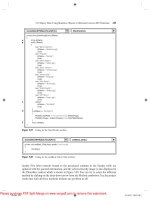
where t o place these script elements, refer t o Figure 10-18.
Robert Hope's e-mail address is Enter the following script element
for his entry:
Wayne Lewis's e-mail address is wlewisQmpl.gov. Enter the following script element i n the empty table cell for his entry:
Bill Forth's e-mail address is Enter the following code in the empty
table cell for his entry:
Figure 10-18 shows the revised code i n the mpl.htm file.
-
-
-
Inserting the remaining e-mail addresses
ar>
<&KaIe
Howardcbr /xiead o f Technical servicesa&555-43894t&
a r z
a h o h e r r mp&r
<&555-7811
/>Head of c h i 1&en's servi ces
err
edxuayne Lewissbr / x i r c u l a t i o n services supervisor</td>
a&555-4001
ad,
I
"&~S.i&"fw&?
U
4
Figure 10-18
'
I
HTML and XHTML Tutorial 10 Programming with lavascript
I
C s ( h e i n e ~
m m lhcheslh
HeadOfAdultSances
Kate Howard
Head of Tcchn(cal SavlaQ
Rabmi Hope
Head of m e n ' s Servlces
Wayne Lmns
Ct~SwncaSuprvsor
555-9391
Bl F a t h
-b
bMh@fwLpov
8. If you want to take a break before starting the next session, you can clos
files and programs now.
<
Creating a Function to Return a Value
Web document. The other use of functions is to return a calculated value. For a
to return a value, it must include a return statement. The syntax of a function th
a value is
function function- name ( p a r a m e t e r s ) {
J a v a S c r i p t commands
return v a l u e ;
where value is the calculated value that is returned by the function. For example, the
lowing CalcAreaO function calculates the area of a rectangular region by multiplying
region's length and width:
function CalcArea(length, width) {
var area = lenqthxwidth;
return area;
1
In this function, the value of the area variable is returned by the function. You can then
call the function to retrieve this value. The following code uses the function to calculate
the area of a rectangle whose dimensions are 8 x 6 units:
var x = 8;
var y = 6;
var z = CalcArea (x,y ) ;
The first two commands assign the values 8 and 6 to the x and y variables, respectively,
The values of both of these variables are then sent to the CalcAreaO function as the values of the length and width parameters. The CalcAreat) function uses these values to cab
culate the area, which it then returns, assigning that value to the z variable. As a result d
these commands, a value of 48 is assigned to the z variable.