Phát triển web với PHP và MySQL - p 75 docx
Bạn đang xem bản rút gọn của tài liệu. Xem và tải ngay bản đầy đủ của tài liệu tại đây (713.34 KB, 10 trang )
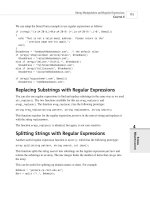
FIGURE 29.2
There are three main parts of the blah-blah forum system.
A summary of the files in this application is shown in Table 29.1.
TABLE 29.1 Files in the Web Forum Application
Name Type Description
index.php Application The main page users will see when they enter
the site. Contains an expandable and collapsible
list of all the articles on the site.
new_post.php Application Form used for posting new articles.
store_new_post.php Application Stores articles entered in the new_post.php form.
view_post.php Application Displays an individual post and a list of the
replies to that post.
treenode_class.php Library Contains the treenode class, which we will use
to display the hierarchy of posts.
include_fns.php Library Brings all the other function libraries for this
application together (the other Library-type files
listed here).
data_valid_fns.php Library Data validation functions.
db_fns.php Library Database connectivity functions.
discussion_fns.php Library Functions for dealing with storing and retrieving
postings.
output_fns.php Library Functions for outputing HTML.
create_database.sql SQL SQL to set up the database required for this
application.
Let’s go ahead and look at the implementation.
Building Web Forums
C
HAPTER 29
29
BUILDING WEB
FORUMS
715
Add a new articleView an article
Article list
(different views)
reply
35 7842 CH29 3/6/01 3:34 PM Page 715
Designing the Database
There are a few attributes we’ll need to store about each article posted to the forum: the person
who wrote it, called the poster; the title of the article; when it was posted; and the article body.
We will therefore need a table of articles. We’ll create a unique ID for each article, called the
postid.
Each article needs to have some information about where it belongs in the hierarchy. We could
store information about an article’s children with the article. However, each article can have
many replies, so this can lead to some problems in database construction. As each article can
only be a reply to one other, it is easier to store a reference to the parent article, that is, the arti-
cle that this article is replying to.
That gives us the following data to store for each article:
•
postid: A unique ID for each article
• parent: The postid of the parent article
• poster: The author of this article
• title: The title of this article
• posted: The date and time that the article was posted
• message: The body of the article
We will add a couple of optimizations to this.
When we are trying to determine whether an article has any replies, we will have to run a query
to see whether any other articles have this article as a parent. We will need this information for
every post that we list. The fewer queries we have to run, the faster our code will run. We can
remove the need for these queries by adding a field to show whether there are any replies. We
will call this field children and make it effectively Boolean—the value will be 1 if the node has
children, and 0 if it does not.
There is always a price to pay for optimizations. Here we are choosing to store redundant data.
As we are storing the data in two ways, we must be careful to make sure that the two represen-
tations agree with each other. When we add children, we must update the parent. If we allow
the deletion of children, we need to update the parent node to make sure the database is consis-
tent. In this project we are not going to build a facility for deleting articles, so we will avoid
half of this problem. If you decide to extend this code, bear this issue in mind.
It is worth noting that some databases would help us out a little more here. If we were using
Oracle, it could maintain relational integrity for us. Using MySQL, which does not support
triggers or foreign key constraints, we need to write our own checks and balances to make sure
that data still makes sense each time we add or delete a record.
Building Practical PHP and MySQL Projects
P
ART V
716
35 7842 CH29 3/6/01 3:34 PM Page 716
We will make one other optimization: We will separate the message bodies from the other data
and store them in a separate table. The reason for this is that this attribute will have the MySQL
type text. Having this type in a table can slow down queries on that table. Because we will do
many small queries to build the tree structure, this would slow it down quite a lot. With the mes-
sage bodies in a separate table, we can just retrieve them when a user wants to look at a particu-
lar message.
MySQL can search fixed size records faster than variable sized records. If we need to use vari-
able sized data, we can help by creating indexes on the fields that will be used to search the
database. For some projects, we would be best served by leaving the text field in the same
record as everything else and specifying indexes on all the columns that we will search on.
Indexes take time to generate though, and the data in our forums is likely to be changing all
the time, so we would need to regenerate our indexes frequently.
We will also add an area attribute in case we later decide to implement multiple chats with the
one application. We won’t implement this here, but this way it is reserved for future use.
Given all these considerations, the SQL to create the database for the forum database is shown
in Listing 29.1.
LISTING 29.1 create_database.sql—SQL to Create the Discussion Database
create database discussion;
use discussion;
create table header
(
parent int not null,
poster char(20) not null,
title char(20) not null,
children int default 0 not null,
area int default 1 not null,
posted datetime not null,
postid int unsigned not null auto_increment primary key
);
create table body
(
postid int unsigned not null primary key,
message text
);
Building Web Forums
C
HAPTER 29
29
BUILDING WEB
FORUMS
717
35 7842 CH29 3/6/01 3:34 PM Page 717
grant select, insert, update, delete
on discussion.*
to discussion@localhost identified by ‘password’;
You can create this database structure by running this script through MySQL as follows:
mysql -u root -p < create_database.sql
You will need to supply your root password. You should probably also change the password we
have set up for the discussion user to something better.
To understand how this structure will hold articles and their relationship to each other, look at
Figure 29.3.
Building Practical PHP and MySQL Projects
P
ART V
718
LISTING 29.1 Continued
postid: 3
postid: 4 postid: 5
postid: 1
postid: 1 postid: 0
postid: 2 postid: 1
postid: 3 postid: 1
postid: 4 postid: 2
postid: 5 postid: 2
postid: 2
Database representation Tree representation
FIGURE 29.3
The database holds the tree structure in a flattened relational form.
As you can see, the parent field for each article in the database holds the postid of the article
above it in the tree. The parent article is the article that is being replied to.
You can also see that the root node, postid 1, has no parent. All new topics of discussion will
be in this position. For articles of this type, we store their parent as a 0 (zero) in the database.
Viewing the Tree of Articles
Next, we need a way of getting information out of the database and representing it back in the
tree structure. We will do this with the main page,
index.php. For the purposes of this explana-
tion, we have input some sample posts via the article posting scripts
new_post.php and
store_new_post.php. We will look at these in the next section.
We will cover the article list first because it is the backbone of the site. After this, everything
else will be easy.
35 7842 CH29 3/6/01 3:34 PM Page 718
Building Web Forums
C
HAPTER 29
29
BUILDING WEB
FORUMS
719
FIGURE 29.4
The initial view of the article list shows the articles in “collapsed” form.
What we see here are all the initiating articles. None of these are replies; they are all the first
article on a particular topic.
You will see that we have a number of options. There is a menu bar that will let us add a new
post and expand or collapse the view that we have of the articles.
To understand what this means, look at the posts. Some of them have plus symbols next to them.
This means that these articles have been replied to. To see the replies to a particular article, you
can click the plus symbol. The result of clicking one of these symbols is shown in Figure 29.5.
As you can see, clicking the plus symbol has displayed the replies to that first article. The plus
symbol has now turned to a minus symbol. If we click this, all the articles in this thread will be
collapsed, returning us to the initial view.
You might also notice that one of the replies has a plus symbol next to it. This means that there
are replies to this reply. This can continue to an arbitrary depth, and you can view each reply
set by clicking on the appropriate plus symbol.
The two menu bar options, Expand and Collapse, will expand all possible threads and collapse
all possible threads, respectively. The result of clicking the Expand button is shown in Figure
29.6.
Figure 29.4 shows the initial view of the articles in the site that a user would see.
35 7842 CH29 3/6/01 3:34 PM Page 719
FIGURE 29.5
The thread of discussion about persistence has been expanded.
Building Practical PHP and MySQL Projects
P
ART V
720
FIGURE 29.6
All the threads have now been expanded.
35 7842 CH29 3/6/01 3:34 PM Page 720
If you look closely at Figures 29.5 and 29.6, you can see that we are passing some parameters
back to index.php in the command line. In Figure 29.5, the URL looks as follows:
http://webserver/chapter29/index.php?expand=6#6
The script reads this as “Expand the item with postid 6”. The # is just an HTML anchor that
will scroll the page down to the part that has just been expanded.
In the second figure, the URL reads
http://webserver/chapter29/index.php?expand=all
Clicking the Expand button has passed the parameter expand with the value all.
Expanding and Collapsing
Let’s see how it’s done by looking at the index.php script, shown in Listing 29.2.
L
ISTING 29.2 index.php—Script to Create the Article View on the Main Page of the
Application
<?
include (‘include_fns.php’);
session_start();
// check if we have created our session variable
if(!session_is_registered(‘expanded’))
{
$expanded = array();
session_register(‘expanded’);
}
// check if an expand button was pressed
// expand might equal ‘all’ or a postid or not be set
if($expand)
{
if($expand == ‘all’)
expand_all($expanded);
else
$expanded[$expand] = true;
}
// check if a collapse button was pressed
// collapse might equal all or a postid or not be set
if($collapse)
{
if($collapse==”all”)
Building Web Forums
C
HAPTER 29
29
BUILDING WEB
FORUMS
721
35 7842 CH29 3/6/01 3:34 PM Page 721
unset($expanded);
else
unset($expanded[$collapse]);
}
do_html_header(“Discussion Posts”);
display_index_toolbar();
// display the tree view of conversations
display_tree($expanded);
do_html_footer();
?>
This script uses three variables to do its job. They are
• The session variable $expanded, which keeps track of which threads are expanded. This
can be maintained from view to view, so we can have multiple threads expanded. This
variable is an associative array that contains the postid of articles which will have their
replies displayed expanded.
• The parameter $expand, which tells the script which new threads to expand.
• The parameter $collapse, which tells the script which threads to collapse.
When we click a plus or minus symbol or the Expand or Collapse button, they will re-call the
index.php script with new parameters for $expand or $collapse. We use $expanded from
page to page to track which threads should be expanded in any given view.
The script begins by starting a session and adding the $expanded variable as a session variable
if this has not already been done.
After that, the script checks whether it has been passed an $expand or $collapse parameter
and modifies the $expanded array accordingly. Look at the code for the $expand parameter:
if($expand)
{
if($expand == ‘all’)
expand_all($expanded);
else
$expanded[$expand] = true;
}
If we have clicked on the Expand button, the function expand_all() is called to add all the
threads that have replies into the $expanded array. (We’ll look at this in a moment.)
Building Practical PHP and MySQL Projects
P
ART V
722
LISTING 29.2 Continued
35 7842 CH29 3/6/01 3:34 PM Page 722
If we are trying to expand a particular thread, we will have been passed a postid via $expand.
We therefore add a new entry to the $expanded array to reflect this.
The expand_all() function is shown in Listing 29.3.
LISTING 29.3 expand_all() Function from discussion_fns.php— Processes the $expanded
Array to Expand All the Threads in the Forum
function expand_all(&$expanded)
{
// mark all threads with children as to be shown expanded
$conn = db_connect();
$query = “select postid from header where children = 1”;
$result = mysql_query($query);
$num = mysql_numrows($result);
for($i = 0; $i<$num; $i++)
{
$expanded[mysql_result($result, $i, 0)]=true;
}
}
This function runs a database query to work out which of the threads in the forum have replies,
as follows:
select postid from header where children = 1
Each of the articles returned is then added to the $expanded array. We run this query to save
time later. We could simply add all articles to the expanded list, but it would be wasteful to try
processing replies that do not exist.
Collapsing the articles works in a similar but opposite way, as follows:
if($collapse)
{
if($collapse==”all”)
unset($expanded);
else
unset($expanded[$collapse]);
}
You can remove items from the $expanded array by unsetting them. We remove the thread that
is to be collapsed, or unset the entire array if the entire page is to be collapsed.
All this is preprocessing, so we know which articles should be displayed and which should not.
The key part of the script is the call to
display_tree($expanded);
which will actually generate the tree of displayed articles.
Building Web Forums
C
HAPTER 29
29
BUILDING WEB
FORUMS
723
35 7842 CH29 3/6/01 3:34 PM Page 723
Displaying the Articles
Let’s look at the display_tree() function, shown in Listing 29.4.
LISTING 29.4 display_tree() Function from output_fns.php—Creates the Root Node of
the Tree Structure
function display_tree($expanded, $row = 0, $start = 0)
{
// display the tree view of conversations
global $table_width;
echo “<table width = $table_width>”;
// see if we are displaying the whole list or a sublist
if($start>0)
$sublist = true;
else
$sublist = false;
// construct tree structure to represent conversation summary
$tree = new treenode($start, ‘’, ‘’, ‘’, 1, true, -1, $expanded, $sublist);
// tell tree to display itself
$tree->display($row, $sublist);
echo “</table>”;
}
The main role of this function is to create the root node of the tree structure. We use it both to
display the whole index and to create subtrees of replies on the
view_post.php page. As you
can see, it takes three parameters. The first, $expanded, is the list of article postids to display
in an expanded fashion. The second, $row, is an indicator of the row number which will be
used to work out the alternating colors of the rows in the list.
The third parameter, $start, tells the function where to start displaying articles. This is the
postid of the root node for the tree to be created and displayed. If we are displaying the whole
thing, as we are on the main page, this will be 0 (zero), meaning display all the articles with no
parent. If this parameter is 0, we set $sublist to false and display the whole tree.
If the parameter is greater than 0, we use it as the root node of the tree to display, set $sublist to
true and build and display only part of the tree. (We will use this in the view_post.php script.)
The most important thing this function does is instantiate an instance of the treenode class
that represents the root of the tree. This is not actually an article but it acts as the parent of all
Building Practical PHP and MySQL Projects
P
ART V
724
35 7842 CH29 3/6/01 3:34 PM Page 724