Test Driven JavaScript Development- P5 doc
Bạn đang xem bản rút gọn của tài liệu. Xem và tải ngay bản đầy đủ của tài liệu tại đây (210.8 KB, 20 trang )
ptg
5
Functions
J
avaScript functions are powerful beasts. They are first class objects, meaning they
can be assigned to variables and as properties, passed as arguments to functions, have
properties of their own, and more. JavaScript also supports anonymous functions,
commonly used for inline callbacks to other functions and object methods.
In this chapter we will cover the somewhat theoretical side of JavaScript func-
tions, providing us with the required background to easily dive into the more in-
teresting uses of functions as we dig into into closures in Chapter 6, Applied Func-
tions and Closures, and methods and functions as a means to implement objects in
Chapter 7, Objects and Prototypal Inheritance.
5.1 Defining Functions
Throughout the first part of this book we have already seen several ways to define
functions. In this section we will go over the different ways JavaScript allows us
to do so, and investigate their pros and cons as well as some unexpected browser
differences.
5.1.1 Function Declaration
The most straightforward way to define a function is by way of a function definition,
seen in Listing 5.1.
73
From the Library of WoweBook.Com
Please purchase PDF Split-Merge on www.verypdf.com to remove this watermark.
ptg
74
Functions
Listing 5.1 A function declaration
function assert(message, expr) {
if (!expr) {
throw new Error(message);
}
assert.count++;
return true;
}
assert.count = 0;
This is the assert function from Chapter 1, Automated Testing. The function
declaration starts with the keyword function, followed by an identifier, assert
in the above example. The function may define one or more formal parameters, i.e.,
named arguments. Finally, the function has a body enclosed in brackets. Functions
may return a value. If no return statement is present, or if it’s present without an
expression, the function returns undefined. Being first class objects, functions
can also have properties assigned to them, evident by the count property in the
above example.
5.1.2 Function Expression
In addition to function declarations, JavaScript supports function expressions. A
function expression results in an anonymous function that may be immediately exe-
cuted, passed to another function, returned from a function, or assigned to a variable
or an object property. In function expressions the identifier is optional. Listing 5.2
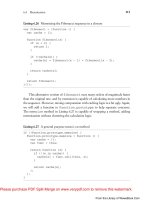
shows the assert function from before implemented as a function expression.
Listing 5.2 An anonymous function expression
var assert = function (message, expr) {
if (!expr) {
throw new Error(message);
}
assert.count++;
return true;
};
assert.count = 0;
From the Library of WoweBook.Com
Please purchase PDF Split-Merge on www.verypdf.com to remove this watermark.
ptg
5.1 Defining Functions
75
Note that in contrast to function declarations, function expressions—like any
expression—should be terminated by a semicolon. Although not strictly necessary,
automatic semicolon insertion can cause unexpected results, and best practices
dictate that we always insert our own semicolons.
This alternative implementation of the assert function differs somewhat from
the previous one. The anonymous function has no name, and so can only refer to
itself by way of arguments.callee or through the assert variable, accessible
through the scope chain. We will discuss both the arguments object and the scope
chain in more detail shortly.
As noted previously, the identifier is optional in function expressions. Whether
named function expressions are still anonymous functions is a matter of definition,
but the functions stay anonymous to the enclosing scope. Listing 5.3 shows an
example of a named function expression. We will discuss the implications and cross-
browser issues surrounding named function expressions in Section 5.3.6, Function
Expressions Revisited.
Listing 5.3 A named function expression
var assert = function assert(message, expr) {
if (!expr) {
throw new Error(message);
}
assert.count++;
return true;
};
assert.count = 0;
5.1.3 The Function Constructor
JavaScript functions are first class objects, which means they can have properties,
including methods, of their own. Like any other JavaScript object, functions have
a prototype chain; functions inherit from Function.prototype, which in turn
inherits from Object.prototype.
1
The Function.prototype object pro-
vides a few useful properties, such as the call and apply methods. In addition
to the properties defined by their prototypes, function objects have length and
prototype properties.
1. The details of JavaScript’s prototypal inheritance are covered in Chapter 7, Objects and Prototypal
Inheritance.
From the Library of WoweBook.Com
Please purchase PDF Split-Merge on www.verypdf.com to remove this watermark.
ptg
76
Functions
In contrast to what one might expect, the prototype property is not a ref-
erence to the function object’s internal prototype (i.e., Function.prototype).
Rather, it is an object that will serve as the prototype for any object created by using
the function as a constructor. Constructors will be covered in depth in Chapter 7,
Objects and Prototypal Inheritance.
The length property of a function indicates how many formal parameters
it expects, sometimes referred to as the function’s arity. Listing 5.4 shows an
example.
Listing 5.4 Function objects length property
TestCase("FunctionTest", {
"test function length property": function () {
assertEquals(2, assert.length);
assertEquals(1, document.getElementById.length);
assertEquals(0, console.log.length); // In Firebug
}
});
The test can be run with JsTestDriver by setting up a project including a con-
figuration file as described in Chapter 3, Tools of the Trade.
The benchmark method in Listing 4.9 in Chapter 4, Test to Learn, used the
length property to determine if the benchmark should be called in a loop. If the
function took no formal parameters, the benchmark function looped it; otherwise
the number of iterations was passed to the function to allow it to loop on its own,
avoiding the overhead of the function calls.
Note in the above example how Firebug’s console.log method does not
use formal parameters at all. Still, we can pass as many arguments as we want, and
they are all logged. Chrome’s implementation of document.getElementById
also has a length of 0. It turns out that formal parameters is only one of two ways to
access arguments passed to a function.
The Function constructor can be used to create new functions as well. It can
either be called as a function, i.e., Function(p1, p2, , pn, body);,or
used in a new expression, as in new Function(p1, p2, , pn, body);
with equal results. Both expressions create a new function object, and accept as
arguments any number of formal parameters the new function should accept along
with an optional function body as a string. Calling the function with no arguments
results in an anonymous function that expects no formal parameters and has no
function body. Listing 5.5 shows an example of defining the assert function via
the Function constructor called as a function.
From the Library of WoweBook.Com
Please purchase PDF Split-Merge on www.verypdf.com to remove this watermark.
ptg
5.2 Calling Functions
77
Listing 5.5 Creating a function via Function
var assert = Function("message", "expr",
"if (!expr) { throw new Error(message); }" +
"assert.count++; return true;");
assert.count = 0;
When creating functions this way, we can provide the formal parameters in a
number of ways. The most straightforward way is to pass one string per parameter,
as in the above example. However, we can also pass a single comma-separated string,
or a mix of the two, i.e., Function("p1,p2,p3", "p4", body);.
The Function constructor is useful when the function body needs to be
dynamically compiled, such as when creating functions tailored to the running
environment or a set of input values, which can result in highly performant code.
5.2 Calling Functions
JavaScript offers two ways of calling a function—directly using parentheses or
indirectly using the call and apply methods inherited from Function.
prototype. Direct invocation works as one would expect, as seen in Listing 5.6.
Listing 5.6 Calling a function directly
assert("Should be true", typeof assert == "function");
When calling a function, JavaScript performs no check on the number of ar-
guments. You can pass zero, one, or ten arguments to a function regardless of the
number of formal parameters it specifies. Anyformal parameterthat doesnotreceive
an actual value will have undefined as its value.
5.2.1 The arguments Object
All of a function’s arguments are available through the array-like object argu-
ments. This object has a length property, denoting the number of received
arguments, and numeric indexes from 0 to length - 1 corresponding to the ar-
guments passed when calling the function. Listing 5.7 shows the assert function
using this object rather than its formal parameters.
From the Library of WoweBook.Com
Please purchase PDF Split-Merge on www.verypdf.com to remove this watermark.
ptg
78
Functions
Listing 5.7 Using arguments
function assert(message, expr) {
if (arguments.length < 2) {
throw new Error("Provide message and value to test");
}
if (!arguments[1]) {
throw new Error(arguments[0]);
}
assert.count++;
return true;
}
assert.count = 0;
This is not a particularlyuseful way to use arguments, but shows howit works.
In general, the arguments object should only be used when formal parameters
cannot solve the problem at hand, because using it comes with a performance price.
In fact, merely referencing the object will induce some overhead, indicating that
browsers optimize functions that don’t use it.
The arguments object is array-like only through its length property and
numeric index properties; it does not provide array methods. Still, we can use
array methods on it by utilizing Array.prototype.* and their call or apply
methods. Listing 5.8 shows an example in which we create an array consisting of all
but the first argument to a function.
Listing 5.8 Using array methods with arguments
function addToArray() {
var targetArr = arguments[0];
var add = Array.prototype.slice.call(arguments, 1);
return targetArr.concat(add);
}
As with arrays, the numerical indexes on the arguments object are really only
properties with numbers for identifiers. Object identifiers are always converted to
strings in JavaScript, which explains the code in Listing 5.9.
From the Library of WoweBook.Com
Please purchase PDF Split-Merge on www.verypdf.com to remove this watermark.
ptg
5.2 Calling Functions
79
Listing 5.9 Accessing properties with strings
function addToArray() {
var targetArr = arguments["0"];
var add = Array.prototype.slice.call(arguments, 1);
return targetArr.concat(add);
}
Some browsers like Firefox optimize arrays, indeed treating numeric property
identifiers as numbers. Even so, the properties can always be accessed by string
identifiers.
5.2.2 Formal Parameters and arguments
The arguments object shares a dynamic relationship with formal parameters;
changing a property of the arguments object causes the corresponding formal
parameter to change and vice versa as Listing 5.10 shows.
Listing 5.10 Modifying arguments
TestCase("FormalParametersArgumentsTest", {
"test dynamic relationship": function () {
function modify(a, b) {
b = 42;
arguments[0] = arguments[1];
return a;
}
assertEquals(42, modify(1, 2));
}
});
Setting the formal parameter b to 42 causes arguments[1] to update ac-
cordingly. Setting arguments[0] to this value in turn causes a to update as well.
This relationship only exists for formal parameters that actually receive values.
Listing 5.11 shows the same example in which the second argument is left out when
calling the function.
Listing 5.11 No dynamic mapping for missing parameters
assertUndefined(modify(1));
From the Library of WoweBook.Com
Please purchase PDF Split-Merge on www.verypdf.com to remove this watermark.
ptg
80
Functions
In this example, the return value is undefined because setting b does not
update arguments[1] when no value was passed to b. Thus, arguments[1] is
still undefined, which causes arguments[0] to be undefined. a did receive
a value and is still linked to the arguments object, meaning that the returned
value is undefined. Not all browsers do this by the spec, so your mileage may
vary with the above examples.
This relationship may be confusing, and in some cases can be the source of
mysterious bugs. A good piece of advice is to be careful when modifying function
parameters, especially in functions that use both the formal parameters and the
arguments object. In most cases defining a new variable is a much sounder strategy
than tampering with formal parameters or arguments. For the reasons stated,
ECMAScript 5, the next version of JavaScript, removes this feature in strict mode.
Strict mode is discussed in detail in Chapter 8, ECMAScript 5th Edition.
5.3 Scope and Execution Context
JavaScript only has two kinds of scope; global scope and function scope. This might
be confusing to developers used to block scope. Listing 5.12 shows an example.
Listing 5.12 Function scope
"test scope": function () {
function sum() {
assertUndefined(i);
assertException(function () {
assertUndefined(someVar);
}, "ReferenceError");
var total = arguments[0];
if (arguments.length > 1) {
for (var i = 1, l = arguments.length; i < l; i++) {
total += arguments[i];
}
}
assertEquals(5, i);
return total;
}
sum(1, 2, 3, 4, 5);
}
From the Library of WoweBook.Com
Please purchase PDF Split-Merge on www.verypdf.com to remove this watermark.
ptg
5.3 Scope and Execution Context
81
This example shows a few interesting aspects. The i variable is declared even
before the var statement inside the for loop. Notice how accessing some arbi-
trary variable will not work, and throws a ReferenceError (or TypeError in
Internet Explorer). Furthermore, the i variable is still accessible, and has a value,
after the for loop. A common error in methods that use more than one loop is to
redeclare the i variable in every loop.
In addition to global scope and function scope, the with statement can alter
the scope chain for its block, but its usage is usually discouraged and it is effectively
deprecated in ECMAScript 5 strict mode. The next version of ECMAScript, cur-
rently a work-in-progress under the name of “Harmony”, is slated to introduce block
scope with the let statement. let has been available as a proprietary extension to
Mozilla’s JavaScript
™
since version 1.7, first released with Firefox 2.0.
5.3.1 Execution Contexts
The ECMAScript specification describes all JavaScript code to operate in an ex-
ecution context. Execution contexts are not accessible entities in JavaScript, but
understanding them is vital to fully understand how functions and closures work.
From the specification:
“Whenever control is transferred to ECMAScript executable code, control is
entering an execution context. Active execution contexts logically form a stack. The
top execution context on this stack is the running execution context.”
5.3.2 The Variable Object
An execution context has a variable object. Any variables and functions defined in-
side the function are added as properties on this object. The algorithm that describes
this process explain all of the examples in the previous section.
• For any formal parameters, add corresponding properties on the variable
object and let their values be the values passed as arguments to the function.
• For any function declarations, add corresponding properties on the variable
object whose values are the functions. If a function declaration uses the same
identifier as one of the formal parameters, the property is overwritten.
• For any variable declarations, add corresponding properties on the variable
object and initialize the properties to undefined, regardless of how the
variables are initialized in source code. If a variable uses the same identifier
as an already defined property (i.e., a parameter or function), do not
overwrite it.
From the Library of WoweBook.Com
Please purchase PDF Split-Merge on www.verypdf.com to remove this watermark.
ptg
82
Functions
The effects of this algorithm is known as hoisting of functions and variable
declarations. Note that although functions are hoisted in their entirety, variables
only have their declaration hoisted. Initialization happens where defined in source
code. This means that the code in Listing 5.12 is interpreted as Listing 5.13.
Listing 5.13 Function scope after hoisting
"test scope": function () {
function sum() {
var i;
var l;
assertUndefined(i);
/* */
}
sum(1, 2, 3, 4, 5);
}
This explains why accessing the i variable before the var statement yields
undefined whereas accessing some arbitrary variable results in a reference error.
The reference error is further explained by how the scope chain works.
5.3.3 The Activation Object
The variable object does not explain why the arguments object is available inside
the function. This object is a property of another object associated with execution
contexts, the activation object. Note that both the activation object and the variable
object are purely a specification mechanism, and cannot be reached by JavaScript
code. For the purposes of identifier resolution, i.e., variable and function resolution,
the activation object and the variable object are the same object. Because properties
of the variable object are available as local variables inside an execution context, and
because the variable object and the activation object is the same object, function
bodies can reach the arguments object as if it was a local variable.
5.3.4 The Global Object
Before running any code, the JavaScript engine creates a global object whose initial
properties are the built-ins defined by ECMAScript, such as Object, String,
Array and others, in addition to host defined properties. Browser implementations
of JavaScript provide a property of the global object that is itself the global object,
namely window.
From the Library of WoweBook.Com
Please purchase PDF Split-Merge on www.verypdf.com to remove this watermark.
ptg
5.3 Scope and Execution Context
83
In addition to the window property (in browsers), the global object can be
accessed as this in the global scope. Listing 5.14 shows how window relates to
the global object in browsers.
Listing 5.14 The global object and window
var global = this;
TestCase("GlobalObjectTest", {
"test window should be global object": function () {
assertSame(global, window);
assertSame(global.window, window);
assertSame(window.window, window);
}
});
In the global scope, the global object is used as the variable object, meaning
that declaring variables using the var keyword results in corresponding properties
on the global object. In other words, the two assignments in Listing 5.15 are almost
equivalent.
Listing 5.15 Assigning properties on the global object
var assert = function () { /* */ };
this.assert = function () { /* */ };
These two statements are not fully equivalent, because the variable declaration
is hoisted, whereas the property assignment is not.
5.3.5 The Scope Chain
Whenever a function is called, control enters a new execution context. This is even
true for recursive calls to a function. As we’ve seen, the activation object is used for
identifier resolution inside the function. In fact, identifier resolution occurs through
the scope chain, which starts with the activation object of the current execution
context. At the end of the scope chain is the global object.
Consider the simple function in Listing 5.16. Calling it with a number results
in a function that, when called, adds that number to its argument.
Listing 5.16 A function that returns another function
function adder(base) {
return function (num) {
From the Library of WoweBook.Com
Please purchase PDF Split-Merge on www.verypdf.com to remove this watermark.
ptg
84
Functions
return base + num;
};
}
Listing 5.17 uses adder to create incrementing and decrementing functions.
Listing 5.17 Incrementing and decrementing functions
TestCase("AdderTest", {
"test should add or subtract one from arg": function () {
var inc = adder(1);
var dec = adder(-1);
assertEquals(3, inc(2));
assertEquals(3, dec(4));
assertEquals(3, inc(dec(3)));
}
});
The scope chain for the inc method contains its own activation object at the
front. This object has a num property, corresponding to the formal parameter. The
base variable, however, is not found on this activation object. When JavaScript
does identifier resolution, it climbs the scope chain until it has no more objects.
When base is not found, the next object in the scope chain is tried. The next
object is the activation object created for adder, where in fact the base property
is found. Had the property not been available here, identifier resolution would have
continued on the next object in the scope chain, which in this case is the global
object. If the identifier is not found on the global object, a reference error is thrown.
Inside the functions created and returned from adder, the base variable is
known as a free variable, which may live on after the adder function has finished
executing. This behavior is also known as a closure, a concept we will dig deeper
into in the next chapter, Chapter 6, Applied Functions and Closures.
Functions created by the Function constructor have different scoping rules.
Regardless of where they are created, these functions only have the global object in
their scope chain, i.e., the containing scope is not added to their scope chain. This
makes the Function constructor useful to avoid unintentional closures.
5.3.6 Function Expressions Revisited
With a better understanding of the scope chain we can revisit function expressions
and gain a better understanding of how they work. Function expressions can be use-
ful when we need to conditionally define a function, because function declarations
From the Library of WoweBook.Com
Please purchase PDF Split-Merge on www.verypdf.com to remove this watermark.
ptg
5.3 Scope and Execution Context
85
are not allowed inside blocks, e.g., in an if-else statement. A common situation in
which a function might be conditionally defined is when defining functions that
will smooth over cross-browser differences, by employing feature detection. In
Chapter 10, Feature Detection, we will discuss this topic in depth, and an example
could be that of adding a trim function that trims strings. Some browsers offer
the String.prototype.trim method, and we’d like to use this if it’s available.
Listing 5.18 shows a possible way to implement such a function.
Listing 5.18 Conditionally defining a function
var trim;
if (String.prototype.trim) {
trim = function (str) {
return str.trim();
};
} else {
trim = function (str) {
return str.replace(/^\s+|\s+$/g, "");
};
}
Using function declarations in this case would constitute a syntax error as per
the ECMAScript specification. However, most browsers will run the example in
Listing 5.19.
Listing 5.19 Conditional function declaration
// Danger! Don't try this at home
if (String.prototype.trim) {
function trim(str) {
return str.trim();
}
} else {
function trim(str) {
return str.replace(/^\s+|\s+$/g, "");
}
}
When this happens, we always end up with the second implementation due
to function hoisting—the function declarations are hoisted before executing the
conditional statement, and the second implementation always overwrites the first.
An exception to this behavior is found in Firefox, which actually allows function
From the Library of WoweBook.Com
Please purchase PDF Split-Merge on www.verypdf.com to remove this watermark.
ptg
86
Functions
statments as a syntax extension. Syntax extensions are legal in the spec, but not
something to rely on.
The only difference between the function expressions and function declara-
tions above is that the functions created with declarations have names. These
names are useful both to call functions recursively, and even more so in debug-
ging situations. Let’s rephrase the trim method and rather define it directly on the
String.prototype object for the browsers that lack it. Listing 5.20 shows an
updated example.
Listing 5.20 Conditionally providing a string method
if (!String.prototype.trim) {
String.prototype.trim = function () {
return this.replace(/^\s+|\s+$/g, "");
};
}
With this formulation we can always trim strings using " string ".trim()
regardless of whether the browser supports the method natively. If we build a large
application by defining methods like this,we will have trouble debugging it, because,
e.g., Firebug stack traces will show a bunch of calls to anonymous functions, making
it hard to navigate and use to locate the source of errors. Unit tests usually should
have our backs, but readable stack traces are valuable at any rate.
Named function expressions solve this problem, as Listing 5.21 shows.
Listing 5.21 Using a named function expression
if (!String.prototype.trim) {
String.prototype.trim = function trim() {
return this.replace(/^\s+|\s+$/g, "");
};
}
Named function expressions differ somewhat from function declarations; the
identifier belongs to the inner scope, and should not be visible in the defining scope.
Unfortunately, Internet Explorer does not respect this. In fact, Internet Explorer
does not do well with named function expressions at all, as side effects of the above
example show in Listing 5.22.
Listing 5.22 Named function expressions in Internet Explorer
// Should throw a ReferenceError, true in IE
assertFunction(trim);
From the Library of WoweBook.Com
Please purchase PDF Split-Merge on www.verypdf.com to remove this watermark.
ptg
5.4 The this Keyword
87
if (!String.prototype.trim) {
String.prototype.trim = function trim() {
return this.replace(/^\s+|\s+$/g, "");
};
}
// Should throw a ReferenceError, true in IE
assertFunction(trim);
// Even worse: IE creates two different function objects
assertNotSame(trim, String.prototype.trim);
This is a bleak situation; when faced with named function expressions, Internet
Explorer creates two distinct function objects, leaks the identifier to the containing
scope, and even hoists one of them. These discrepancies make dealing with named
function expressions risky business that can easily introduce obscure bugs. By as-
signing the function expression to a variable with the same name, the duplicated
function object can be avoided (effectively overwritten), but the scope leak and
hoisting will still be there.
I tend to avoid named function expressions, favoring function declarations
inside closures, utilizing different names for different branches if necessary. Of
course, function declarations are hoisted and available in the containing scope as
well—the difference is that this is expected behavior for function declarations,
meaning no nasty surprises. The behavior of function declarations are known and
predictable across browsers, and need no working around.
5.4 The this Keyword
JavaScript’s this keyword throws many seasoned developers off. In most object
oriented languages, this (or self) always points to the receiving object. In most
object oriented languages, using this inside a method always means the object on
which the method was called. This is not necessarily true in JavaScript, even though
it is the default behavior in many cases. The method and method call in Listing 5.23
has this expected behavior.
Listing 5.23 Unsurprising behavior of this
var circle = {
radius: 6,
diameter: function () {
return this.radius * 2;
From the Library of WoweBook.Com
Please purchase PDF Split-Merge on www.verypdf.com to remove this watermark.
ptg
88
Functions
}
};
TestCase("CircleTest", {
"test should implicitly bind to object": function () {
assertEquals(12, circle.diameter());
}
});
The fact that this.radius is a reference to circle.radius inside
circle.diameter should not surprise you. The example in Listing 5.24 behaves
differently.
Listing 5.24 The this value is no longer the circle object
"test implicit binding to the global object": function () {
var myDiameter = circle.diameter;
assertNaN(myDiameter());
// WARNING: Never ever rely on implicit globals
// This is just an example
radius = 2;
assertEquals(4, myDiameter());
}
This example reveals that it is the caller that decides the value of this. In fact,
this detail was left out in the previous discussion about the execution context. In
addition to creating the activation and variable objects, and appending to the scope
chain, the this value is also decided when entering an execution context. this
can be provided to a method either implicitly or explicitly.
5.4.1 Implicitly Setting this
this is set implicitly when calling a function using parentheses; calling it as a
function causes this to be set to the global object; calling it as a method causes
this to be the object through which the function is called. “Calling the function as
a method” should be understood as calling the function as a property of an object.
This is a highly useful feature, because it allows JavaScript objects to share function
objects and still have them execute on the right object.
For instance, to borrow array methods for the arguments object as discussed
previously, we can simply create a property on the object whose value is the method
we want to execute, and execute it through arguments, implicitly setting this
to arguments. Listing 5.25 shows such an example.
From the Library of WoweBook.Com
Please purchase PDF Split-Merge on www.verypdf.com to remove this watermark.
ptg
5.4 The this Keyword
89
Listing 5.25 Calling a function as a method on an object
function addToArray() {
var targetArr = arguments[0];
arguments.slice = Array.prototype.slice;
var add = arguments.slice(1);
return targetArr.concat(add);
}
Calling the addToArray function will work exactly as the one presented in
Listing 5.8. The ECMAScript specification specifically calls for many built-in meth-
ods to be generic, allowing them to be used with other objects that exhibit the right
qualities. For instance, the arguments object has both a length property and
numeric indexes, which satisfies Array.prototype.slice’s requirements.
5.4.2 Explicitly Setting this
When all we want is to control the value of this for a specific method call, it
is much better to explicitly do so using the function’s call or apply methods.
The Function.prototype.call method calls a function with the first ar-
gument as this. Additional arguments are passed to the function when calling
it. The first example of addToArray in Listing 5.8 used this method call Ar-
ray.prototype.slice with arguments as this. Another example can be
found in our previous circle example, as Listing 5.26 shows.
Listing 5.26 Using call
assertEquals(10, circle.diameter.call({ radius: 5 }));
Here we pass an object literal that defines a radius property as the this
when calling circle.diameter.
5.4.3 Using Primitives As this
The first argument to call can be any object, even null. When passing null,
the global object will be used as the this value. As we will see in Chapter 8,
ECMAScript 5th Edition, this is about to change—in ECMAScript5 strict mode,
passing null as the this value causes this to be null, not the global object.
When passing primitive types, such as a string or boolean, as the this value,
the value is wrapped in an object. This can be troublesome, e.g., when calling
From the Library of WoweBook.Com
Please purchase PDF Split-Merge on www.verypdf.com to remove this watermark.
ptg
90
Functions
methods on booleans. Listing 5.27 shows an example in which this might produce
unexpected results.
Listing 5.27 Calling methods with booleans as this
Boolean.prototype.not = function () {
return !this;
};
TestCase("BooleanTest", {
"test should flip value of true": function () {
assertFalse(true.not());
assertFalse(Boolean.prototype.not.call(true));
},
"test should flip value of false": function () {
// Oops! Both fail, false.not() == false
assertTrue(false.not());
assertTrue(Boolean.prototype.not.call(false));
}
});
This method does not work as expected because the primitive booleans are
converted to Boolean objects when used as this. Boolean coercion of an object
always produces true, and using the unary logical not operator on true unsur-
prisingly results in false. ECMAScript 5 strict mode fixes this as well, by avoiding
the object conversion before using a value as this.
The apply method is similar to call, except it only expects two arguments;
the first argument is the this value as with call and its second argument is an
array of arguments to pass to the function being called. The second argument does
not need to be an actual array object; any array-like object will do, meaning that
apply can be used to chain function calls by passing arguments as the second
argument to apply.
As an example, apply could be used to sum all numbers in an array. First con-
sider the function in Listing 5.28, which accepts an arbitrary amount of arguments,
assumes they’re numbers, and returns the sum.
Listing 5.28 Summing numbers
function sum() {
var total = 0;
for (var i = 0, l = arguments.length; i < l; i++) {
total += arguments[i];
From the Library of WoweBook.Com
Please purchase PDF Split-Merge on www.verypdf.com to remove this watermark.
ptg
5.5 Summary
91
}
return total;
}
Listing 5.29 shows two test cases for this method. The first test sums a series of
numbers by calling the function with parentheses, whereas the second test sums an
array of numbers via apply.
Listing 5.29 Summing numbers with apply
TestCase("SumTest", {
"test should sum numbers": function () {
assertEquals(15, sum(1, 2, 3, 4, 5));
assertEquals(15, sum.apply(null, [1, 2, 3, 4, 5]));
}
});
Remember, passing null as the first argument causes this to implicitly bind
to the global object, which is also the case when the function is called as in the first
test. ECMAScript 5 does not implicitly bind the global object, causing this to be
undefined in the first call and null in the second.
call and apply are invaluable tools when passing methods as callbacks to
other functions. In the next chapter we will implement a companion method,
Function.prototype.bind, which can bind an object as this to a given
function without calling it immediately.
5.5 Summary
In this chapter we have covered the theoretical basics of JavaScript functions. We
have seen how to create functions, how to use them as objects, how to call them,
and how to manipulate arguments and the this value.
JavaScript functions differ from functions or methods in many other languages
in that they are first class objects, and in the way the execution context and scope
chain work. Also, controlling the this value from the caller may be an unfamiliar
way to work with functions, but as we’ll see throughout this book, can be very
useful.
In the next chapter we will continue our look at functions and study some more
interesting use cases as we dive into the concept known as closures.
From the Library of WoweBook.Com
Please purchase PDF Split-Merge on www.verypdf.com to remove this watermark.
ptg
This page intentionally left blank
From the Library of WoweBook.Com
Please purchase PDF Split-Merge on www.verypdf.com to remove this watermark.