AutoIT Help part 35 doc
Bạn đang xem bản rút gọn của tài liệu. Xem và tải ngay bản đầy đủ của tài liệu tại đây (82.41 KB, 8 trang )
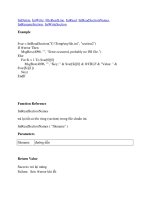
IniDelete, IniWrite, FileReadLine, IniRead, IniReadSectionNames,
IniRenameSection, IniWriteSection
Example
$var = IniReadSection("C:\Temp\myfile.ini", "section2")
If @error Then
MsgBox(4096, "", "Error occurred, probably no INI file.")
Else
For $i = 1 To $var[0][0]
MsgBox(4096, "", "Key: " & $var[$i][0] & @CRLF & "Value: " &
$var[$i][1])
Next
EndIf
Function Reference
IniReadSectionNames
trả lại tất cả tên vùng (section) trong file chuẩn ini.
IniReadSectionNames ( "filename" )
Parameters
filename đường dẫn
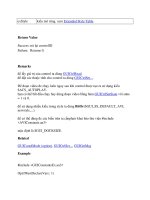
Return Value
Success:
trả lại mảng
Failure:
Sets @error khi lỗi
Remarks
định dạng chuẩn của file .ini như sau:
[SectionName]
Key=Value
số lượng phần tử đc lưu trong $array[0], nếu @error thì ko có mảng nào đc tạo ra
Chỉ 32767 kí tự đầu tiên được đọc một section vì tính tương thích Win9x.
Related
IniDelete, IniWrite, FileReadLine, IniRead, IniReadSection, IniRenameSection,
IniWriteSection
Example
$var = IniReadSectionNames(@WindowsDir & "\win.ini")
If @error Then
MsgBox(4096, "", "Error occurred, probably no INI file.")
Else
For $i = 1 To $var[0]
MsgBox(4096, "", $var[$i])
Next
EndIf
Function Reference
IniRenameSection
thay đổi tên của section trong file chuẩn ini
IniRenameSection ( "filename", "section", "new section" [, flag] )
Parameters
filename đuwongf dẫn
section tên section muốn thay đổi
new
section
tên mới
flag
0 (mặc định) - lỗi nếu "new section" đã tồn tại.
1 - chế độ ghi đè xóa dữ liệu ở section trùng tên với "new section"
Return Value
Success:
<> 0
Failure:
0 và có thể set @error nếu bị lỗi ở flag = 0
Remarks
định dạng chuẩn của file .ini như sau:
[SectionName]
Key=Value
Related
IniRead, IniDelete, IniWrite, FileReadLine, IniReadSection,
IniReadSectionNames, IniWriteSection
Example
$res = IniRenameSection(@ScriptDir & "My.ini", "MySection",
"MyNewSection")
Function Reference
IniWrite
ghi giá trị trong file chuẩn ini
IniWrite ( "filename", "section", "key", "value" )
Parameters
filename đường dẫn
section tên vùng
key tên key
value giá trị mới
Return Value
Success:
Returns 1.
Failure:
Returns 0 nếu file read only hoặc ko tồn tại
Remarks
định dạng chuẩn của file .ini như sau:
[SectionName]
Key=Value
nếu key chưa tồn tại thì tạo mới, nếu tồn tại rồi thì ghi đè
ko hỗ trợ ghi nhiều dòng
Related
IniDelete, IniRead, FileWriteLine, IniReadSection, IniReadSectionNames,
IniWriteSection
Example
IniWrite("C:\Temp\myfile.ini", "section2", "key", "this is a new value")
Function Reference
IniWriteSection
ghi section trong file chuẩn ini
IniWriteSection ( "filename", "section", "data" [, index ] )
Parameters
filename đường dẫn
section tên vùng
data dữ liệu để ghi, dl có thể là chuỗi kí tự hay mảng
index số thứ tự của section trong file ini
Return Value
Success:
Returns 1.
Failure:
Returns 0. hàm sẽ set @error=1 nếu dữ liệu ko đúng định dạng
Remarks
định dạng chuẩn của file .ini như sau:
[SectionName]
Key=Value
nếu data là chuỗi kí tự thì mỗi key phải cách nhau bởi dấu @LF
nếu data là một mảng thì đây phải là mảng 2 chiều với $array[n][0] là tên key,
$array[n][1] là giá trị
nếu file chưa tồn tại thì sẽ đc tạo mới
nếu section đã tồn tại thì sẽ bị ghi đè
Related
IniDelete, IniRead, FileWriteLine, IniReadSection, IniReadSectionNames,
IniWrite
Example
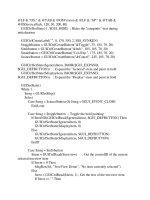
; This is the INI file we will write to. It will be created on the Desktop.
$sIni = @DesktopDir & "\AutoIt-Test.ini"
; Demonstrate creating a new section using a string as input.
$sData = "Key1=Value1" & @LF & "Key2=Value2" & @LF & "Key3=Value3"
IniWriteSection($sIni, "Section1", $sData)
; Demonstrate creating a new section using an array as input.
$aData1 = IniReadSection($sIni, "Section1") ; Read in what we just wrote above.
For $i = 1 To UBound($aData1) - 1
$aData1[$i][1] &= "-" & $i ; Change the data some
Next
IniWriteSection($sIni, "Section2", $aData1) ; Write to a new section.
; Demonstrate creating an array manually and using it as input.
Dim $aData2[3][2] = [ [ "FirstKey", "FirstValue" ], [ "SecondKey",
"SecondValue" ], [ "ThirdKey", "ThirdValue" ] ]
; Since the array we made starts at element 0, we need to tell IniWriteSection() to
start writing from element 0.
IniWriteSection($sIni, "Section3", $aData2, 0)
Function Reference
Beep
phát ra âm thanh ở "loa chíp"
Beep ( [ Frequency [, Duration ]] )
Parameters
Frequency
tần số (hertz) [37 32,767], [0x25 0x7fff]
mặc định là 500 hz
Duration
khoảng thời gian phát (mini giây)
mặc định là 1000 ms (1 giây)
Return Value
luôn trả lại 1 vì tỷ lệ thành công là 100%
Remarks
None.
Related
SoundPlay
Example
; plays back a beep noise, at the frequency 500 for 1 second
Beep(500, 1000)