Manually Managing Undo Data (Rollback Segments) pot
Bạn đang xem bản rút gọn của tài liệu. Xem và tải ngay bản đầy đủ của tài liệu tại đây (114.64 KB, 19 trang )
B
Copyright © Oracle Corporation, 2002. All rights reserved.
B
Manually Managing Undo Data
(Rollback Segments)
Copyright © Oracle Corporation, 2002. All rights reserved.
B-2
Objectives
After completing this lesson, you should be able to do
the following:
•
Create rollback segments using appropriate storage
settings
•
Maintain rollback segments
•
Plan the number and size of rollback segments
•
Troubleshoot common rollback segment problems
Copyright © Oracle Corporation, 2002. All rights reserved.
B-3
Creating Rollback Segments
CREATE ROLLBACK SEGMENT rbs01
TABLESPACE rbs
STORAGE (
INITIAL 100K
NEXT 100K
MINEXTENTS 20
MAXEXTENTS 100
OPTIMAL 2000K );
Copyright © Oracle Corporation, 2002. All rights reserved.
B-5
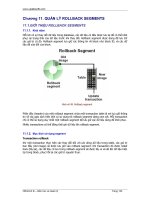
Transactions and Rollback Segments
Transaction 1
Active extent Inactive extent
4 3
1 2
Transaction 2
Copyright © Oracle Corporation, 2002. All rights reserved.
B-7
Growth of Rollback Segments
Active extent
Inactive extent
1 2
4 3
1
2
3
4
5
New extent
Copyright © Oracle Corporation, 2002. All rights reserved.
B-8
Shrinkage of Rollback Segments
Active extent
Inactive extent
1 2
6 3
1
2
3
4
5
6
OPTIMAL
Copyright © Oracle Corporation, 2002. All rights reserved.
B-9
Bringing Rollback Segments Online
•
Use the following command to make a rollback
segment available:
–
•
Specify the following initialization parameter to
ensure that rollback segments are brought online at
startup:
ROLLBACK_SEGMENTS=(rbs01, rbs02)
ALTER ROLLBACK SEGMENT rbs01 ONLINE;
Copyright © Oracle Corporation, 2002. All rights reserved.
B-10
How Instances Acquire
Rollback Segments
Bring all acquired
rollback segments
online.
Acquire
named private
rollback
segments.
Are there
enough
RBS’s?
Acquire
public
rollback
segments.
Compute
the required
number
of rollback
segments.
Yes
No
Copyright © Oracle Corporation, 2002. All rights reserved.
B-11
Changing Rollback Segment
Storage Settings
•
Use the ALTER ROLLBACK SEGMENT command.
•
You can change OPTIMAL or MAXEXTENTS.
ALTER ROLLBACK SEGMENT rbs01
STORAGE( MAXEXTENTS 200 );
Copyright © Oracle Corporation, 2002. All rights reserved.
B-12
Deallocating Space From
Rollback Segments
•
Use the ALTER ROLLBACK SEGMENT command.
•
If extents are active, they might not shrink to the
requested size.
ALTER ROLLBACK SEGMENT rbs01
SHRINK TO 4M;
Copyright © Oracle Corporation, 2002. All rights reserved.
B-13
Taking Rollback Segment Offline
•
Take a rollback segment offline to make it
unavailable.
•
If transactions are using the rollback segment, the
status is temporarily changed to PENDING OFFLINE.
ALTER ROLLBACK SEGMENT rbs01
OFFLINE;
Copyright © Oracle Corporation, 2002. All rights reserved.
B-14
Dropping Rollback Segments
•
A rollback segment must be offline before it can be
dropped.
•
To drop a rollback segment:
DROP ROLLBACK SEGMENT rbs01;
Copyright © Oracle Corporation, 2002. All rights reserved.
B-15
Planning Rollback Segments: Number
•
OLTP
–
Many small rollback segments
–
Four transactions per rollback segment
–
Up to ten transactions per rollback segment
•
Batch
–
Few large rollback segments
–
One per transaction
Copyright © Oracle Corporation, 2002. All rights reserved.
B-16
Planning Rollback Segments:
Number of Extents
0.00
0.10
0.20
0.30
0.40
0.50
0 10 20 30 40
Number of extents
Probability
of extending
Copyright © Oracle Corporation, 2002. All rights reserved.
B-17
Rollback Segment Problems
•
Insufficient space for transactions
•
Read-consistency errors
•
Blocking sessions
•
Errors in taking a tablespace offline
Copyright © Oracle Corporation, 2002. All rights reserved.
B-18
Insufficient Space for Transactions
•
No space in tablespace:
–
Extend data files
–
Enables automatic extension of data files
–
Add data files
•
MAXEXTENTS reached for segment
–
Increase MAXEXTENTS
–
Re-create segments with larger extent sizes
Copyright © Oracle Corporation, 2002. All rights reserved.
B-19
Image at statement commencement
New image
Table
SELECT *
FROM table
Read-Consistency Errors
Reused block
Copyright © Oracle Corporation, 2002. All rights reserved.
B-20
Blocking Sessions
Extent 3
Existing extent
New extent
4 1
3 2
1
2
3
4
5
Blocking
session
Copyright © Oracle Corporation, 2002. All rights reserved.
B-22
Errors in Taking a Tablespace Offline
You cannot take a tablespace offline if it contains an
active rollback segment.
1. Determine which rollback segments are in the
tablespace.
2. Take all of these rollback segments offline.
3. Find active transactions using these rollback
segments.
4. Find the session ID and serial number.
5. Terminate the session, if necessary.
6. Take the tablespace offline.