kismet hacking
Bạn đang xem bản rút gọn của tài liệu. Xem và tải ngay bản đầy đủ của tài liệu tại đây (5.46 MB, 254 trang )
v
Contributing Authors
Brad ‘RenderMan’ Haines is one of the more visible and vocal members
of the wardriving community, appearing in various media outlets and speak-
ing at conferences several times a year. Render is usually near by on any
wardriving and wireless security news, often causing it himself. His skills have
been learned in the trenches working for various IT companies as well as his
involvement through the years with the hacking community, sometimes to
the attention of carious Canadian and American intelligence agencies. A firm
believer in the hacker ethos and promoting responsible hacking and sharing
of ideas, he wrote the ‘Stumbler ethic’ for beginning wardrivers and greatly
enjoys speaking at corporate conferences to dissuade the negative image of
hackers and wardrivers.
His work frequently borders on the absurd as his approach is usually
one of ignoring conventional logic and just doing it. He can be found in
Edmonton, Alberta, Canada, probably taking something apart.
Michael J. Schearer is an active-duty Naval Flight Officer and Electronic
Countermeasures Officer with the U.S. Navy. He flew combat missions
during Operations Enduring Freedom, Southern Watch, and Iraqi Freedom.
He later took his electronic warfare specialty to Iraq, where he embedded
on the ground with Army units to lead the counter-IED fight. He currently
serves as an instructor of Naval Science at the Pennsylvania State University
Naval Reserve Officer Training Corps Unit, University Park, PA.
Michael is an active member of the Church of WiFi and has spoken
at Shmoocon, DEFCON, and Penn State’s Security Day, as well as other
forums. His work has been cited in Forbes, InfoWorld and Wired.
Michael is an alumnus of Bloomsburg University where he studied
Political Science and Georgetown University where he obtained his degree
in National Security Studies. While at Penn State, he is actively involved in
IT issues. He is a licensed amateur radio operator, moderator of the Church
of WiFi and Remote-Exploit Forums, and a regular on the DEFCON and
NetStumbler forums.
vi
Frank Thornton runs his own technology consulting firm, Blackthorn
Systems, which specializes in wireless networks. His specialties include
wireless network architecture, design, and implementation, as well as
network troubleshooting and optimization. An interest in amateur radio
helped him bridge the gap between computers and wireless networks.
Having learned at a young age which end of the soldering iron was hot,
he has even been known to repair hardware on occasion. In addition to
his computer and wireless interests, Frank was a law enforcement officer
for many years. As a detective and forensics expert he has investigated
approximately one hundred homicides and thousands of other crime
scenes. Combining both professional interests, he was a member of the
workgroup that established ANSI Standard “ANSI/NIST-CSL 1-1993
Data Format for the Interchange of Fingerprint Information.” He co-au-
thored RFID Security (Syngress Publishing, ISBN: 1597490474), WarDriv-
ing: Drive, Detect, and Defend: A Guide to Wireless Security (Syngress, ISBN:
193183603), as well as contributed to IT Ethics Handbook: Right and Wrong
for IT Professionals (Syngress, ISBN: 1931836140) and Game Console Hack-
ing: Xbox, PlayStation, Nintendo, Atari, & Gamepark 32 (ISBN: 1931836310).
He resides in Vermont with his wife.
1
Chapter 1
Introduction to Wireless
Networking,
Wardriving, and Kismet
Solutions in this chapter
Exploring Past Discoveries That Led to
Wireless
Exploring Present Applications for Wireless
Introduction to Wardriving
Introduction to Wardriving with Linux
Wardriving with Linux and Kismet
■
■
■
■
■
˛ Summary
www.syngress.com
2 Chapter 1 • Introduction to Wireless Networking, Wardriving, and Kismet
Exploring Past
Discoveries That Led to Wireless
Wireless technology is the method of delivering data from one point to another without
using physical wires, and includes radio, cellular, infrared, and satellite. A historic
perspective will provide you with a general understanding of the substantial evolution
that has taken place in this area. The common wireless networks of today originated
from many evolutionary stages of wireless communications and telegraph and radio
applications. Although some discoveries occurred in the early 1800s, much of the
evolution of wireless communication began with the emergence of the electrical age
and was affected by modern economics as much as by discoveries in physics.
Because the current demand of wireless technology is a direct outgrowth of
traditional wired 10-Base-T Ethernet networks, we will also briefly cover the advent
of the computer and the evolution of computer networks. Physical networks, and
their limitations, significantly impacted wireless technology. This section presents
some of the aspects of traditional computer networks and how they relate to wireless
networks. Another significant impact to wireless is the invention of the cell phone.
This section will briefly explain significant strides in the area of cellular
communication.
Discovering Electromagnetism
Early writings show that people were aware of magnetism for several centuries before
the middle 1600s; however, people did not become aware of the correlation between
magnetism and electricity until the 1800s. In 1820, Hans Christian Oersted, a Danish
physicist and philosopher working at that time as a professor at the University of
Copenhagen, attached a wire to a battery during a lecture; coincidentally, he just
happened to do this near a compass and he noticed that the compass needle swung
around. This is how he discovered that there was a relationship between electricity
and magnetism. Oersted continued to explore this relationship, influencing the works
of contemporaries Michael Faraday and Joseph Henry.
Michael Faraday, an English scientific lecturer and scholar, was engrossed in
magnets and magnetic effects. In 1831, Michael Faraday theorized that a changing
magnetic field is necessary to induce a current in a nearby circuit. This theory is
actually the definition of induction. To test his theory, he made a coil by wrapping a
paper cylinder with wire. He connected the coil to a device called a galvanometer, and
then moved a magnet back and forth inside the cylinder. When the magnet was
www.syngress.com
Introduction to Wireless Networking, Wardriving, and Kismet • Chapter 1 3
moved, the galvanometer needle moved, indicating that a current was induced in the
coil. This proved that you must have a moving magnetic field for electromagnetic
induction to occur. During this experiment, Faraday had not only discovered induc-
tion but also had created the world’s first electric generator. Faraday’s initial findings
still serve as the basis of modern electromagnetic technology.
Around the same time that Faraday worked with electromagnetism, an American
professor named Joseph Henry became the first person to transmit a practical electri-
cal signal. As a watchmaker, he constructed batteries and experimented with magnets.
Henry was the first to wind insulated wires around an iron core to make electromag-
nets. Henry worked on a theory known as self-inductance, the inertial characteristic of
an electric current. If a current is flowing, it is kept flowing by the property of self-
inductance. Henry found that the property of self-inductance is affected by how the
circuit is configured, especially by the coiling of wire. Part of his experimentation
involved simple signaling.
It turns out that Henry had also derived many of the same conclusions that Faraday
had. Though Faraday won the race to publish those findings, Henry still is remembered
for actually finding a way to communicate with electromagnetic waves. Although
Henry never developed his work on electrical signaling on his own, he did help a man
by the name of Samuel Morse. In 1832, Morse read about Faraday’s findings regarding
inductance, which inspired him to develop his ideas about an emerging technology
called the telegraph. Henry actually helped Morse construct a repeater that allowed
telegraphy to span long distances, eventually making his Morse Code a worldwide
language in which to communicate. Morse introduced the repeater technology with his
1838 patent for a Morse Code telegraph. Like so many great inventions, the telegraph
revolutionized the communications world by replacing nearly every other means of
communication—including services such as the Pony Express.
Exploring Conduction
Samuel Morse spent a fair amount of time working on wireless technology, but he also
chose to use mediums such as earth and water to pass signals. In 1842, he performed a
spectacular demonstration for the public in which he attempted to pass electric current
through a cable that was underwater. The ultimate result of the demonstration was
wireless communication by conduction, although it was not what he first intended. Morse
submerged a mile of insulated cable between Governor’s Island and Castle Garden in
New York to prove that a current could pass through wire laid in water. He transmitted
a few characters successfully, but, much to his dismay, the communication suddenly
www.syngress.com
4 Chapter 1 • Introduction to Wireless Networking, Wardriving, and Kismet
halted—sailors on a ship between the islands, unseen to the spectators, raised their ship’s
anchor and accidentally pulled up the cable, and not knowing what it was for, proceeded
to cut it. Morse faced considerable heckling from the spectators and immediately began
modification to the experiment. He successfully retested his idea by transmitting a
wireless signal between copper plates he placed in the Susquehanna River, spanning a
distance of approximately one mile. In doing so, he became the first person to demon-
strate wireless by conduction. Conduction is the flow of electricity charges through
a substance (in this case, the water in the river) resulting from a difference in electric
potential based on the substance.
Inventing the Radio
After the significant discoveries of induction and conduction, scientists began to test
conduction with different mediums and apply electricity to machinery. The scholars
and scientists of the day worked to apply these discoveries and explore the parameters
of the properties. After the theory of conduction in water was proven, new theories
were derived about conduction in the air. In 1887, a German named Heinrich Hertz
became the first person to prove electricity travels in waves through the atmosphere.
Hertz went on to show that electrical conductors reflect waves, whereas nonconduc-
tors simply let the waves pass through the medium. In addition, Hertz also proved
that the velocity of light and radio waves are equal, as well as the fact that it is
possible to detach electrical and magnetic waves from wires and radiate. Hertz served
as inspiration to other researchers who scrambled to duplicate his results and further
develop his findings. Inventors from all across the world easily validated Hertz’s
experiments, and the world prepared for a new era in radio, the wireless transmission
of electromagnetic waves.
An Italian inventor called Guglielmo Marconi was particularly intrigued by Hertz’s
published results. Marconi was able to send wireless messages over a distance of ten
miles with his patented radio equipment, and eventually across the English Channel.
In late 1901, Marconi and his assistants built a wireless receiver in Newfoundland and
intercepted the faint Morse code signaling of the letter “S” that had been sent across the
Atlantic Ocean from a colleague in England. It was astounding proof that the wireless
signal literally curved around the earth, past the horizon line—even Marconi could not
explain how it happened, but he had successfully completed the world’s first truly long-
distance communication, and the communication world would never be the same.
Today we know that the sun’s radiation forms a layer of ionized gas particles
approximately one hundred miles above the earth’s surface. This layer, the ionosphere,
www.syngress.com
Introduction to Wireless Networking, Wardriving, and Kismet • Chapter 1 5
reflects radio waves back to the earth’s surface, and the waves subsequently bounce
back up to the ionosphere again. This process continues until the energy of the waves
dissipates.
Another researcher by the name of Reginald Fessenden proceeded to further
develop Marconi’s achievements, and he became the first person to create a radio
band wave of human speech. The importance of his results was felt worldwide, as
radio was no longer limited to telegraph codes.
Mounting Radio-Telephones in Cars
In 1921, mobile radios began operating in the 2 MHz range, which is just above the
Amplitude Modulation (AM) frequency range of current radios. These mobile radios
were generally used for law enforcement activities only. They were not integrated
with the existing wireline phone systems that were much more common at that
time—since the technology was still so new, the equipment was considered experi-
mental and not practical for mass distribution. In fact, people originally did not
consider mobile radio as a technology for the public sector. Instead, the technology
was developed for police and emergency services personnel, who really served as the
pioneers in mobile radio.
It was not until 1924 that the voice-based wireless telephone had the ability to be
bi-directional, or two-way. Bell Laboratories invented this breakthrough telephone.
Not only could people now receive messages wirelessly, they could also respond to
the message immediately, greatly increasing convenience and efficiency. This
improved system was still not connected to landline telephone systems, but the
evolution of wireless communication had taken one more major step. One issue that
still plagued this early mobile radio system was the sheer size of the radio; it took up
an entire trunk. Add to the size restriction, the cost of the radio system that was
almost as expensive as the vehicle.
In 1935, Edwin Howard Armstrong introduced Frequency Modulation (FM). This
technology not only increased the overall transmission quality of wireless radio but
also drastically reduced the size of the equipment. The timing could not have been any
better. World War II had begun, and the military quickly embraced FM technology to
provide two-way mobile radio communication. Due to the war, companies immedi-
ately sensed the urgency to develop the FM technology rapidly, and companies such as
Motorola and AT&T immediately began designing considerably smaller equipment.
Many of these new inventions became possible due to the invention of the circuit
board, which changed the world of electronic equipment of all types.
www.syngress.com
6 Chapter 1 • Introduction to Wireless Networking, Wardriving, and Kismet
Inventing Computers and Networks
Though the beginning of the computer age is widely discussed, computer discoveries
can be attributed to a long line of inventors throughout the 1800s, beginning with
the Englishman Charles Babbage, who in 1822 created the first calculator called the
“Difference Engine.” Then came Herman Hollerith, who in 1887 produced a punch
card reader to tabulate the American census for 1890. Later developments led to the
creation of different punch card technologies, binary representation, and the use of
vacuum tubes.
The war effort in the 1940s produced the first decoding machine, the Colossus,
used in England to break German codes. This machine was slow, taking about 3 to
5 seconds per calculation. The next significant breakthrough was the creation of the
Electronic Numerical Integrator and Computer (ENIAC) by Americans John Presper
Eckert and John W. Mauchley. The ENIAC was the first general-purpose computer
that computed at speeds 1000 times greater than the Colossus. However, this machine
was a behemoth, consuming over 160 Kilowatts of power–when it ran; it dimmed
lights in an entire section of Philadelphia. The main reason these machines were so
huge was the vacuum tube technology. The invention of the transistor in 1948
changed the computer’s development and began shrinking the machinery. In the next
thirty years, the computers got significantly faster and smaller.
In 1981, IBM introduced the personal computer for the home, school, and business.
The number of PCs more than doubled from 2 million in 1981 to 5.5 million in 1982;
more than 65 million PCs were being used ten years later. With the surge of computer
use in the workplace, more emphasis was being placed on how to harness their power
and make them work together. As smaller computers became more powerful, it became
necessary to find a way to link them together to share memory, software, and informa-
tion, and to find a way for them to communicate together. Network technology to this
point consisted of a mainframe that stored the information and performed the processes
hooked to several “dumb terminals” that provided the input.
Ethernet was developed in the early 1970s and was used to link multiple PCs
within a physical area to form what is known as a Local Area Network (LAN).
A LAN connects network devices over a short distance. Common applications include
offices, schools, and the home. Sometimes businesses are composed of several LANs
that are connected together. Besides spanning a short distance, LANs have other
distinctive attributes. LANs typically are controlled, owned, and operated by a single
person or department. LANs also use specific technologies, including Ethernet and
www.syngress.com
Introduction to Wireless Networking, Wardriving, and Kismet • Chapter 1 7
Token Ring for connectivity. There are typically two basic components to the LAN
configuration: a client and a server. The client is the node that makes a request, and
the server is the node that fulfills that request. The client computer contains the client
software that allows for access to shared resources on the server. Without the client
software, the computer will not actively participate in either of the two network
models.
Wide Area Networks (WANs) span a much wider physical distance. Usually a
WAN is a widely dispersed collection of LANs. The WAN uses a router to connect
the LANs physically. For example, a company may have LANs in New York, Los
Angeles, Tokyo, and Sydney; this company would then implement a WAN to span
the LANs and to enable communication throughout the company. WANs use differ-
ent connectivity technology than LANs—typically, T1 or T3 lines, Asynchronous
Transfer Mode (ATM) or Frame Relay circuits, microwave links, or higher speed
Synchronous Optical Network (SONET) connections.
The largest WAN is the Internet. The Internet is basically a WAN that spans the
entire globe. Home networks often implement LANs and WANs through cable
modems and digital subscriber line (DSL) service. In these systems, a cable or DSL
router links the home network to the provider’s WAN and the provider’s central
gateway to reach the Internet.
A wireless local area network transmits over the air by means of base stations, or
access points, that transmit a radio frequency; the base stations are connected to an
Ethernet hub or server. Mobile end-users can be handed off between access points,
as in the cellular phone system, though their range generally is limited to a couple
hundred feet.
Inventing Cell Phones
Wireless technology is based on the car-mounted police radios of the 1920s. Mobile
telephone service became available to private customers in the 1940s. In 1947,
Southwestern Bell and AT&T launched the first commercial mobile phone service in
St. Louis, Missouri, but the Federal Communications Commission (FCC) limited the
amount of frequencies available, which made possible only 23 simultaneous phone
conversations available within a service area (the mobile phones offered only six
channels with a 60 kHz spacing between them). Unfortunately, that spacing schema
led to very poor sound quality due to cross-channel interference, much like the cross
talk on wireline phones. The original public wireless systems generally used single
high-powered transmitters to cover the entire coverage area. In order to utilize the
www.syngress.com
8 Chapter 1 • Introduction to Wireless Networking, Wardriving, and Kismet
precious frequencies allotted to them, AT&T developed an idea to replace the single
high-powered transmitter approach with several smaller and lower-powered transmit-
ters strategically placed throughout the metropolitan area; calls would switch between
transmitters as they needed a stronger signal. Although this method of handling calls
certainly eased some of the problems, it did not eliminate the problem altogether. In
fact, the problem of too few voice channels plagued the wireless phone industry for
several years.
The problem was that demand always seemed to exceed supply. Since the FCC
refused to allocate more frequencies for mobile wireless use, waiting lists became AT&T’s
temporary solution as the company strove for the technological advances necessary to
accommodate everyone. For example, in 1976, there were less than 600 mobile phone
customers in New York City, but there were over 3500 people on waiting lists. Across
the United States at that time, there were nearly 45,000 subscribers, but there were still
another 20,000 people on waiting lists as much as ten years long. Compare this situation
to today’s, in which providers give away free phones and thousands of minutes just to
gain a subscriber.
Cellular technology has come a long way. The term cellular describes how each
geographic region of coverage is broken up into cells. Within each of these cells is a
radio transmitter and control equipment. Early cellular transmission operated at
800 MHz on analog signals, which are sent on a continuous wave. When a customer
makes a call, the first signal sent identifies the caller as a customer, verifies that he or
she is a customer of the service, and finds a free channel for the call. The mobile
phone user has a wireless phone that in connection with the cellular tower and base
station, handles the calls, their connection and handoff, and the control functions of
the wireless phone.
Personal communications services (PCS), which operates at 1850 MHz, followed
years later. PCS refers to the services that a given carrier has available to be bundled
together for the user. Services like messaging, paging, and voicemail are all part of the
PCS environment. Sprint is the major carrier that typically is associated with PCS.
Some cellular providers began looking into digital technology (digital signals are
basically encoded voice delivered by bit streams). Some providers are using digital
signals to send not only voice, but also data. Other advantages include more power of
the frequency or bandwidth, and less chance of corruption per call. Coverage is based
on three technologies: Code Division Multiple Access (CDMA), Time Division
Multiple Access (TDMA), and Global System for Mobile Communication (GSM).
www.syngress.com
Introduction to Wireless Networking, Wardriving, and Kismet • Chapter 1 9
Exploring Present
Applications for Wireless
Many corporations and industries are jumping into the wireless arena. Two of the
industries most committed to deploying wireless technologies are airports and hotels,
for business travelers’ communications needs. If they are traveling in a car, they use their
wireless phones. When they are at work or home, they are able to use their computers
and resources to again be productive. But when staying in a hotel for the night or even
a week, there are few choices—a business traveler can look for the RJ-11 jack and
connect to the Internet via 56-kilobit modem, not connect at all, or connect wirelessly.
When a hotel provides the correct configuration information based on the provider,
and a software configuration, a business traveler with wireless capabilities can connect
to their network without worrying about connection speed or out-of-date modems.
Airports offer such services to increase travelers’ productivity at a time when they
would otherwise be isolated from business resources. The same configuration applies:
set the configuration in the wireless client software and voilà, you are connected. This
wireless technology allows users to get access to the Internet, e-mail, and even the
corporate intranet sites utilizing a virtual private network (VPN) solution. Now, the
work (or in some cases, gaming) can be done during what used to be known as idle
time. This increase in productivity is very attractive to corporations who need their
increasingly mobile workforce to stay connected. This scenario is accomplished using
the following scheme:
A wireless Internet service provider contracts with the airport or hotel to set
up wireless access servers and access points.
Access points are located in specific locations to provide wireless coverage
throughout the hotel or airport.
Using this scenario, anyone with an account to that service provider can get access
to the Internet by walking into the location where the service is offered with their
laptop, Personal Digital Assistant (PDA), or other wireless device, such as a mobile
phone with 802.11 capability. This access includes such applications as e-mail, Intranet
connection via VPN solution, push content such as stock updates or email, and Web
browsing. Not that this is not all work and no play–you can also set up online gaming
and video-on-demand sessions. In fact, non-work scenarios open up the possible user
base to children and families, multiplying the use and demand of this technology.
■
■
www.syngress.com
10 Chapter 1 • Introduction to Wireless Networking, Wardriving, and Kismet
Applying Wireless
Technology to Vertical Markets
There are several vertical markets in addition to airports and hotels that are realizing
the benefits of utilizing wireless networks. Many of these markets, including delivery
services, public safety, finance, retail, and monitoring applications, are still at the begin-
ning of incorporating wireless networks, but as time passes and the demand and popu-
larity grows, they will integrate wireless networking more deeply.
Using Wireless in Delivery Services
Delivery and courier services, which depend on mobility and speed, employ a wireless
technology called Enhanced Specialized Mobile Radio (ESMR) for voice communica-
tion between the delivery vehicle and the office. This technology consists of a dispatcher
in an office plotting out the day’s events for a driver. When the driver arrives at his
location, he radios the dispatcher and lets them know his location. The benefit of ESMR
is its ability to act like a CB radio, allowing all users on one channel to listen, while still
allowing two users to personally communicate. This arrangement allows the dispatcher
to coordinate schedules for both pick-ups and deliveries and track the drivers’ progress.
Drivers with empty loads can be routed to assist backlogged drivers. Drivers that are on
the road can be radioed if a customer cancels a delivery. This type of communication
benefits delivery services in two major areas, saving time and increasing efficiency.
United Parcel Service (UPS) utilizes a similar wireless system for their business
needs. Each driver carries a device that looks like a clipboard with a digital readout
and an attached penlike instrument. The driver uses this instrument to record each
delivery digitally. The driver also uses it to record digitally the signature of the person
who accepts the package. This information is transmitted wirelessly back to a central
location so that someone awaiting a delivery can log into the Web site and get accurate
information regarding the status of a package.
Using Wireless for Public Safety
Public safety applications got their start with radio communications for maritime
endeavors and other potentially hazardous activities in remote areas. Through the use
of satellite communications and the coordination of the International Maritime
Satellite Organization (INMARSAT), these communications provided the ships with
information in harsh weather or provide them a mechanism to call for help. This type
of application led to Global Positioning Systems (GPS), which are now standard on
www.syngress.com
Introduction to Wireless Networking, Wardriving, and Kismet • Chapter 1 11
naval vessels. In many cases, a captain can use the 24 satellites circling the globe in
conjunction with his ship’s navigational system to determine his exact location and
plot his course. GPS is also used for military applications, aviation, or for personal use
when tracking or pinpointing the user’s location could save his or her life.
Today, there are medical applications that use wireless technology such as ambulance
and hospital monitoring links. Remote ambulatory units remain in contact with the
hospital to improve medical care in the critical early moments. An emergency medical
technician can provide care under a doctor’s instruction during transport prior to
arriving in the hospital’s emergency room. Standard monitoring of critical statistics are
transmitted wirelessly to the hospital.
Using Wireless in the Financial World
Wireless applications can keep an investor informed real-time of the ticker in the
stock market, allowing trades and updates to be made on the go. No longer is the
investor tied to his desk, forced to call into his broker to buy and sell. Now, an online
investor has the opportunity to get real-time stock quotes from the Internet pushed
to his wireless device. He can then make the needed transactions online and make
decisions instantaneously in response to the market.
There are also services that allow you to sign up and get critical information about
earmarked stocks. In this scenario, you can set an alarm threshold on a particular stock
you are following. When the threshold is met, the service sends a page to you instantly.
Again, this improves the efficiency of the investor.
Using Wireless in the Retail World
Wireless point-of-sale (POS) applications are extremely useful for both merchant and
customer, and will revolutionize the way retail business transactions occur. Registers
and printers are no longer fixed in place and can be used at remote locations. Wireless
scanners can further assist checkout systems. Wireless technology is used for connecting
multiple cash registers through an access point to a host computer that is connected to
the WAN. This WAN link is used to send real-time data back to a corporate headquar-
ters for accounting information.
Another type of wireless point-of-sale application is inventory control. A handheld
scanner is used for multiple purposes. The operator can check inventory on a given
product throughout the day and wirelessly transfer the data back to the main com-
puter system. This increases efficiency in that the device is mobile and small, and the
data is recorded without manually having to enter the information.
www.syngress.com
12 Chapter 1 • Introduction to Wireless Networking, Wardriving, and Kismet
Using Wireless in Monitoring Applications
We have been using wireless technologies for monitoring for years. There are typically
two types of monitoring: passive and active. Active monitoring is conducted by use of
radio signals being transmitted, and any of a number of expected signals received. An
example of this implementation is the use of radar guns in traffic control. In this case,
the patrolman points the gun and pulls the trigger, and a specific reading of a specific
target is displayed on the radar unit. Passive monitoring is a long-term implementation
whereby a device listens to a transmitter and records the data. An example of this
is when an animal is tagged with a transmitter and the signal is collected and data is
gathered over a period of time to be interpreted at a later date.
Monitoring applications in use today include NASA listening to space for radio
signals, and receiving pictures and data relayed from probes; weather satellites
monitoring the weather patterns; geologists using radio waves to gather information
on earthquakes.
Applying Wireless
Technology to Horizontal Applications
Along with the many vertical markets and applications, you can apply wireless tech-
nologies to horizontal applications, meaning that delivery services, public safety, finance,
retail, and monitoring can all use and benefit from them. The next section gives an
overview of some of the more popular horizontal trends in wireless technology.
Using Wireless in Messaging
The new wave of messaging is the culmination of wireless phones and the Wireless
Application Protocol (WAP) and Short Message Service (SMS). This service is similar
to the America Online Instant Messaging service. The ability for two-way messaging,
multiservice calling, and Web browsing in one device creates a powerful tool for
consumers, while providing the vendors the ability to generate higher revenues. Look
for wireless messaging services to be introduced in local applications, particularly
within restaurants, to replace conventional wait lists.
Using Wireless for Mapping
Mapping in a wireless environment, of course, relates back to the GPS system; GPS
not only assists the maritime industry with navigation, but also commercial vehicles
and private cars for safety. In a few cars out today, a GPS receiver is placed on board to
www.syngress.com
Introduction to Wireless Networking, Wardriving, and Kismet • Chapter 1 13
prevent drivers from becoming lost. It will also display a map of the surrounding area.
The signal from the GPS satellites is fed into an onboard computer, which contains an
application with software that contains a topographical map. The more current the
software is, the more accurate the map will be. The coordinates of the receiver are
placed on the topographical map in the program, usually in the form of a dot, and a
display screen provides a visible picture of where in relation to the map someone is at
that moment. This is updated live as the receiver moves.
Using Wireless for Web Surfing
In addition to the standard laptop computer connected to a wireless LAN with
Internet connectivity, there has been an explosion of other wireless units that offer
multiple voice and data applications integrated in one piece of equipment. Typically,
personal organizer functionality and other standard calculation-type services are
offered, but now, these devices are used with appropriate software to get access to the
Internet. This brings the power of the Internet and the vast repository of information
to the palm of the hand.
PDAs, Palm, Inc.’s handheld devices, and wireless phones with the appropriate
hardware and software are now being used for Internet access at speeds of up to
56 Kbps. With new technologies such as Evolution Data Only (EVDO), some wireless
phones now even offer speeds up 400-700 Kbps with maximum speeds of 2.4 Mbps.
This is moving wireless into the realm of not only browsing the Internet, which is a
big accomplishment in and of itself, but Internet gaming. As the interface of the
wireless devices gets better and better, the gaming community will be able to offer
high quality online games played on your PDA.
Using Bluetooth Wireless Devices
In recent years Bluetooth devices that also transmit in the 2.4 GHz frequency range have
become increasingly popular. With the convenience of Bluetooth, it is now possible to
wirelessly sync devices such as PDAs or smartphones with laptop computers. Bluetooth
headsets that allow hands free, wireless communication with wireless phones can be seen
almost everywhere. In fact, many new cars now come with Bluetooth capability so that
wireless phones can be paired with the car stereo allowing hands free calls to be made
and received without even requiring a headset.
As more organizations and corporations realize the convenience that Bluetooth
devices offer the popularity of these devices will only continue to increase. In addition
to headsets and syncing capabilities, some wireless phones that have Internet access
www.syngress.com
14 Chapter 1 • Introduction to Wireless Networking, Wardriving, and Kismet
allow tethering via Bluetooth. Tethering allows you to connect your phone to the
Internet through your wireless phone and access the Internet through your laptop
computer.
Introduction to Wardriving
In this section, we’ll briefly introduce you to wardriving and Kismet. Before you
begin wardriving, it is important to understand what it is and, more importantly,
what it is not. It is also important to understand some of the terminology associated
with wardriving. In order to successfully wardrive, you need certain hardware and
software tools. Since there are hundreds of possible configurations that can be used
for wardriving, some of the most popular are presented to help you decide what to
buy for your own initial wardriving setup.
Many of the tools that a wardriver uses are the same tools that an attacker uses to
gain unauthorized access to a wireless network. These are also the tools that you will
use during your wireless penetration tests.
Wardriving has the potential to make a difference in the overall security posture
of wireless networking. By understanding wardriving, obtaining the proper tools, and
then using them ethically, you can make a difference in your overall security. First,
let’s look at where wardriving comes from and what it means. (See Mike Schearer’s
Chapter 9 for much more on wardriving.
The Origins of Wardriving
Wardriving is misunderstood by many people; both the general public and the news
media. Because the name “Wardriving” sounds ominous, many people associate
wardriving with criminal activity. Before discussing how to wardrive, you need to
understand the history of wardriving and the origin of the name. The facts necessary
to comprehend the truth about wardriving are also provided.
Definition
Wardriving is the act of moving around a specific area, mapping the population of
wireless access points for statistical purposes. These statistics are then used to raise
awareness of the security problems associated with these types of networks (typically
wireless). The commonly accepted definition of wardriving is that it is not exclusive
of surveillance and research by automobile. Wardriving is accomplished by anyone
moving around a certain area looking for data, which includes: walking, which is often
www.syngress.com
Introduction to Wireless Networking, Wardriving, and Kismet • Chapter 1 15
referred to as warwalking; flying, which is often referred to as warflying; bicycling, and
so forth. Wardriving does not utilize the resources of any wireless access point or
network that is discovered, without prior authorization of the owner.
The Terminology History of Wardriving
The term wardriving comes from “War dialing,” a term that was introduced to the
general public by Matthew Broderick’s character, David Lightman, in the 1983 movie,
WarGames. War dialing is the practice of using a modem attached to a computer to
dial an entire exchange of telephone numbers sequentially (e.g., 555-1111, 555-1112,
and so forth) to locate any computers with modems attached to them.
Essentially, Wardriving employs the same concept, although it is updated to a more
current technology: wireless networks. A wardriver drives around an area, often after
mapping out a route first, to determine all of the wireless access points in that area.
Once these access points are discovered, a wardriver uses a software program or Web
site to map the results of his or her efforts. Based on these results, a statistical analysis is
performed. This statistical analysis can be of one drive, one area, or a general overview
of all wireless networks.
The concept of driving around discovering wireless networks probably began the
day after the first wireless access point was deployed. However, wardriving became
more well-known when the process was automated by Peter Shipley, a computer
security consultant in Berkeley, California. During the fall of 2000, Shipley conducted
an 18-month survey of wireless networks in Berkeley, California and reported his
results at the annual DefCon hacker conference in July 2001. This presentation,
designed to raise awareness of the insecurity of wireless networks that were deployed
at that time, laid the groundwork for the “true” wardriver.
Wardriving Misconceptions
Some people confuse the terms wardriver and hacker. The term “hacker” was originally
used to describe a person that could modify a computer to suit his or her own pur-
poses. However, over time and owing to the confusion of the masses and consistent
media abuse, the term hacker is now commonly used to describe a criminal; someone
that accesses a computer or network without owner authorization. The same situation
can be applied to the term wardriver. Wardriver has been used to describe someone
that accesses wireless networks without owner authorization. An individual that accesses
a computer system (wired or wireless) without authorization is a criminal. Criminality
has nothing to do with hacking or wardriving.
www.syngress.com
16 Chapter 1 • Introduction to Wireless Networking, Wardriving, and Kismet
In an effort to generate ratings and increase viewership, the news media, has
sensationalized wardriving. Almost every local television news outlet has done a story
on “wireless hackers armed with laptops” or “drive-by hackers” that are reading your
e-mail or using your wireless network to surf the Web. These stories are geared to
propagate fear, uncertainty, and doubt (FUD). FUD stories are usually small risk, and
attempt to elevate the seriousness of a situation in the minds of their audience.
Stories that prey on fear are good for ratings, but they don’t always depict an activity
accurately.
An unfortunate side effect of these stories is that reporters invariably ask ward-
rivers to gather information that is being transmitted across a wireless network so
that the “victim” can see all of the information that was collected. Again, this has
nothing to do with wardriving, and while this activity (known as sniffing) in and of
itself is not illegal, at a minimum it is unethical and is not a practice that wardrivers
engage in.
These stories also tend to focus on gimmicky aspects of Wardriving such as the
directional antenna that can be made using a Pringles can. While a functional antenna
can be made from Pringles cans, coffee cans, soup cans, or pretty much anything
cylindrical and hollow, the reality is that very few (if any) Wardrivers actually use these
for Wardriving. Many of them make these antennas in an attempt to verify the original
concept and improve upon it in some instances.
The Truth about Wardriving
The reality of wardriving is simple. Computer security professionals, hobbyists, and
others are generally interested in providing information to the public about the security
vulnerabilities that are present with “out-of-the-box” configurations of wireless access
points. Wireless access points purchased at a local electronics or computer store are not
geared toward security; they are designed so that a person with little or no understanding
of networking can purchase a wireless access point, set it up, and use it.
Computers are a staple of everyday life. Technology that makes using computers
easier and more fun needs to be available to everyone. Companies such as Linksys and
D-Link have been very successful at making these new technologies easy for end users
to set up and use. To do otherwise would alienate a large part of their target market.
(See Chapter 10 for a step-by-step guide to enabling the built-in security features of
these access points.)
www.syngress.com
Introduction to Wireless Networking, Wardriving, and Kismet • Chapter 1 17
The Legality of Wardriving
According to the Federal Bureau of Investigation (FBI), it is not illegal to scan access
points; however, once a theft of service, a denial of service (DoS), or a theft of infor-
mation occurs, it becomes a federal violation through 18USC 1030 (www.usdoj.gov/
criminal/cybercrime/1030_new.html ). While this is good, general information, any
questions about the legality of a specific act in the U.S. should be posed directly to
either the local FBI field office, a cyber-crime attorney, or the U.S. Attorney’s office.
This information only applies to the U.S. Wardrivers are encouraged to investigate
the local laws where they live to ensure that they aren’t inadvertently violating them.
Understanding the distinction between “scanning” and identifying wireless access
points, and actually using the access point, is the same as understanding the difference
between Wardriving (a legal activity) and theft, (an illegal activity).
Introduction to
Wardriving with Linux
Linux is the most robust operating system for wardriving. Unlike Windows, Linux offers
the ability to place your wireless card in monitor (rfmon) mode, which allows you to
perform passive scanning to detect access points that are not broadcasting the Service
Set Identifier (SSID) beacon. These are commonly referred to as cloaked, or hidden access
points. This capability, along with the large amount of open source and freeware wireless
programs that have been developed for Linux, has helped make Linux one of the most
popular operating systems used by both wardrivers and penetration testers.
Preparing Your System to Wardrive
Before you can wardrive using Linux, you need to ensure that your operating system
is properly configured to utilize the tools that are available. Specifically, you need a
kernel that supports monitor mode and your specific Wireless Local Area Network
(WLAN) card. After kernel configuration is complete, you need to install the proper
wardriving tools and tailor their configurations to your preferences.
Preparing the Kernel
Configuring Linux to Wardrive used to be a very difficult process that involved
both kernel configuration and driver patching. That is no longer the case. As of the
www.syngress.com
18 Chapter 1 • Introduction to Wireless Networking, Wardriving, and Kismet
2.6.16 kernel revision, it is possible to build a Linux kernel with all of the support
you need compiled into it. Depending on your personal preference, this can be done
by either compiling support directly into the kernel or by building the appropriate
kernel modules.
Preparing the Kernel for Monitor Mode
There are several ways to generate a new kernel configuration, the easiest of which is
probably using the menuconfig option.
# cd /usr/src/linux
# make menucong
Once the menu configuration opens, enable Generic IEEE 802.11 Networking
Stack, IEEE 802.11 Wireless Encryption Protocol (WEP) encryption (802.1x), IEEE
802.11i Counter-Mode/CBC-Mac Protocol (CCMP) support, and IEEE 802.11i
Temporal Key Integrity Protocol (TKIP) encryption:
Networking >
Networking support
Networking options >
<*> Generic IEEE 802.11 Networking Stack
<*> IEEE 802.11 WEP encryption (802.1x)
<*> IEEE 802.11i CCMP support
<*> IEEE 802.11i TKIP encryption
The 802.11i CCMP and TKIP support are not necessary for monitor mode;
however, they are required for penetration testing of WiFi Protected Access
(WPA)-encrypted networks.
Next, you need to configure your kernel to support your Wireless Fidelity (WiFi)
card. Regardless of your type of card, you need the following options:
Device Drivers >
Network device support >
[*] Network device support
Wireless LAN (non-hamradio) >
[*] Wireless LAN drivers (non-hamradio) & Wireless Extensions
Next you need to compile in support for your specific card(s). First you need to
decide if you want to compile your drivers into the kernel or install them as kernel
www.syngress.com
Introduction to Wireless Networking, Wardriving, and Kismet • Chapter 1 19
modules. In many cases, this is a personal choice. For the purpose of this book, we’ll
compile the drivers as modules. Two of the most popular cards for Wardriving are the
Hermes chipset-based Orinoco Gold Classic card and the Prism 2.5-based Senao NL
2511 EXT 2.
Adding support for these cards is simply a matter of telling the kernel to compile
the module:
Device Drivers >
Network device support >
Wireless LAN (non-hamradio) >
<M> Hermes chipset 802.11b support (Orinoco/Prism2/Symbol)
…
<M> IEEE 802.11 for Host AP (Prism2/2.5.3 and WEP/TKIP/CCMP)
[ ] Support downloading rmware images with Host AP driver
<M> Host AP driver for Prism2/2.5/3 in PLX9052 PCI adaptors
<M> Host AP driver for Prism2.5 PCI adaptors
<M> Host AP driver for Prism2/2.5/3 PC Cards
Compiling modules for all three of these gives you the ability to use both Personal
Computer Memory Card International Association (PCMCIA)-based Prism2 cards
and Mini-PCI cards. This can be useful when performing penetration testing tasks
that require two cards.
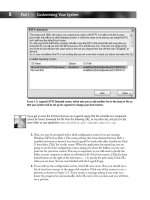
Once you have selected all of the modules you need to compile, you are ready to
make your kernel. Exit out of the menuconfig and choose <Yes> when prompted to
save your new kernel configuration (see Figure 1.1).
Note
The Hermes driver also has support for Prism2 cards. If you plan to use the
Host access point drivers (which you will for many penetration testing tasks)
you should not compile in both Hermes support and Host access point sup-
port. The Hermes driver will generally load first; consequently, you will have
to unload it and manually modprobe the Host access point drivers.
www.syngress.com
20 Chapter 1 • Introduction to Wireless Networking, Wardriving, and Kismet
Next, compile the new kernel and the selected modules:
# make && make modules_install
Now copy the bzImage to vmlinuz in your boot partition:
# cp arch/i386/boot/bzImage /boot/linux/vmlinuz
If you use Grub for your bootloader, you do not need to make any configuration
changes. If you use LILO, you need to rerun /sbin/lilo to update the bootloader
configuration.
Issuing the lsmod command allows you to verify that the proper drivers were loaded
at boot (see Figure 1.2).
Figure 1.1 Saving the Kernel Configuration
www.syngress.com
Introduction to Wireless Networking, Wardriving, and Kismet • Chapter 1 21
At this point, all of the drivers and kernel options you need are installed to run a
WLAN scanning program in monitor mode.
Preparing the Kernel for a Global Positioning System
Discovering WLANs is a lot of fun if you can generate maps of your drives. In order
to do that, you need to prepare your kernel to work with a Global Positioning
System (GPS). Most GPS units come with a serial data cable; however, you can now
purchase a unit that has a Universal Serial Bus (USB) cable. If you need to use a USB
serial converter, you have to have support for your converter in the kernel.
Go to the /usr/src/linux directory and issue the make menuconfig command. Then
select the appropriate driver for your USB serial converter:
Device Drivers >
USB support >
Figure 1.2 Host ACCESS POINT Drivers for a Mini-PCI Senao Card
www.syngress.com
22 Chapter 1 • Introduction to Wireless Networking, Wardriving, and Kismet
USB Serial Converter support >
<*> USB Serial Converter support
[*] USB Generic Serial Driver
<*> USB Prolic 2303 Single Port Serial Driver
The Prolific 2303 driver is a very common USB serial converter driver. You will
need to ensure that you have compiled in support for your specific converter.
Next, exit out of the menuconfig, save your kernel configuration, compile your
new kernel, move or copy the bzImage to your boot partition, and, if necessary, update
your bootloader. After rebooting, insert your USB serial adapter. The system dmesg will
show if the kernel correctly recognized your converter (see Figure 1.3).
Figure 1.3 The Prolific USB Serial Converter
Note
When you execute make menuconfig, it reads from the running kernel or
from the kernel configuration file for the current kernel. This configuration
has all of the changes that were previously made, therefore, they do not
need to be repeated.